


Quick access


rBottomBarStyler for WoW Forever
Yes, rBottomBarStyler has a WoW Forever version. Diablo-style orbs and other bar skins for Forever. Get it on CurseForge and type /rbbs in chat to open its settings. Among the 5 addons in the Action bars group it ranks 4th by downloads.
- Downloads
- 6.2K
- checked
- Nov 10
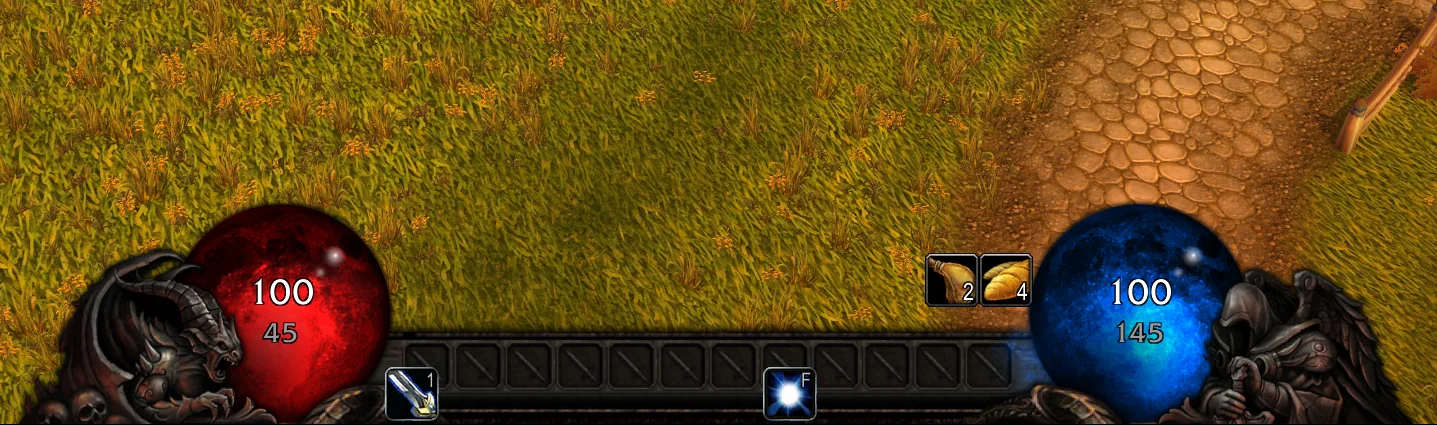
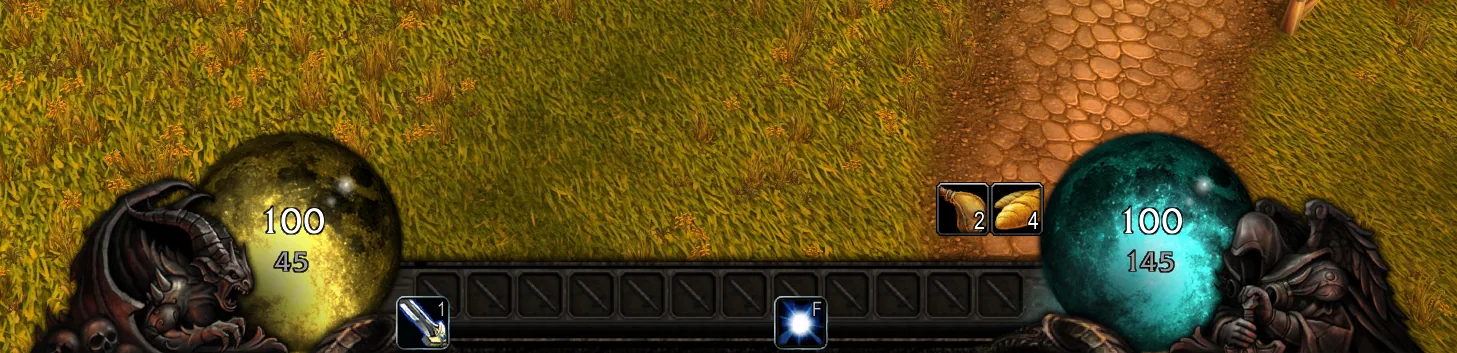
What it does
- Adds a health orb and a resource orb in Diablo style on both sides of the bottom action bar.
- Several art styles to pick from: roth, d1, d2, d3, d3no, aion and aion2, with bar variants for some of them.
- Colors the health orb by class color or a fixed color, and the resource orb by your current resource or a fixed color.
- Text on the orbs is adjustable: health and resource percentages on or off, number grouping, font, font size and outline.
- Scale and position can be changed, you unlock a small blue square and drag it with Shift and Alt held.
- Artwork only: it does not move your action buttons, so you line them up with a bar addon such as Bartender4.
Settings
/rbbs
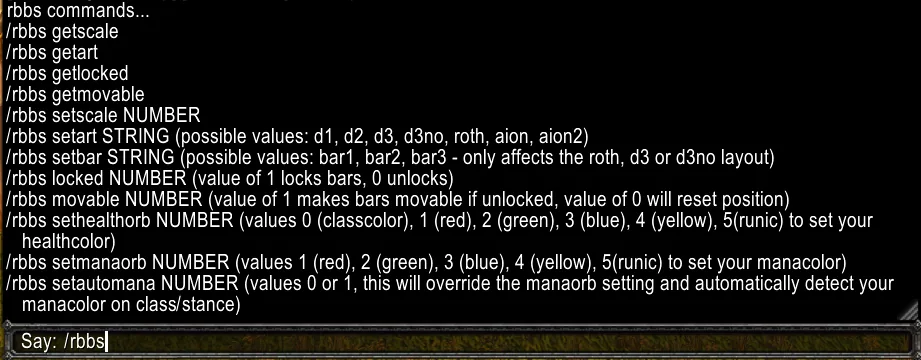
Type /rbbs in chat to list all commands, there is no options window. Settings like /rbbs setart and /rbbs setscale are saved per character.
Install
- Download the file tagged for Forever or game version 1.60.1.
- Unpack the folder into World of Warcraft\_forever_\Interface\AddOns.
- Restart the game and check on the character screen under AddOns that it is on.
How to install addons in WoW ForeverAre addons allowed in WoW Forever?
For the same job
- Bartender4Action bar replacement with 13 bars, paging, stances and visibility rules.
- DominosMain action bar replacement with movable bars, spacing, opacity and Masque support.
- ControllerForeverPlay with a gamepad. Your spells go on A, B, X and Y with more layers on LT and RT, plus tap-to-target triggers, healer targeting and Xbox, PlayStation or Nintendo button symbols. Needs the game's gamepad interface turned on. Opens with /cf.
- Forever Clean ButtonsSquare action buttons with a thin border for Dominos or the default bars, and the time left on your buffs right on their spell buttons. Opens with /fcb.
FAQ
Does rBottomBarStyler work in WoW Forever?
Yes. We checked the addon file on November 10, not only the download page.
Where do I download rBottomBarStyler for WoW Forever?
On CurseForge. Take the file tagged for Forever or game version 1.60.1. rBottomBarStyler has 6.2K downloads on CurseForge.
How do I open the rBottomBarStyler settings?
Type /rbbs in chat. Type /rbbs in chat to list all commands, there is no options window. Settings like /rbbs setart and /rbbs setscale are saved per character.
Short on time? Let a booster play it
Every guide here shows how to do it yourself. If your evenings are short, our boosters take the grind off your hands. Options and current prices are on each service page.


Linked in other guides
Page history
What changed
Updated
Every addon page says where to get the addon and how it ranks among the addons of its kind, and names the built-in tool that does part of the same job
Every addon shows the date of our last check now, not the day its Forever support was first seen.
The addon folder of the live game is World of Warcraft\_forever_\Interface\AddOns. The beta folder _classic_beta_ only matters for moving your addons over.
First published Every change on the guides