


Quick access


AllTheThings (ATT) for WoW Forever
Yes, AllTheThings (ATT) has a WoW Forever version (version 5.4.18 of November 24). Collection and completion tracker for achievements, appearances, mounts, pets, toys, titles and quest chains. Get it on GitHub under Releases and type /att in chat to open its settings. Among the 7 addons in the Collections and achievements group it has the most downloads.
- Downloads
- 60.8M
- Version
- 5.4.18
- checked
- Nov 24
What it does
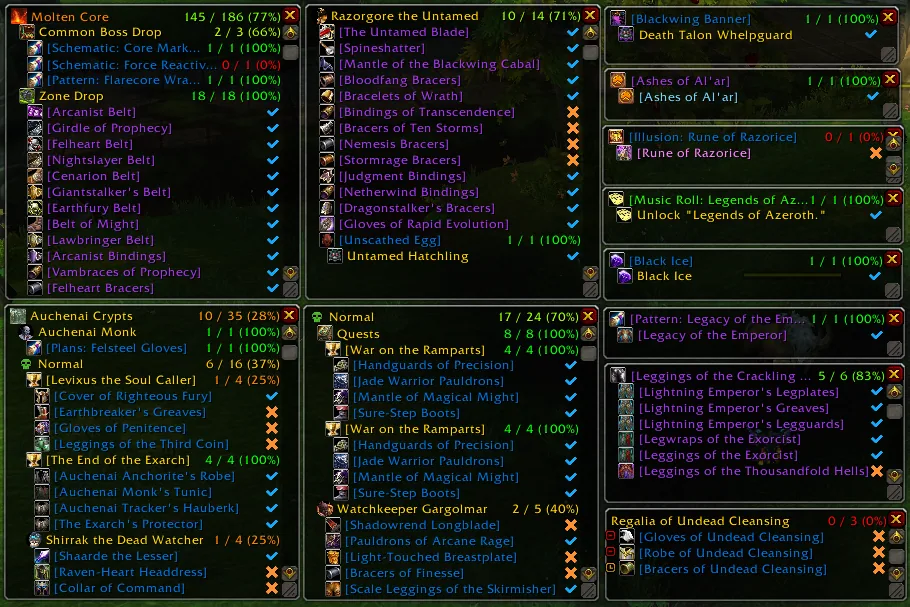
- Tracks what you have and what you are missing across achievements, quests, appearances, mounts, pets, toys, titles and more
- A main collection window you can move and resize, plus a mini list for the zone you are standing in
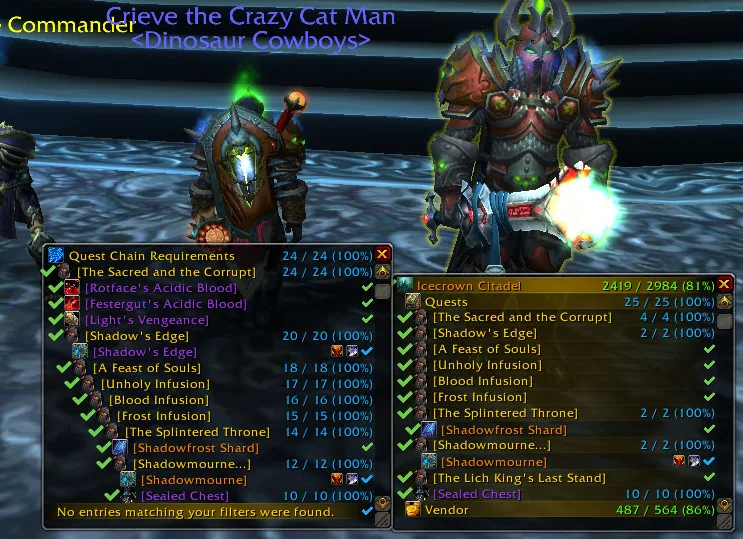
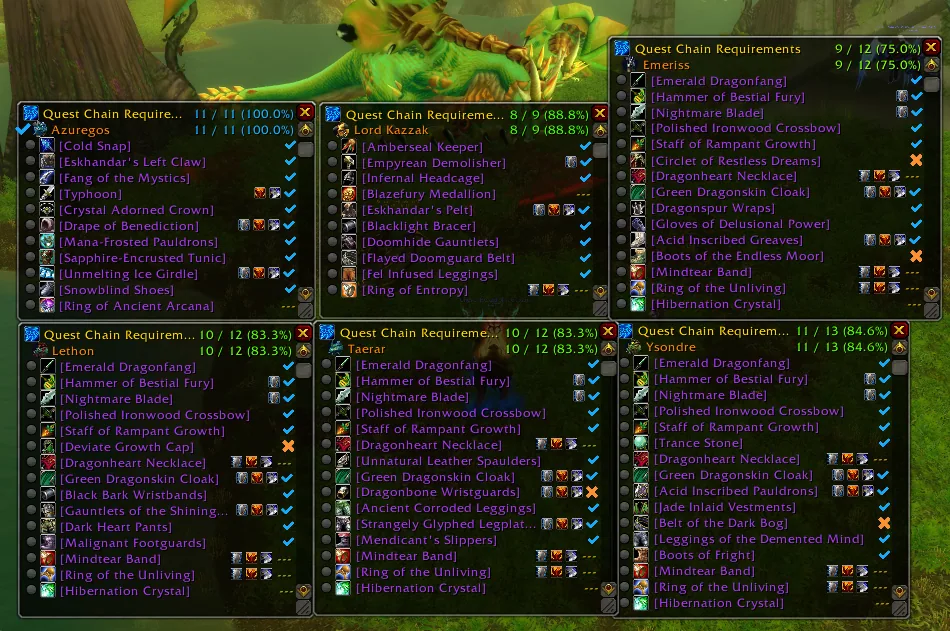
- Right click a quest to pop out its whole chain with every requirement and reward in one window
- Extra tooltip info on items and NPCs, such as models, icons and descriptions
- Filters in the settings so the lists match how you play
- Shows sources for quests, vendors, rares, dungeons, raids and world events, and plays a short fanfare when you learn something new
Settings
/att
Type /att to open or close the main collection window. The settings page is under AllTheThings in the game's AddOns options.
Install
- Download the file tagged for Forever or game version 1.60.1.
- Unpack the folder into World of Warcraft\_forever_\Interface\AddOns.
- Restart the game and check on the character screen under AddOns that it is on.
How to install addons in WoW ForeverAre addons allowed in WoW Forever?
For the same job
- Can I Mog It?Tooltips and overlays that show whether you have learned an item's transmog appearance.
- Mage Books & Library BooksReference for the mage books and the Library Books that all classes can collect in Forever.
- Legacy ForeverShows your unfinished Forever Legacy challenges on the world map with live progress in the objective tracker.
- Hardcore AchievementsA simple list of Hardcore achievements for those who want a challenge.
- Transmog Loot HelperShows collection status icons on inventory items.
- Books on Map ForeverShows the locations of Forever's collectable books on the map.
FAQ
Does AllTheThings (ATT) work in WoW Forever?
Yes. We checked the addon file of version 5.4.18 on November 24, not only the download page.
Where do I download AllTheThings (ATT) for WoW Forever?
On GitHub under Releases. Take the file tagged for Forever or game version 1.60.1. AllTheThings (ATT) has 60.8M downloads on CurseForge.
How do I open the AllTheThings (ATT) settings?
Type /att in chat. Type /att to open or close the main collection window. The settings page is under AllTheThings in the game's AddOns options.
Short on time? Let a booster play it
Every guide here shows how to do it yourself. If your evenings are short, our boosters take the grind off your hands. Options and current prices are on each service page.


Linked in other guides
Legacy Challenges1
Legacy Challenges1- AchievementsActivity · Useful addons AllTheThings
More guides5
More guides5

- FarmingActivity · Useful addons AllTheThings

- MountsActivity · Useful addons AllTheThings
- TransmogrificationActivity · Useful addons AllTheThings

Page history
What changed
Updated
The current Forever version is 5.4.18 of November 24.
Every addon page says where to get the addon and how it ranks among the addons of its kind, and names the built-in tool that does part of the same job
New Forever versions of November 18: TradeSkillMaster v4.15.8, Auctionator 349 and All The Things 5.4.14
First published Every change on the guides