
Quick access


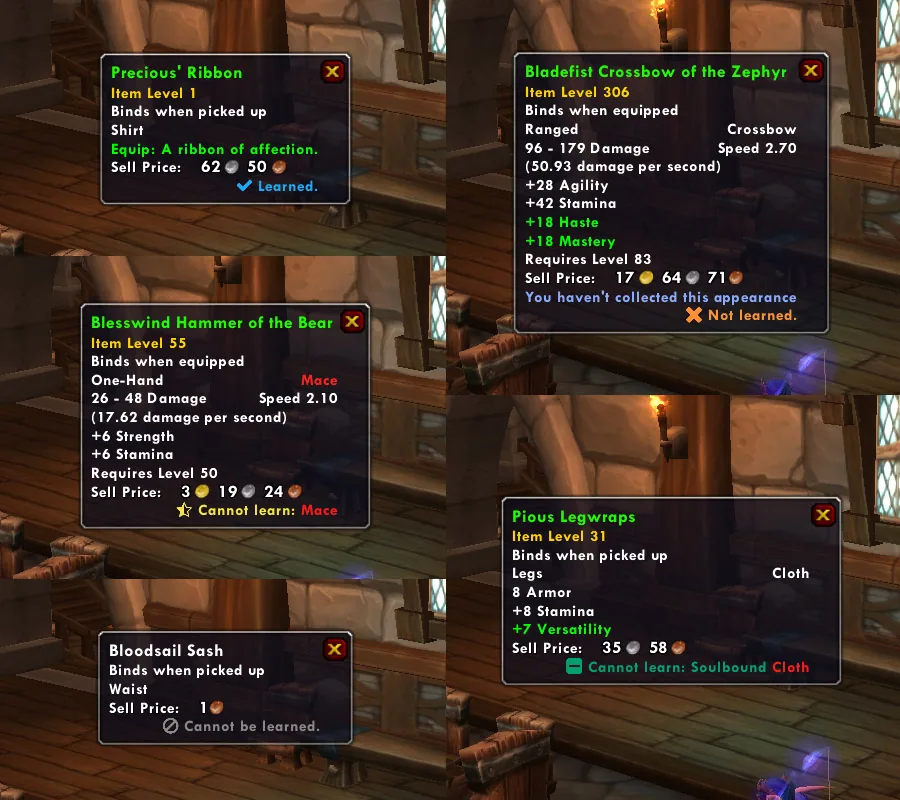
1/4Six item tooltips, each ending in a line such as Learned, Not learned, Cannot learn or Cannot be learned
Captured in RetailImages: curseforge.com
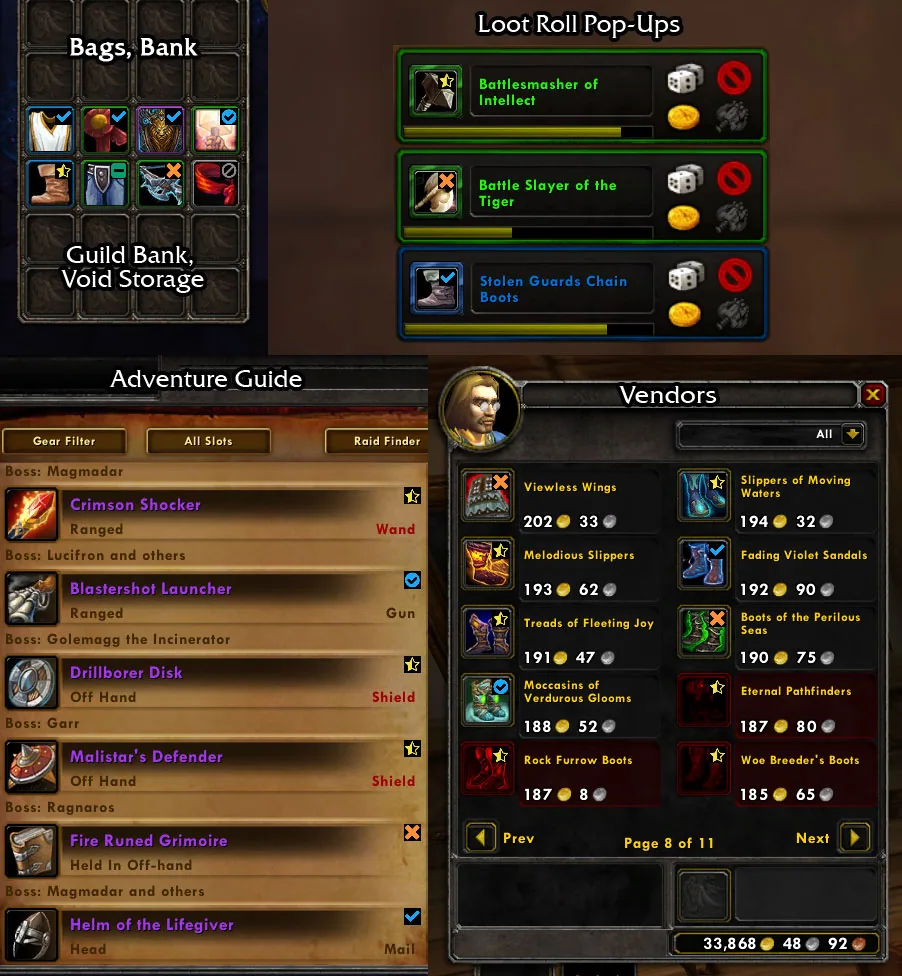
2/4Status icons on items in bags, loot roll pop-ups, the Adventure Guide loot list and a vendor window
Captured in RetailImages: curseforge.com
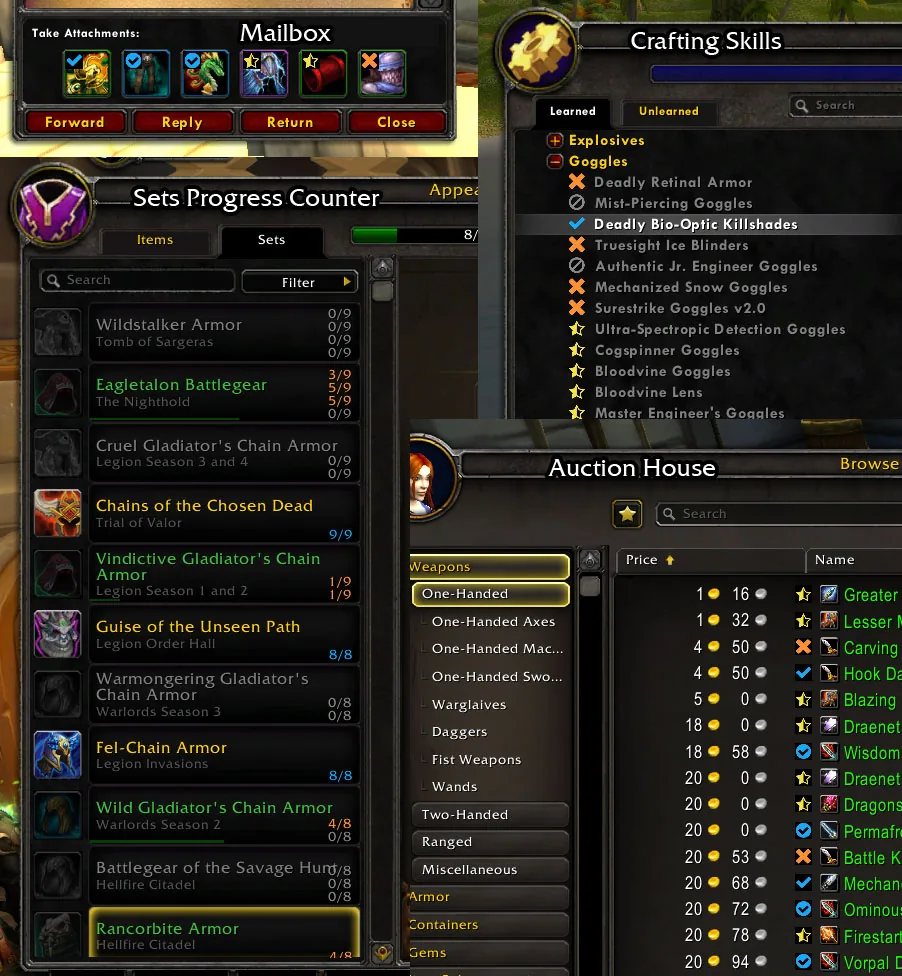
3/4Status icons in the mailbox, a crafting window and the auction house, next to a transmog set progress list
Captured in RetailImages: curseforge.com
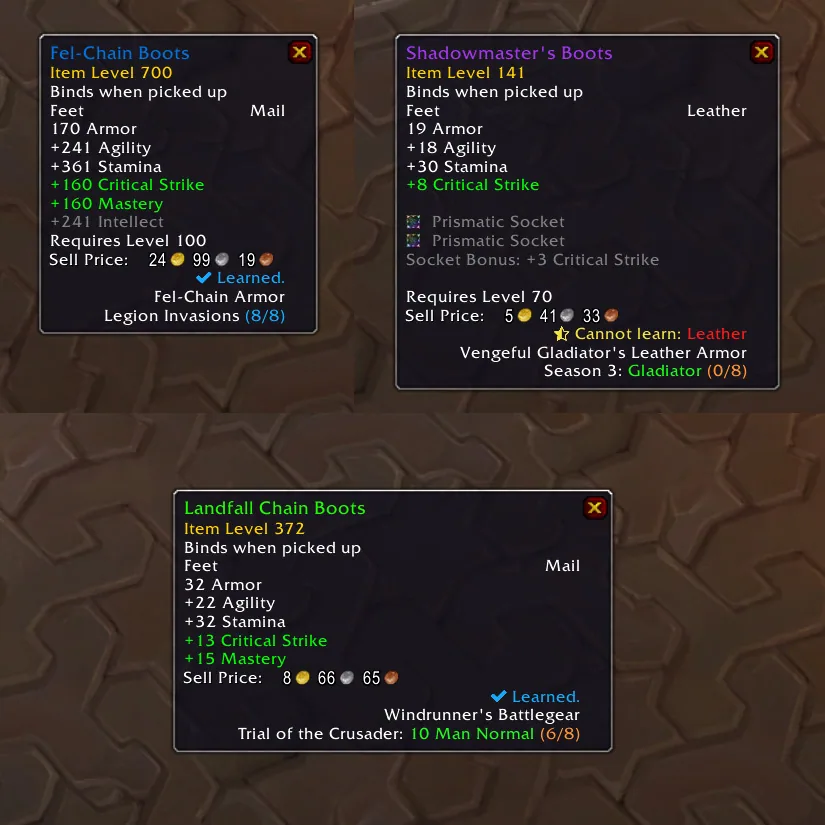
4/4Item tooltips that also show which set the item belongs to and how many pieces of that set you have
Captured in RetailImages: curseforge.com
What it does
- Adds a line to item tooltips that says whether you have learned the item's transmog appearance, and whether this character can still learn it
- Small status icons on items in bags, bank, vendors, the auction house, mail, quest rewards, loot windows, loot rolls and crafting lists
- Also marks pets, mounts and toys you already know, with switches to turn each kind of overlay off
- Filters that show icons only on equippable items, only on items that can be transmogged, or only on appearances you are still missing
- Works with popular bag addons such as Bagnon, AdiBags, ArkInventory, LiteBag and ElvUI
- Account wide: it checks all your characters, not just the one you are playing
In WoW Forever
Yes, Can I Mog It? has a WoW Forever version (version 1.60.1-4 of October 19).
Settings
/cimi
Type /cimi to open the options. /cimi overlay, /cimi verbose and /cimi help work as quick switches.
Install
- Download the file tagged for Forever or game version 1.60.1.
- Unpack the folder into World of Warcraft\_classic_beta_\Interface\AddOns.
- Restart the game and check on the character screen under AddOns that it is on.
For the same job
- AllTheThingsCollection and completion tracker for achievements, appearances, mounts, pets, toys, titles and quest chains.
- Mage Books & Library BooksReference for the mage books and the Library Books that all classes can collect in Forever.
- Legacy ForeverShows your unfinished Forever Legacy challenges on the world map with live progress in the objective tracker.
- Hardcore AchievementsA simple list of Hardcore achievements for those who want a challenge.
- Transmog Loot HelperShows collection status icons on inventory items.
- Books on Map ForeverShows the locations of Forever's collectable books on the map.
FAQ
Does Can I Mog It? work in WoW Forever?
Yes, Can I Mog It? has a WoW Forever version (version 1.60.1-4 of October 19). We check the addon file itself, not only what the download page says.
Where do I download Can I Mog It? for WoW Forever?
On GitHub under Releases. Take the file tagged for Forever or game version 1.60.1. Can I Mog It? has 7M downloads on CurseForge.
How do I open the Can I Mog It? settings?
Type /cimi in chat. Type /cimi to open the options. /cimi overlay, /cimi verbose and /cimi help work as quick switches.
Short on time? Let a booster play it
Every guide here shows how to do it yourself. If your evenings are short, our boosters take the grind off your hands. Options and current prices are on each service page.


Connected
Linked in other guides
More guides3
More guides3

- TransmogrificationActivity · Useful addons Can I Mog It?
Page history
What changed
Updated
New version with a Forever build: version and release date updated.
New page for this addon: what it does, its Forever status, settings, install steps, alternatives and the download from the developer or the project page, with the project's screenshots where it has them, each credited to its source.
First published Every change on the guides