


Quick access


BetterBlizzPlates for WoW Forever
Yes, BetterBlizzPlates has a WoW Forever version (version v2.2.5c of November 20). Blizzard's nameplates with many extra options and settings. Get it on GitHub under Releases and type /bbp in chat to open its settings. Among the 7 addons in the Nameplates group it ranks 4th by downloads.
- Downloads
- 5.4M
- Version
- v2.2.5c
- checked
- Nov 24
What it does
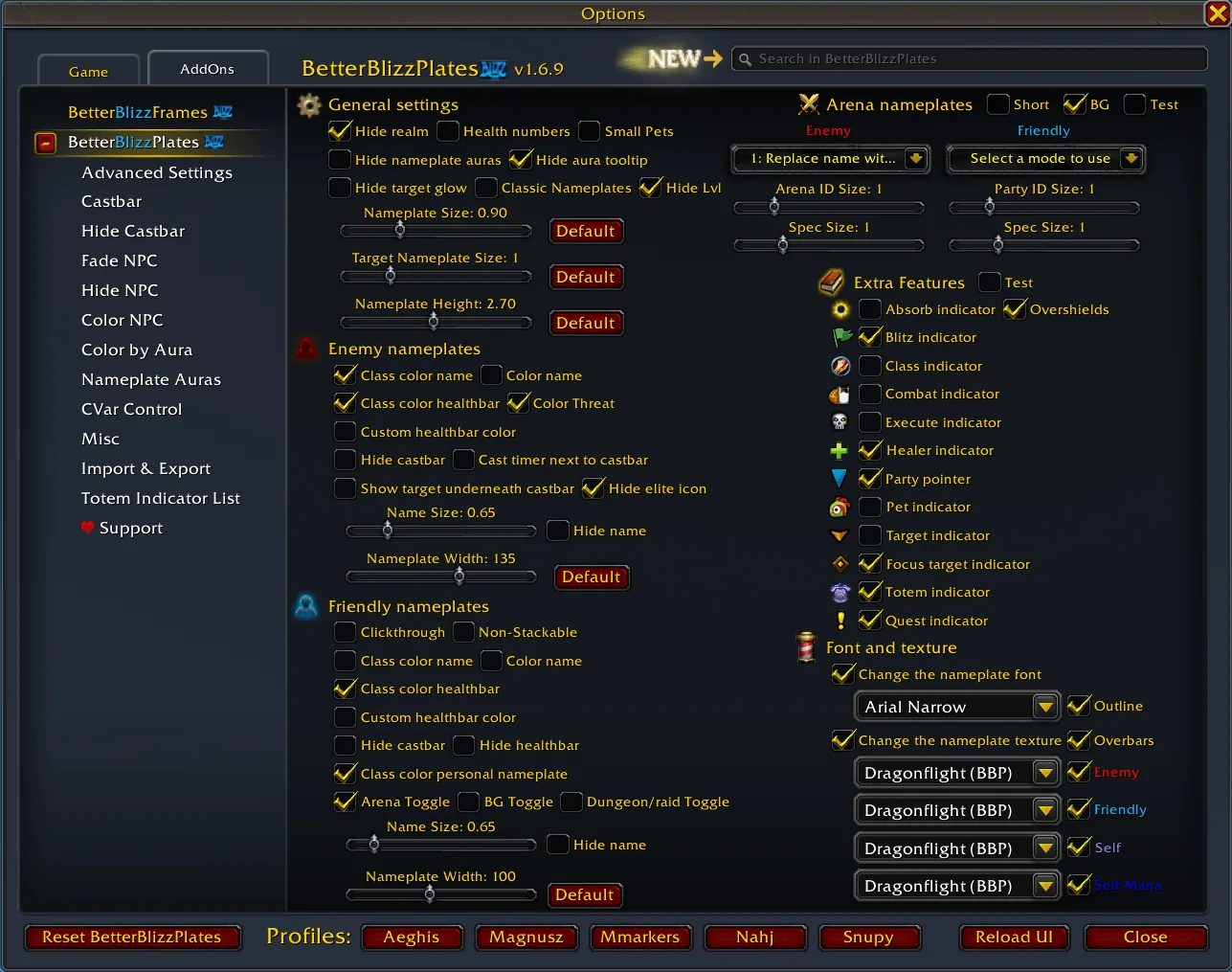
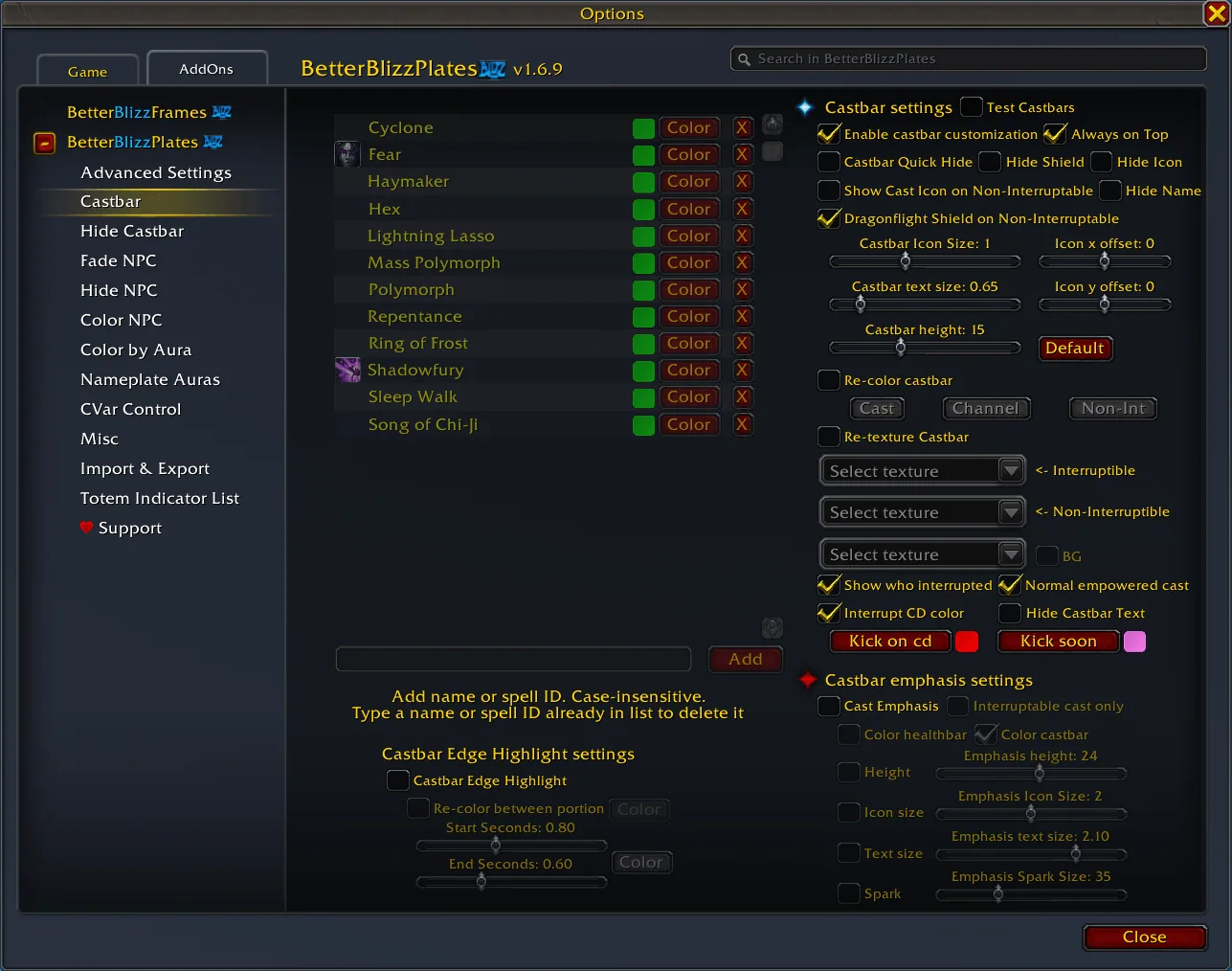
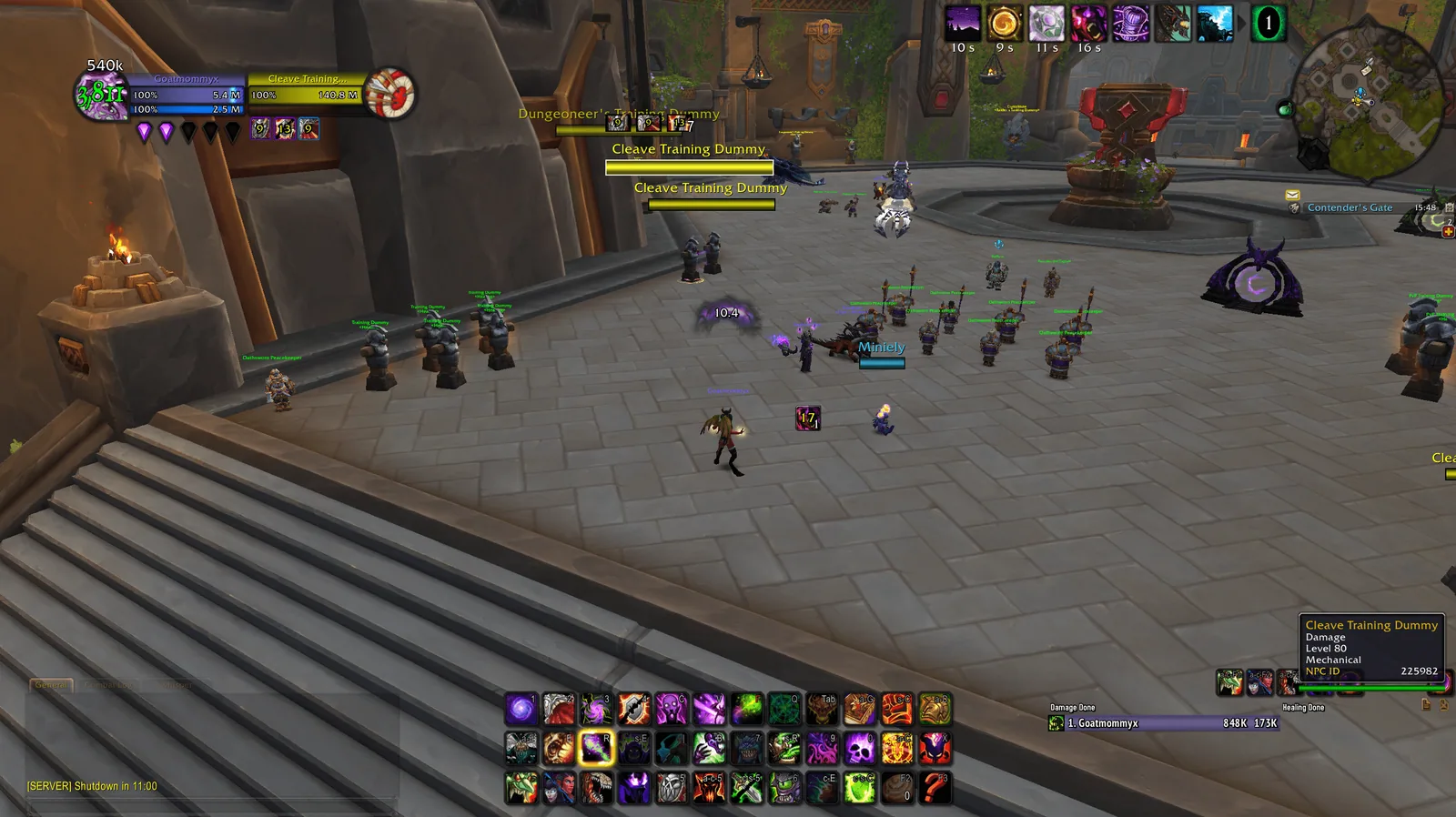
- Keeps Blizzard's own nameplates and adds settings on top: nameplate size, health bar width and height, fonts, textures, outline and the castbar.
- Colors nameplates by NPC name or ID, by an aura on the unit, or differently for your target and focus.
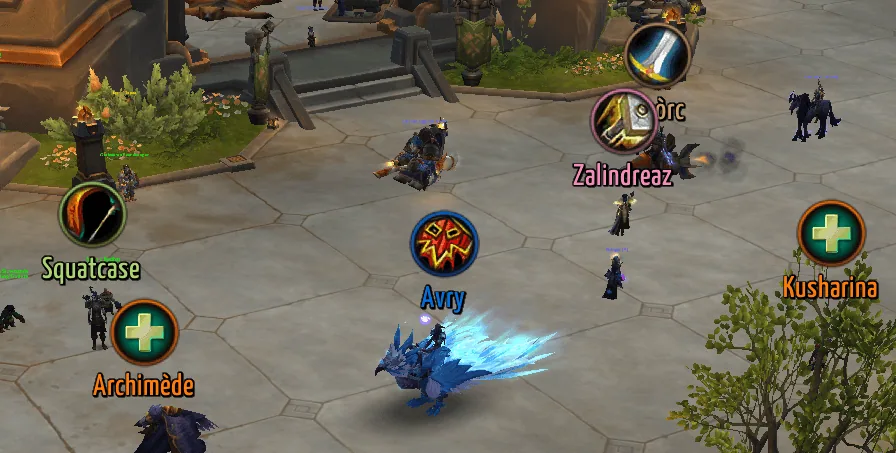
- Class icons on player nameplates, a party pointer arrow and a big highlighted icon for important totems and NPCs.
- Filters and sorts the auras on nameplates, with size and glow for the ones you care about.
- Hides or fades unwanted nameplates, or swaps them for a small murloc icon so you can still count them.
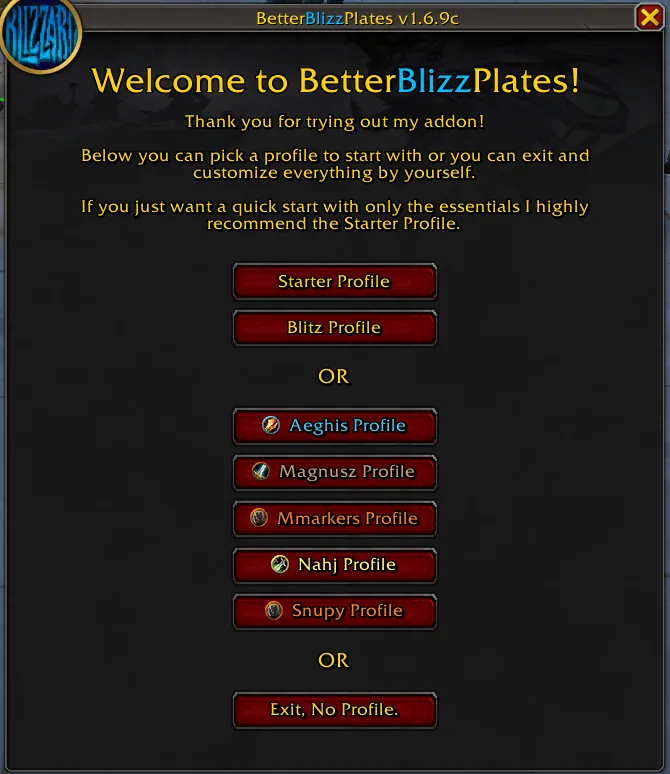
- Starts from ready-made profiles (a minimal Starter profile and several player profiles), and profiles can be imported and exported.
Settings
/bbp
Type /bbp to open the settings. On the first start a welcome window lets you pick a profile.
Install
- Download the file tagged for Forever or game version 1.60.1.
- Unpack the folder into World of Warcraft\_forever_\Interface\AddOns.
- Restart the game and check on the character screen under AddOns that it is on.
How to install addons in WoW ForeverAre addons allowed in WoW Forever?
For the same job
- Plater NameplatesHighly scriptable nameplate addon with threat coloring, debuff tracking and profiles.
- PlatynatorFast, drag-and-drop customisable nameplates with threat coloring, made for Midnight and Forever.
- Threat PlatesNameplates that scale and recolor with your threat level.
- PlateSCTDamage numbers on the nameplates of the mobs you hit, in a Modern, Classic or Impact style, with a threshold that hides small hits, shortened numbers and an optional crit sound. Opens with /platesct.
- Forever Combat PlatesShows enemy nameplates only in combat and hides them a few seconds after the fight, with an option to keep them on in dungeons and raids. Opens with /fcp.
- Forever Plate RangeShows the range to your target in yards next to its nameplate, coloured by distance, so you see at a glance if you are in melee, in casting range or too far. Works with Threat Plates and the default plates. Opens with /fpr.
FAQ
Does BetterBlizzPlates work in WoW Forever?
Yes. We checked the addon file of version v2.2.5c on November 24, not only the download page.
Where do I download BetterBlizzPlates for WoW Forever?
On GitHub under Releases. Take the file tagged for Forever or game version 1.60.1. BetterBlizzPlates has 5.4M downloads on CurseForge.
How do I open the BetterBlizzPlates settings?
Type /bbp in chat. Type /bbp to open the settings. On the first start a welcome window lets you pick a profile.
Short on time? Let a booster play it
Every guide here shows how to do it yourself. If your evenings are short, our boosters take the grind off your hands. Options and current prices are on each service page.


Linked in other guides
More guides3
More guides3


Page history
What changed
Updated
The current Forever version is v2.2.5c of November 20.
Every addon page says where to get the addon and how it ranks among the addons of its kind, and names the built-in tool that does part of the same job
The current Forever version is v2.2.5b of November 18.
First published Every change on the guides