
Quick access


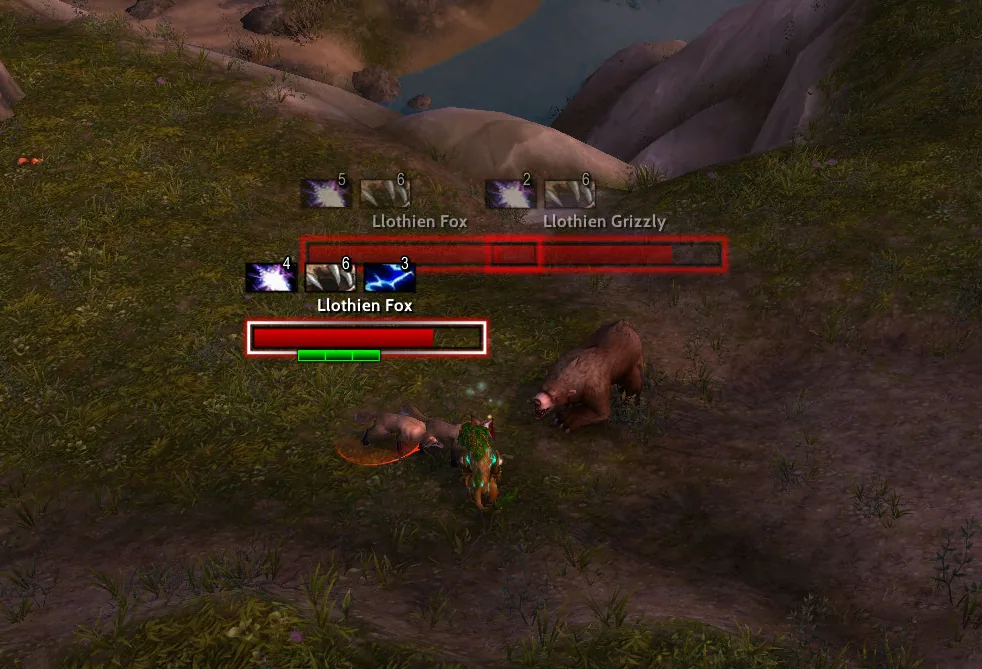
1/4Two red health bar nameplates with debuff icons above them on a Llothien Fox and a Llothien Grizzly in a grassy field, the targeted one with a white frame and a green threat bar.
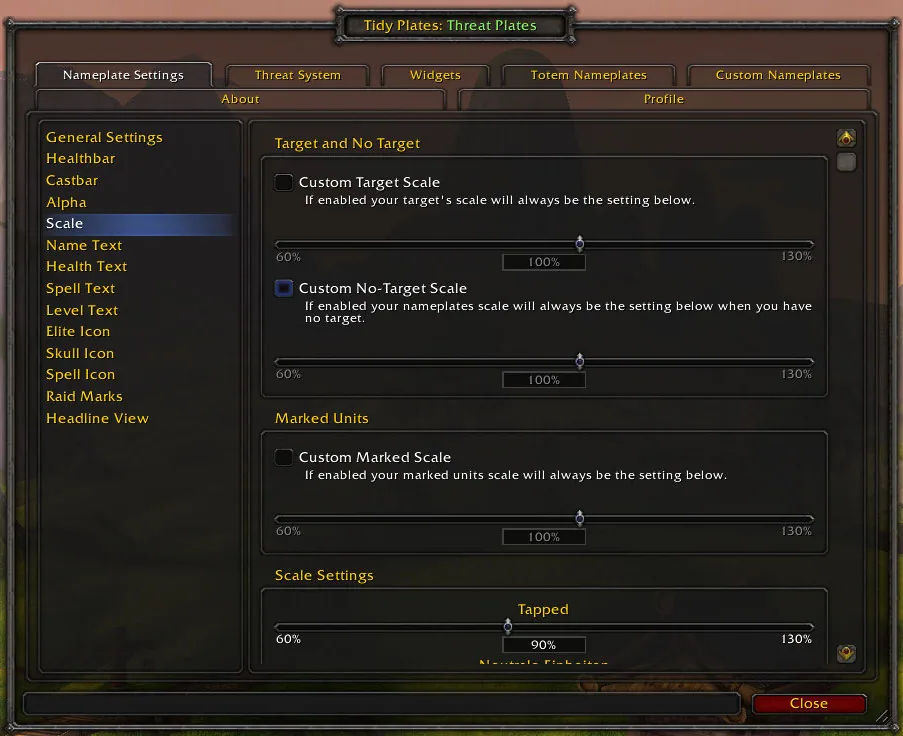
2/4The Threat Plates options window on the Scale page with sliders for target scale, no-target scale and marked units.
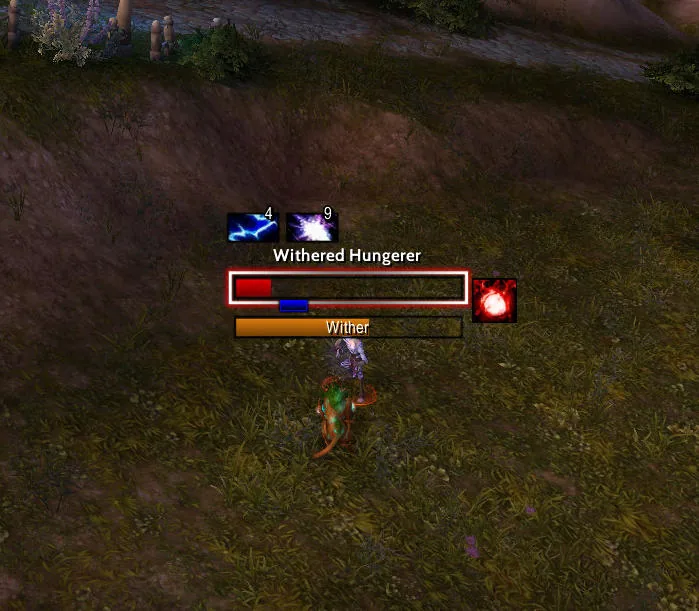
3/4A nameplate for Withered Hungerer with two aura icons above the name, a red health bar with a white frame, a castbar below it and a spell icon on the right.
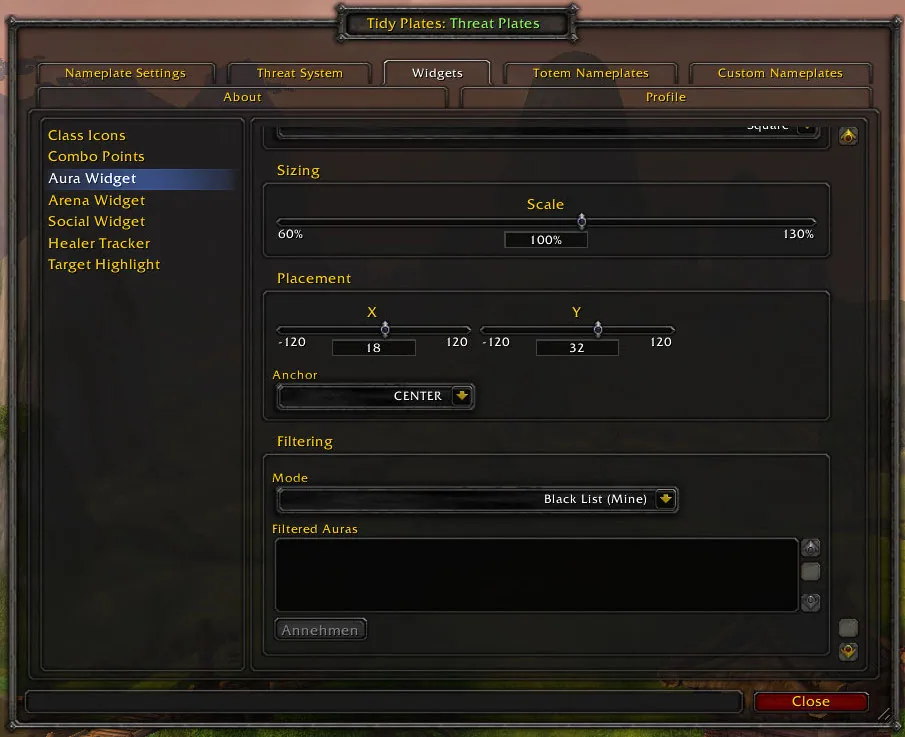
4/4The Threat Plates Aura Widget options with sizing, placement and a filtering section set to a blacklist mode.
What it does
- Nameplates that change color and size with your threat, so you see at a glance who has aggro on you.
- Two views: a health bar view with the name and a headline view that shows only the name.
- Standard nameplate parts such as health bar, name, castbar, scaling and transparency, and a target highlight you can pick.
- Custom styles for single mobs by name, aura or cast, and separate settings for totem nameplates.
- Aura filtering, class colors and class icons on health bars, and raid markers shown as icons or as bar color.
- On Forever the beta shows full character names with surnames, with an option to show first names only.
In WoW Forever
Yes, Threat Plates has a WoW Forever version (version 13.3.5 of November 1).
Partly built into the game already: Aggro Display on nameplates.
Settings
/tptp
Type /tptp to open the options. /tptp help lists the other commands.
Install
- Download the file tagged for Forever or game version 1.60.1.
- Unpack the folder into World of Warcraft\_classic_beta_\Interface\AddOns.
- Restart the game and check on the character screen under AddOns that it is on.
For the same job
- Plater NameplatesHighly scriptable nameplate addon with threat coloring, debuff tracking and profiles.
- PlatynatorFast, drag-and-drop customisable nameplates with threat coloring, made for Midnight and Forever.
- BetterBlizzPlatesBlizzard's nameplates with many extra options and settings.
- PlateSCTDamage numbers on the nameplates of the mobs you hit, in a Modern, Classic or Impact style, with a threshold that hides small hits, shortened numbers and an optional crit sound. Opens with /platesct.
- Forever Combat PlatesShows enemy nameplates only in combat and hides them a few seconds after the fight, with an option to keep them on in dungeons and raids. Opens with /fcp.
- Forever Plate RangeShows the range to your target in yards next to its nameplate, coloured by distance, so you see at a glance if you are in melee, in casting range or too far. Works with Threat Plates and the default plates. Opens with /fpr.
FAQ
Does Threat Plates work in WoW Forever?
Yes, Threat Plates has a WoW Forever version (version 13.3.5 of November 1). We check the addon file itself, not only what the download page says.
Where do I download Threat Plates for WoW Forever?
On GitHub under Releases. Take the file tagged for Forever or game version 1.60.1. Threat Plates has 39.3M downloads on CurseForge.
How do I open the Threat Plates settings?
Type /tptp in chat. Type /tptp to open the options. /tptp help lists the other commands.
Short on time? Let a booster play it
Every guide here shows how to do it yourself. If your evenings are short, our boosters take the grind off your hands. Options and current prices are on each service page.


Connected
Linked in other guides
More guides5
More guides5


Page history
What changed
Updated
The current Forever version is 13.3.5 of November 1.
The current Forever version is 13.3.3 of October 25.
Forever Combat Plates is now listed with the other nameplate addons.
First published Every change on the guides