

 All 353 guides and tools, plus dungeons, bosses, beasts, items, addons and places on the World Map.
Quick access
 Talent CalculatorAll 9 classes, share a build by link
 Interactive World MapZones by level, dungeons and routes
 Leveling Guide 1–60Your route from any start to 60
 Dungeon FinderWhich dungeons fit your level
 Rotation TrainerPractice your rotation on a dummy
 Profession LevelingAny profession 1 to 300 with a shopping list

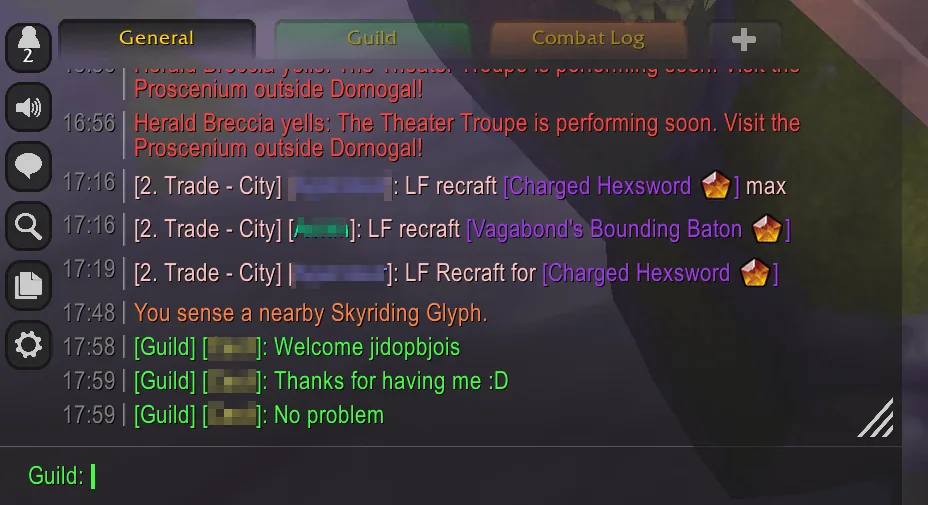
1/5Chattynator chat frame in the default dark skin with tabs on top, a button column on the left and a guild edit box at the bottom
Captured in RetailImages: curseforge.com
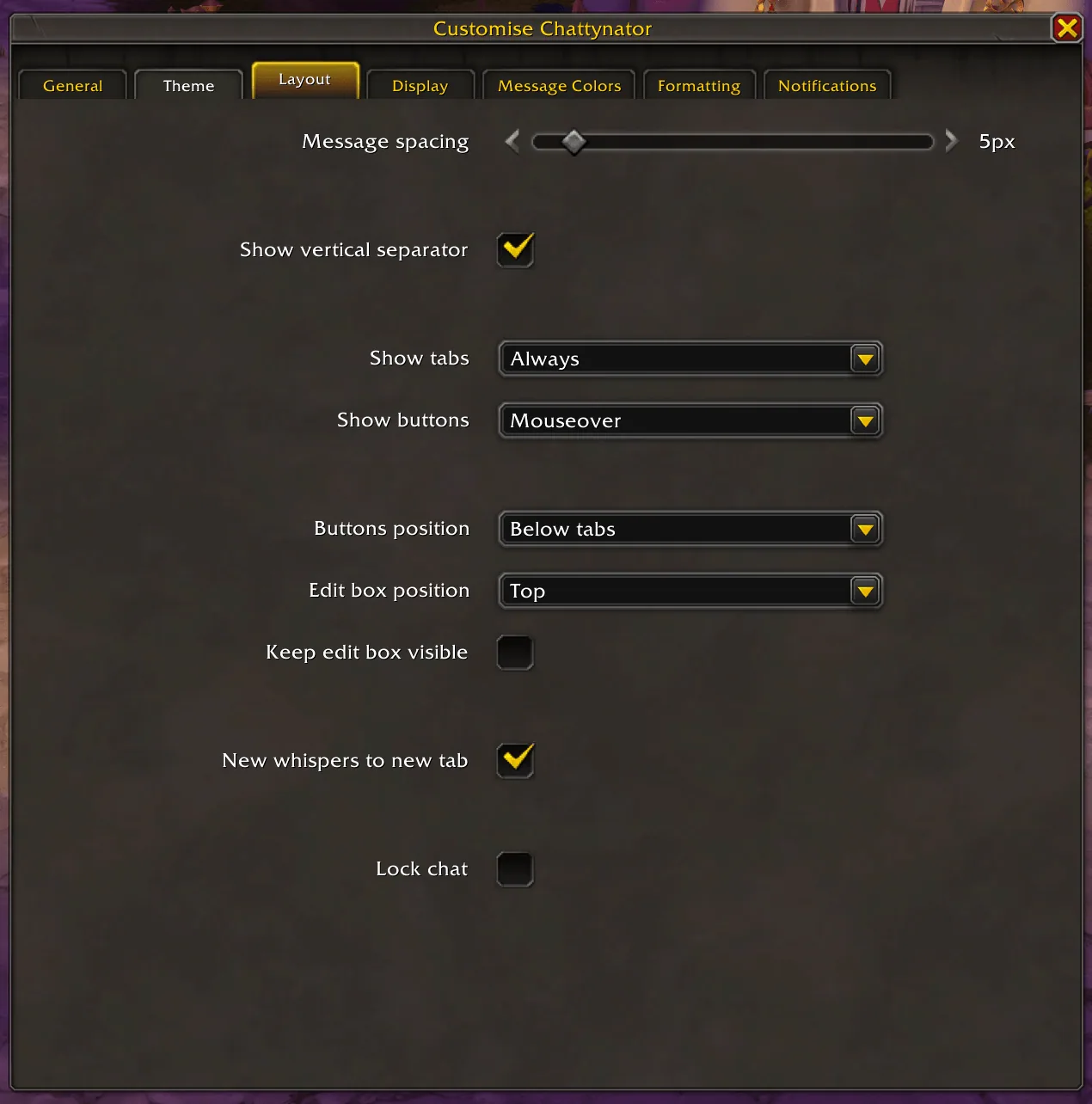
2/5Customise Chattynator window on the Layout tab with message spacing, tab and button visibility and edit box position
Captured in RetailImages: curseforge.com
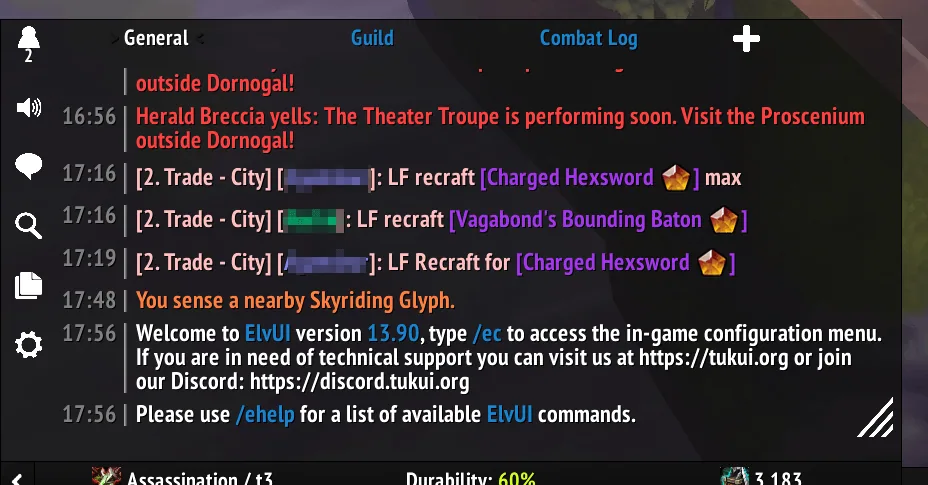
3/5Chattynator chat frame in the ElvUI skin
Captured in RetailImages: curseforge.com
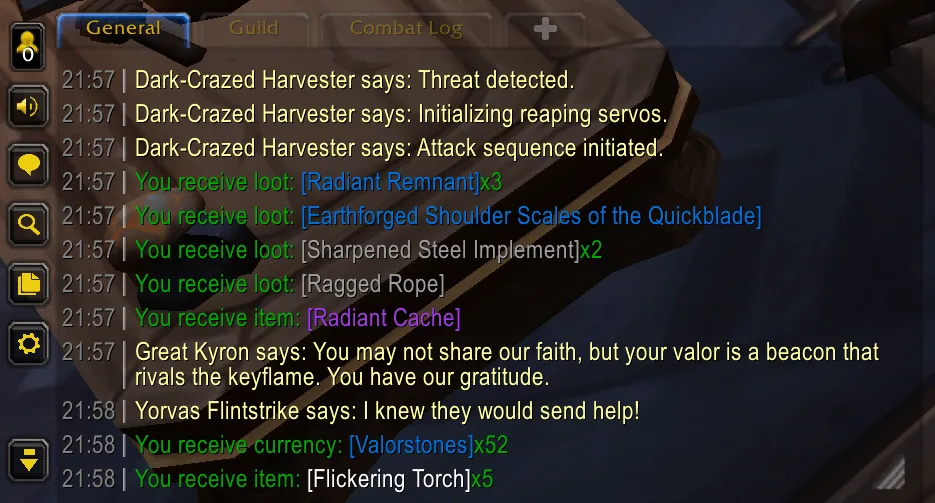
4/5Chattynator chat frame in the Blizzard skin
Captured in RetailImages: curseforge.com
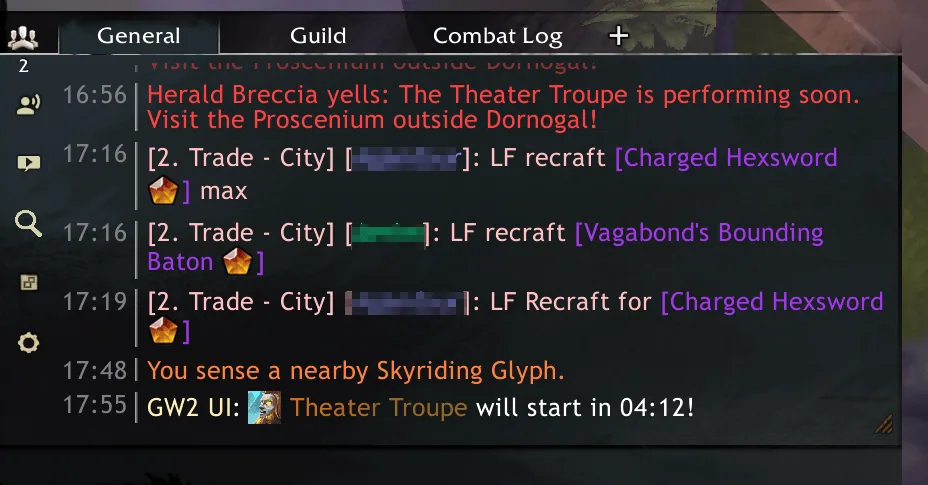
5/5Chattynator chat frame in the GW2 skin
Captured in RetailImages: curseforge.com
What it does
- Replaces the default chat frame with a new one that scrolls smoothly and stays fast
- Four skins to pick from: Dark, Blizzard, ElvUI and GW2
- Resize and move the chat box freely, with configurable timestamps and message spacing
- Keeps a history of 2,500+ messages across sessions and remembers what you typed, reachable with the arrow keys
- Shortens frequently seen message parts, and lets you change fonts and sizes
- Settings are shared by the whole account, with import and export of setups, and an option to show the player level in chat in the Forever build
In WoW Forever
Yes, Chattynator has a WoW Forever version (version 228 of October 21).
Settings
/chatty
Type /chatty (or /chattynator, /ctnr) to open the settings, or click the cog button on the chat frame. /chatty reset resets all settings.
Install
- Download the file tagged for Forever or game version 1.60.1.
- Unpack the folder into World of Warcraft\_classic_beta_\Interface\AddOns.
- Restart the game and check on the character screen under AddOns that it is on.
For the same job
- Prat 3.0Chat addon with filtering, message formatting and interface changes.
- OlympusMuteFilters chat and invites from selected guilds on the client side.
- I remember youRemembers players you played with.
- CrossIgnoreUnlimited cross-realm ignore list with chat spam filtering.
- LFG ForeverGroup listing helper for the new Forever LFG feature.
FAQ
Does Chattynator work in WoW Forever?
Yes, Chattynator has a WoW Forever version (version 228 of October 21). We check the addon file itself, not only what the download page says.
Where do I download Chattynator for WoW Forever?
On CurseForge. Take the file tagged for Forever or game version 1.60.1. Chattynator has 2.2M downloads on CurseForge.
How do I open the Chattynator settings?
Type /chatty in chat. Type /chatty (or /chattynator, /ctnr) to open the settings, or click the cog button on the chat frame. /chatty reset resets all settings.
Short on time? Let a booster play it
Every guide here shows how to do it yourself. If your evenings are short, our boosters take the grind off your hands. Options and current prices are on each service page.


Connected
Linked in other guides
Page history
What changed
Updated
The current Forever version is 228 of October 21.
New version with a Forever build: version and release date updated.
New page for this addon: what it does, its Forever status, settings, install steps, alternatives and the download from the developer or the project page, with the project's screenshots where it has them, each credited to its source.
First published Every change on the guides