

 All 353 guides and tools, plus dungeons, bosses, beasts, items, addons and places on the World Map.
Quick access
 Talent CalculatorAll 9 classes, share a build by link
 Interactive World MapZones by level, dungeons and routes
 Leveling Guide 1–60Your route from any start to 60
 Dungeon FinderWhich dungeons fit your level
 Rotation TrainerPractice your rotation on a dummy
 Profession LevelingAny profession 1 to 300 with a shopping list
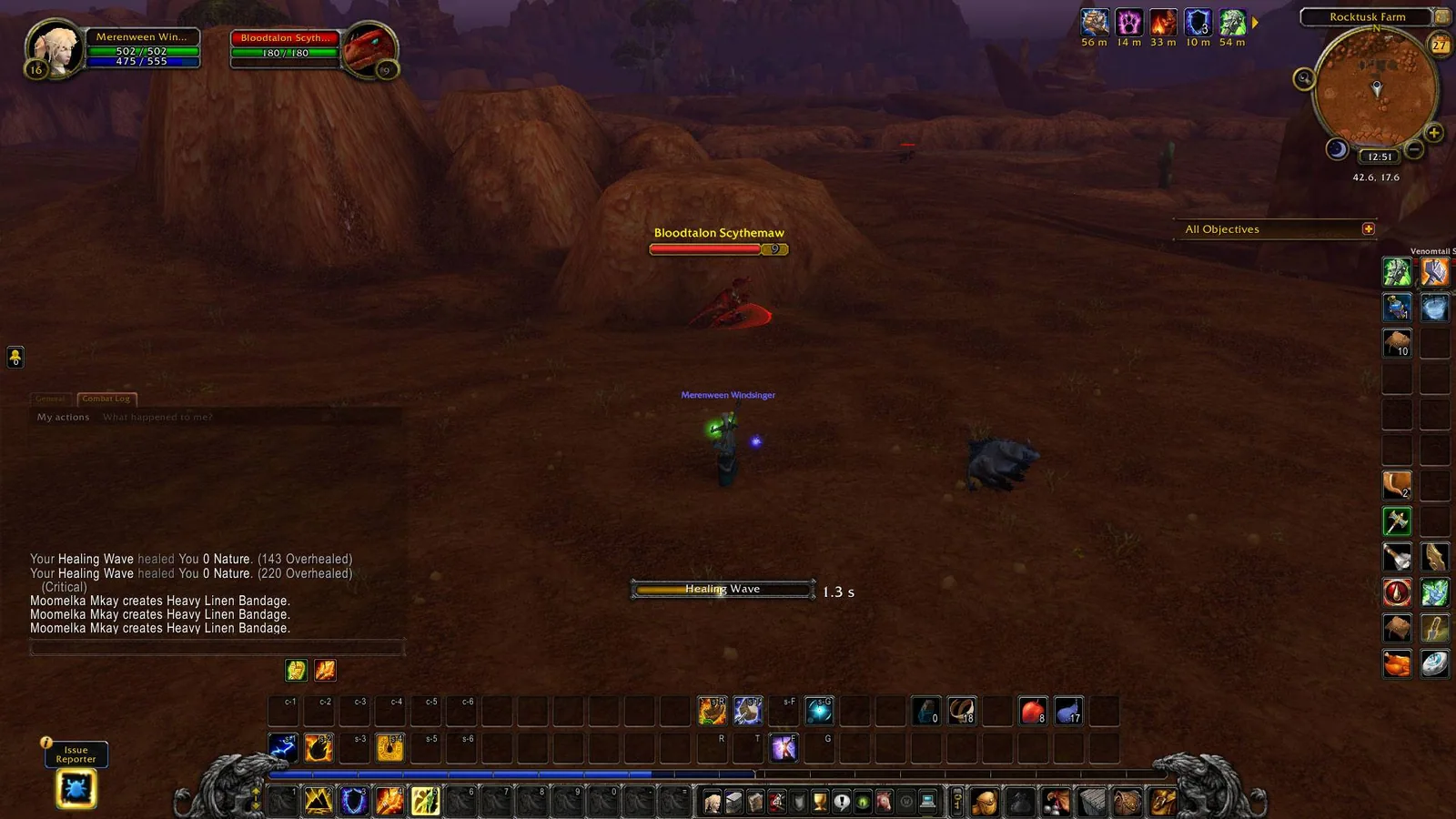
1/6Shaman casting Healing Wave against a target, with classic round unit frames, a classic cast bar, a round minimap and a gryphon action bar.
Captured in WoW ForeverImages: curseforge.com
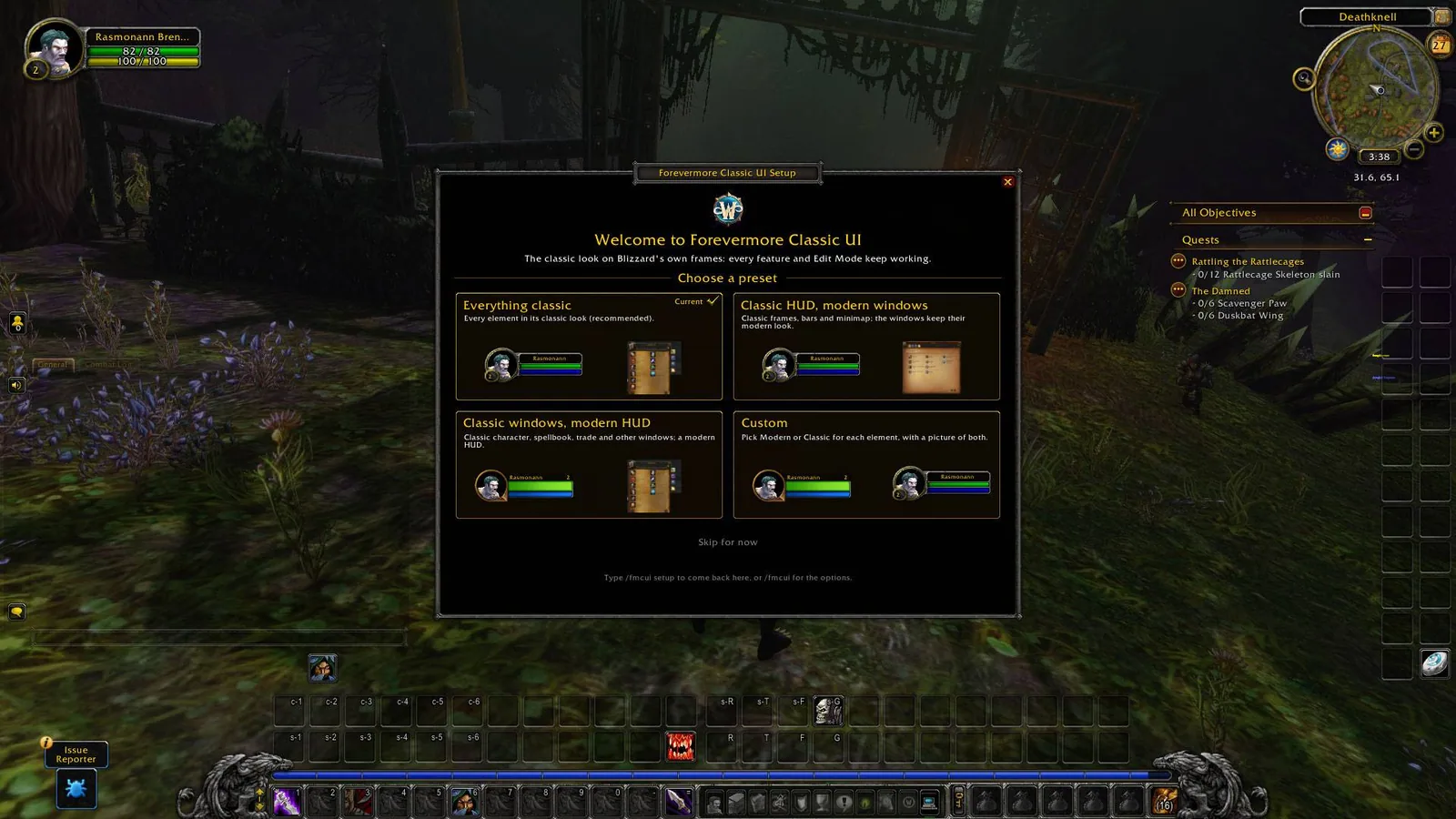
2/6Setup wizard welcome page with four presets: Everything classic, Classic HUD modern windows, Classic windows modern HUD and Custom.
Captured in WoW ForeverImages: curseforge.com
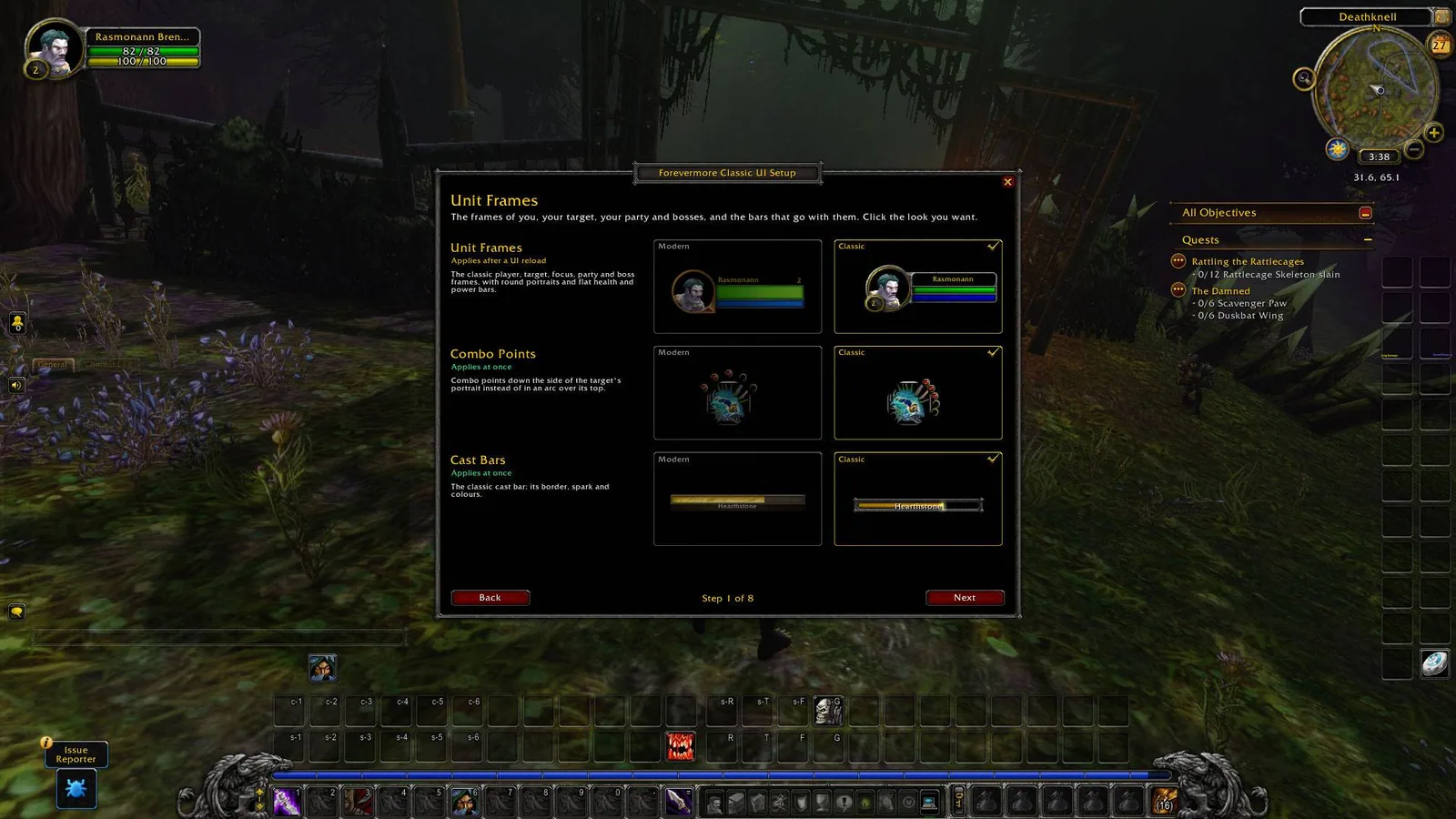
3/6Setup wizard step Unit Frames with the modern and the classic look side by side for unit frames, combo points and cast bars.
Captured in WoW ForeverImages: curseforge.com
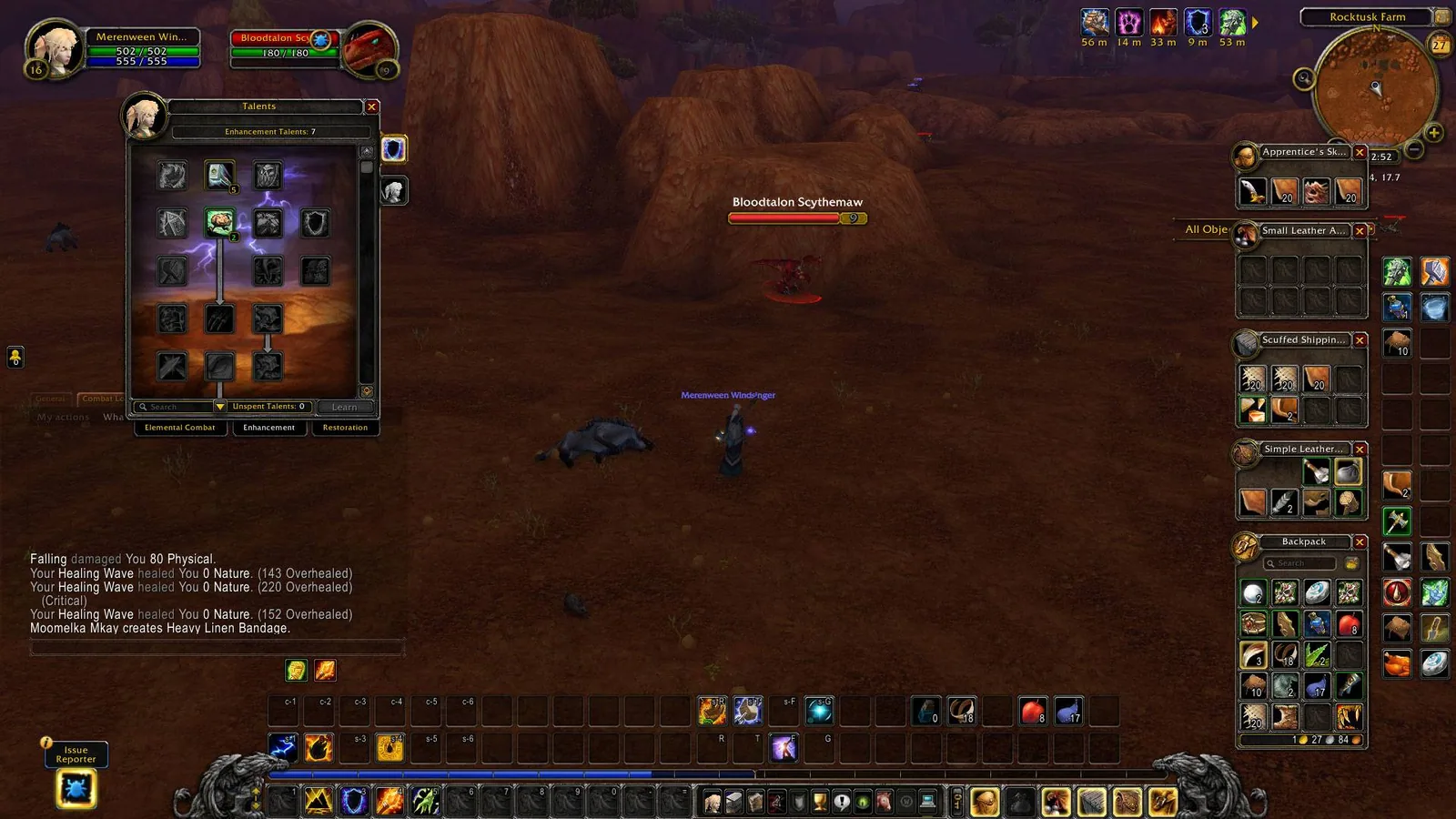
4/6Classic talent window and four classic bag windows open next to the quest tracker.
Captured in WoW ForeverImages: curseforge.com
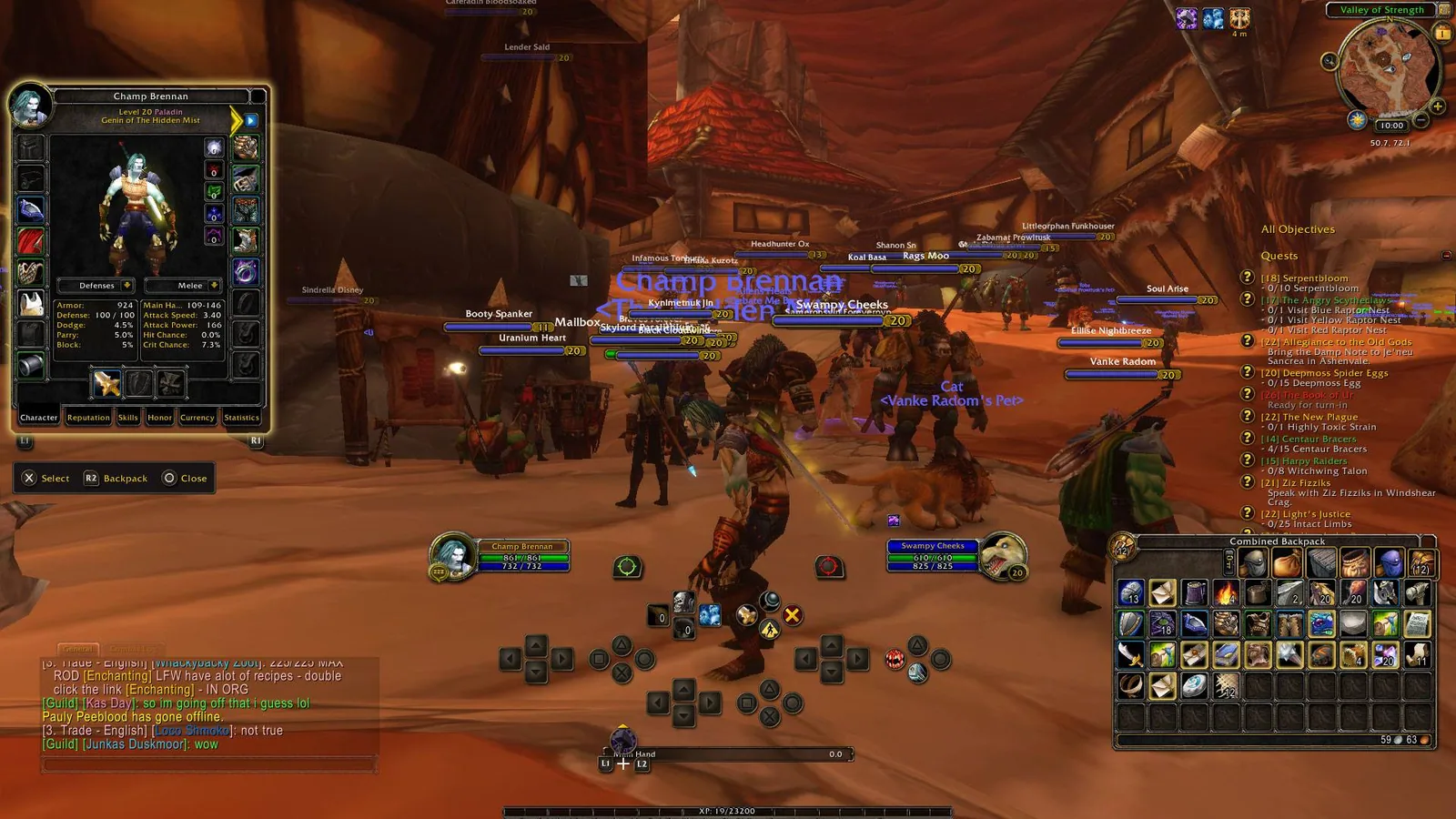
5/6Classic character window with paperdoll and tabs, and a combined classic backpack, with controller button prompts on screen.
Captured in WoW ForeverImages: curseforge.com
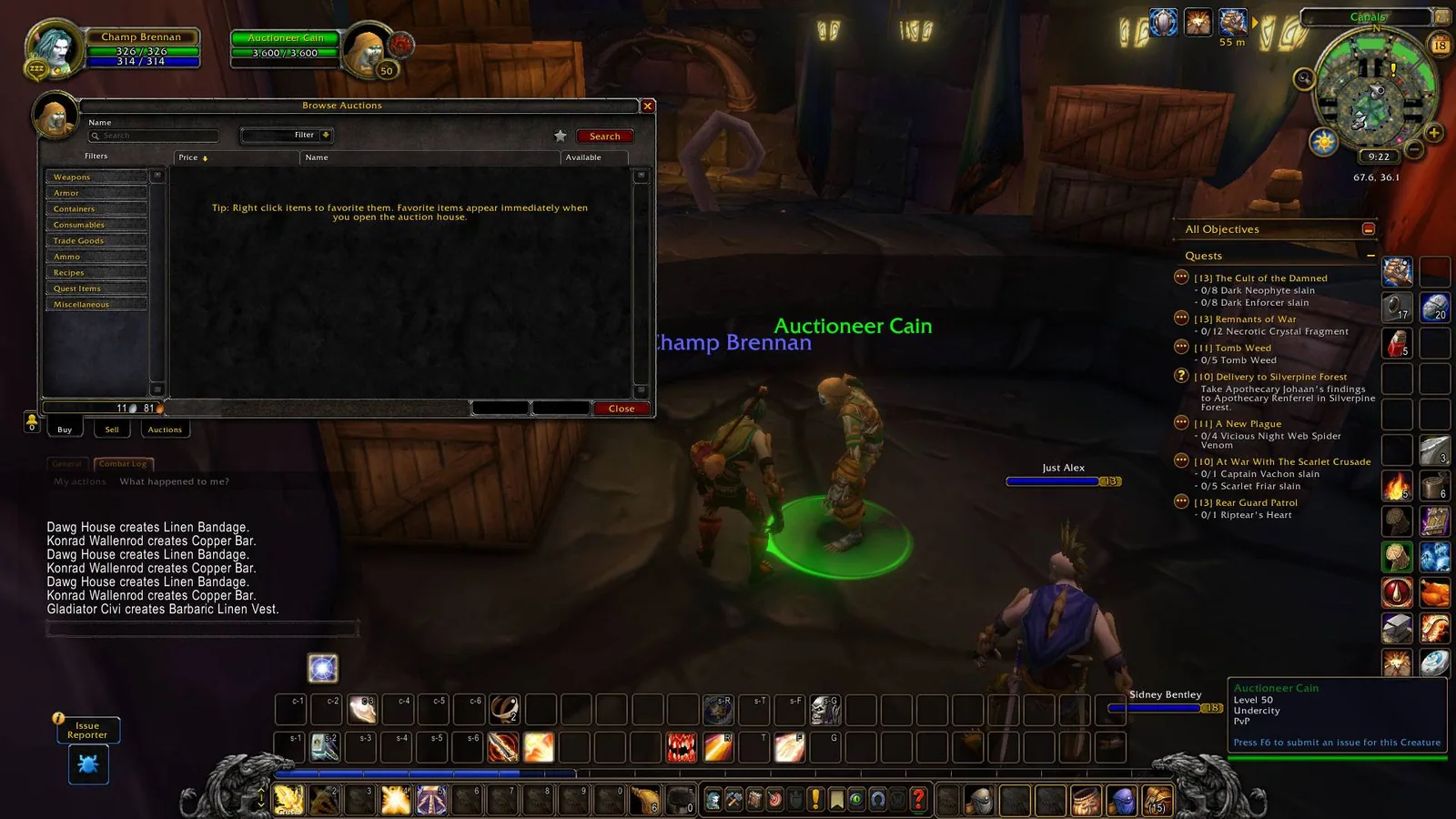
6/6Classic Browse Auctions window with a filter list on the left, a results area and the Buy, Sell and Auctions tabs.
Captured in WoW ForeverImages: curseforge.com
What it does
- Reskins Blizzard's own frames with the vanilla art instead of replacing them, so Edit Mode and new Blizzard features keep working.
- HUD pieces: unit frames, combo points, cast bars, buffs, nameplates, breath and fatigue bars and the quest tracker.
- Action bar art, gryphons, XP and reputation bars, bags and micro menu, plus a classic minimap and group finder eye.
- Windows in the old look: vendor, mail, quest log, loot and loot rolls, trainer, bank and auction house, and on Forever also character, spellbook, talents, professions and Looking For Group.
- A setup wizard on first login with three presets or an element by element choice, and a Modern or Classic switch for every element.
- Works with the controller UI of Forever.
In WoW Forever
Yes, Forevermore Classic UI has a WoW Forever version (version 1.28.0 of October 17).
Settings
/fmcui
Type /fmcui or open Game Menu, Options, AddOns, Forevermore Classic UI. /fmcui setup reopens the setup wizard and /fmcui reload applies options marked UI reload.
Install
- Download the file tagged for Forever or game version 1.60.1.
- Unpack the folder into World of Warcraft\_classic_beta_\Interface\AddOns.
- Restart the game and check on the character screen under AddOns that it is on.
For the same job
FAQ
Does Forevermore Classic UI work in WoW Forever?
Yes, Forevermore Classic UI has a WoW Forever version (version 1.28.0 of October 17). We check the addon file itself, not only what the download page says.
Where do I download Forevermore Classic UI for WoW Forever?
On GitHub under Releases. Take the file tagged for Forever or game version 1.60.1. Forevermore Classic UI has 5.8K downloads on CurseForge.
How do I open the Forevermore Classic UI settings?
Type /fmcui in chat. Type /fmcui or open Game Menu, Options, AddOns, Forevermore Classic UI. /fmcui setup reopens the setup wizard and /fmcui reload applies options marked UI reload.
Short on time? Let a booster play it
Every guide here shows how to do it yourself. If your evenings are short, our boosters take the grind off your hands. Options and current prices are on each service page.


Connected
Linked in other guides
More guides2
More guides2
 Classic UI (Forever)Addon · Related Forevermore Classic UI
- ClassicUI ForeverAddon · Related Forevermore Classic UI
Page history
What changed
Updated
New version with a Forever build: version and release date updated.
New version with a Forever build: version and release date updated.
New page for this addon: what it does, its Forever status, settings, install steps, alternatives and the download from the developer or the project page, with the project's screenshots where it has them, each credited to its source.
First published Every change on the guides