

 All 353 guides and tools, plus dungeons, bosses, beasts, items, addons and places on the World Map.
Quick access
 Talent CalculatorAll 9 classes, share a build by link
 Interactive World MapZones by level, dungeons and routes
 Leveling Guide 1–60Your route from any start to 60
 Dungeon FinderWhich dungeons fit your level
 Rotation TrainerPractice your rotation on a dummy
 Profession LevelingAny profession 1 to 300 with a shopping list
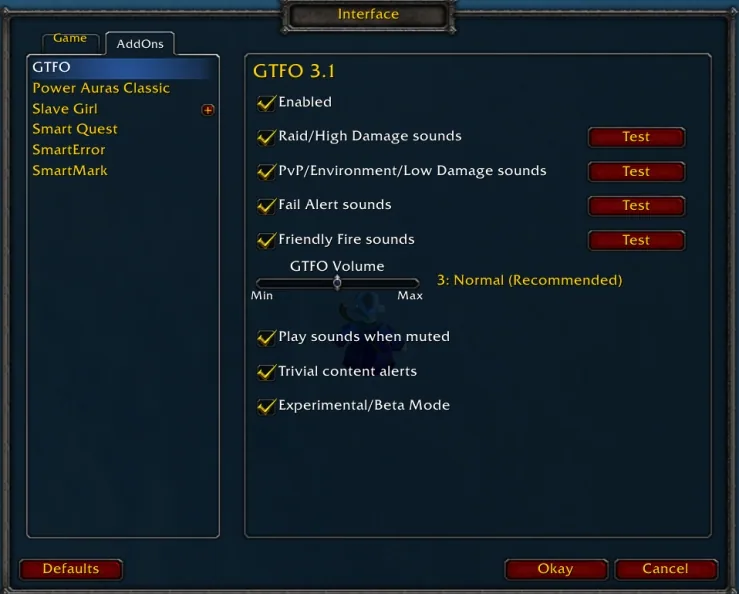
1/3GTFO options panel with checkboxes for the four alert sounds, a volume slider and test buttons
Captured in ClassicImages: curseforge.com
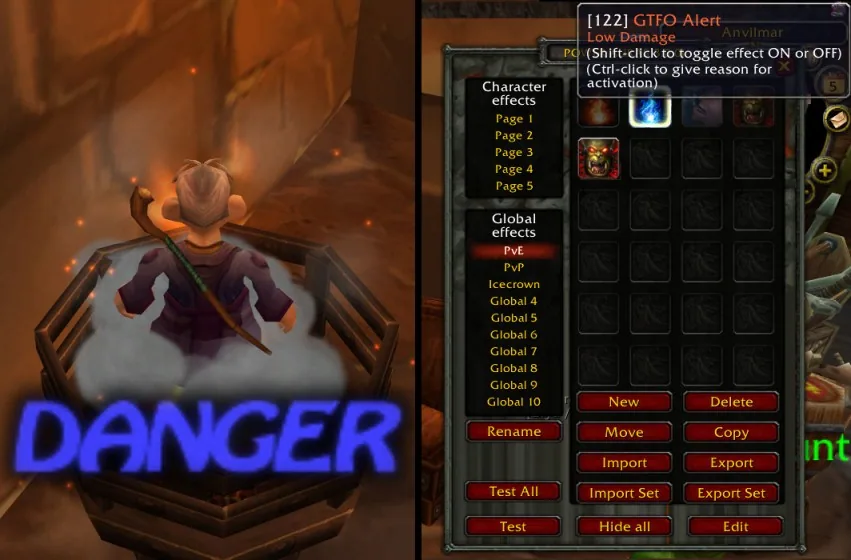
2/3A character standing in a damaging cloud with a blue DANGER warning next to the Power Auras setup that triggers it
Captured in ClassicImages: curseforge.com
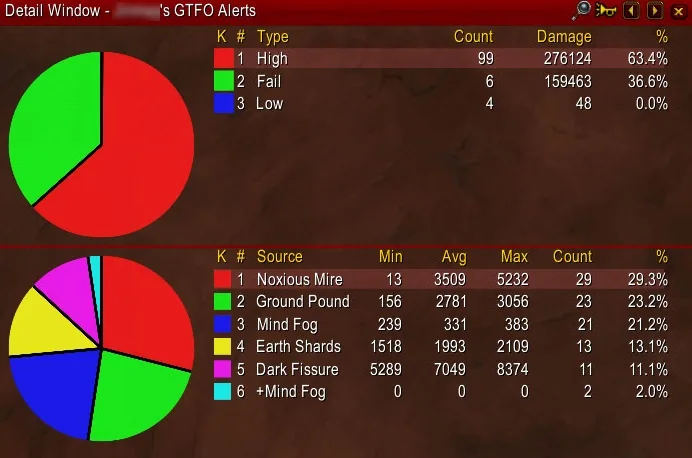
3/3Recount detail window listing GTFO alerts by type and by source with counts and damage
Captured in ClassicImages: curseforge.com
What it does
- Plays a sound when you stand in fire or another harmful ground effect, in some cases before the first tick of damage
- Four alert sounds: high damage, low damage, fail (too late to dodge) and friendly fire
- Separate alerts for tanks and non-tanks, and an option to skip trivial content
- Own volume slider, plus an option to play sounds while the game is muted
- Optional visual alert through WeakAuras or Power Auras Classic, and alert statistics in Recount or Skada
- Custom sounds per alert type and a personal ignore list for single spells
In WoW Forever
Yes, GTFO has a WoW Forever version (version 6.12.2 of October 16).
Settings
/gtfo options
Type /gtfo options, or open the AddOns tab of the interface options and pick GTFO. /gtfo test1 to test4 play each alert sound.
Install
- Download the file tagged for Forever or game version 1.60.1.
- Unpack the folder into World of Warcraft\_classic_beta_\Interface\AddOns.
- Restart the game and check on the character screen under AddOns that it is on.
For the same job
- DBM - Deadly Boss ModsBoss timers, warnings and voice alerts for dungeons and raids, the most downloaded WoW addon.
- BigWigsModular, lightweight boss timers and alerts, the main alternative to DBM.
- LittleWigsBigWigs plugin with dungeon, delve and scenario modules.
- DBM - Dungeons, Delves, Visions and EventsDBM module pack for five-player dungeons from Vanilla to Retail.
- DBM - SoD and VanillaDBM modules for Vanilla raids and dungeons including Season of Discovery.
FAQ
Does GTFO work in WoW Forever?
Yes, GTFO has a WoW Forever version (version 6.12.2 of October 16). We check the addon file itself, not only what the download page says.
Where do I download GTFO for WoW Forever?
On CurseForge. Take the file tagged for Forever or game version 1.60.1. GTFO has 99.8M downloads on CurseForge.
How do I open the GTFO settings?
Type /gtfo options in chat. Type /gtfo options, or open the AddOns tab of the interface options and pick GTFO. /gtfo test1 to test4 play each alert sound.
Short on time? Let a booster play it
Every guide here shows how to do it yourself. If your evenings are short, our boosters take the grind off your hands. Options and current prices are on each service page.


Connected
Linked in other guides
Dungeons and raids1
Dungeons and raids1 Boss mods and raid toolsAddon category · Includes GTFO
More guides4
More guides4
- BigWigs (Boss Timers and Tools)Addon · Related GTFO
- DBM - Deadly Boss Mods (DBM-Core)Addon · Related GTFO
- DungeonsActivity · Useful addons GTFO
- RaidsActivity · Useful addons GTFO
Page history
What changed
Updated
New version with a Forever build: version and release date updated.
New page for this addon: what it does, its Forever status, settings, install steps, alternatives and the download from the developer or the project page, with the project's screenshots where it has them, each credited to its source.
First published Every change on the guides