

 All 353 guides and tools, plus dungeons, bosses, beasts, items, addons and places on the World Map.
Quick access
 Talent CalculatorAll 9 classes, share a build by link
 Interactive World MapZones by level, dungeons and routes
 Leveling Guide 1–60Your route from any start to 60
 Dungeon FinderWhich dungeons fit your level
 Rotation TrainerPractice your rotation on a dummy
 Profession LevelingAny profession 1 to 300 with a shopping list
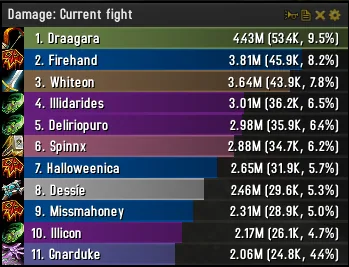
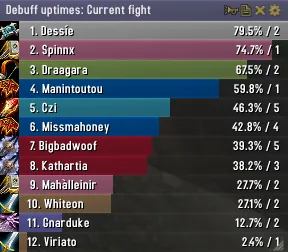
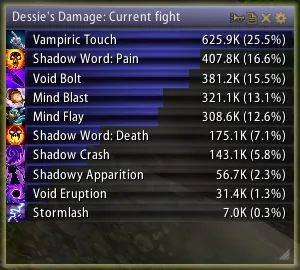
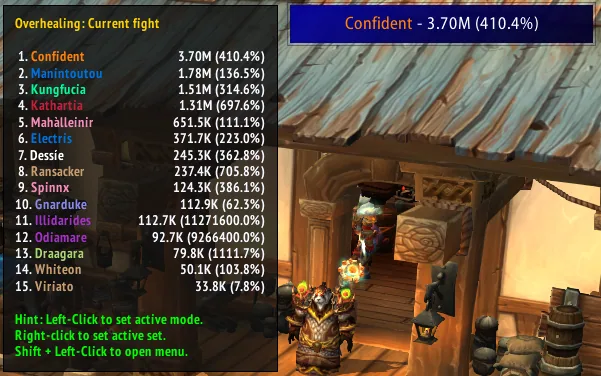


1/6Skada bar window titled Damage: Current fight with eleven players ranked by damage and their class icons
Captured in RetailImages: curseforge.com
2/6Skada bar window in the minimal theme
Captured in RetailImages: curseforge.com
3/6Skada bar window in the Glowy theme
Captured in RetailImages: curseforge.com
4/6Skada data text display with its tooltip open, as used by display addons
Captured in RetailImages: curseforge.com
5/6Skada inline display, a single horizontal line for custom interfaces
Captured in RetailImages: curseforge.com
6/6Skada inline display with the names above the values
Captured in RetailImages: curseforge.com
What it does
- Shows damage and other combat numbers as bars, with several viewing modes and the fights kept as separate segments
- Left-click a bar for more detail, right-click to go back, and scroll the list with the mouse wheel
- Supports several windows at once, as a bar window, a one-line inline window or a data text for display addons such as Titan Panel, ChocolateBar or ElvUI
- Sends a report of the current meter to chat with /skada report, for example to Raid, Party, Guild or Say
- Built to stay light on memory and CPU, and extra plugin modules can be added through its API
In WoW Forever
Skada Damage Meter has no WoW Forever version yet.
Partly built into the game already: Damage Meter.
Settings
/skada config
Click the cog icon on the window title bar or use the minimap button, then pick Configure. The command /skada config opens the same settings.
Install
- Download the file tagged for Forever or game version 1.60.1.
- Unpack the folder into World of Warcraft\_classic_beta_\Interface\AddOns.
- Restart the game and check on the character screen under AddOns that it is on.
For the same job
- Details! Damage MeterThe standard damage and healing meter of Retail and Classic.
- ThreatClassic2Threat meter for party and raid members against your target, with pull aggro bars and warnings.
- Forever Details MeterLightweight damage, healing, absorb and threat meter that reads Blizzard's C_DamageMeter and UnitDetailedThreatSituation.
- ThreatMeter [Forever/Hardcore]Shows the highest threat percentage of the mobs on screen.
- Recount - RevivedMaintained revival of the graphical Recount damage meter.
- ForeverThreatOmen-style threat meter built for Forever.
FAQ
Does Skada Damage Meter work in WoW Forever?
Skada Damage Meter has no WoW Forever version yet. We check the addon file itself, not only what the download page says.
Where do I download Skada Damage Meter for WoW Forever?
On CurseForge. Take the file tagged for Forever or game version 1.60.1. Skada Damage Meter has 39.8M downloads on CurseForge.
How do I open the Skada Damage Meter settings?
Type /skada config in chat. Click the cog icon on the window title bar or use the minimap button, then pick Configure. The command /skada config opens the same settings.
Short on time? Let a booster play it
Every guide here shows how to do it yourself. If your evenings are short, our boosters take the grind off your hands. Options and current prices are on each service page.


Connected
Linked in other guides
Dungeons and raids1
Dungeons and raids1 Damage and threat metersAddon category · Includes Skada Damage Meter
More guides4
More guides4
- Details! Damage MeterAddon · Related Skada Damage Meter
- DungeonsActivity · Useful addons Skada Damage Meter
- Forever Details MeterAddon · Related Skada Damage Meter
- RaidsActivity · Useful addons Skada Damage Meter
Page history
What changed
Updated
New page for this addon: what it does, its Forever status, settings, install steps, alternatives and the download from the developer or the project page, with the project's screenshots where it has them, each credited to its source.
First published Every change on the guides