

Quick access
 Talent CalculatorAll 9 classes, share a build by link
 Interactive World MapZones by level, dungeons and routes
 Leveling Guide 1–60Your route from any start to 60
 Dungeon FinderWhich dungeons fit your level
 Rotation TrainerPractice your rotation on a dummy
 Profession LevelingAny profession 1 to 300 with a shopping list

Alex Atlas Loot for WoW Forever
Yes, Alex Atlas Loot has a WoW Forever version (version 1.8.0 of October 19). Loot journal with boss portraits, filters and instant search that feels like the Retail dungeon journal.
- Downloads
- 54.2K
- Version
- 1.8.0
- checked
- Sep 28
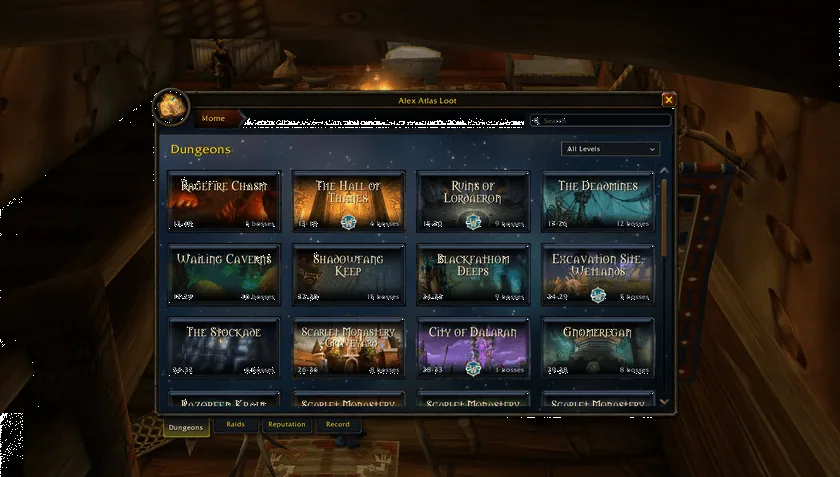
1/5The Alex Atlas Loot window on the Dungeons tab, a grid of dungeon cards with level ranges and boss counts and tabs for Dungeons, Raids, Reputation and Record at the bottom
Captured in WoW ForeverImages: curseforge.com
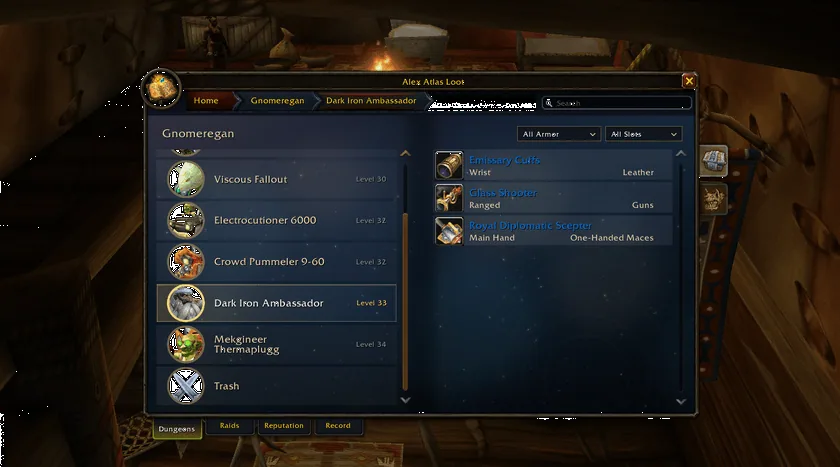
2/5Gnomeregan with its boss list on the left and the Dark Iron Ambassador selected, his three drops on the right with slot and armor type and filters above
Captured in WoW ForeverImages: curseforge.com
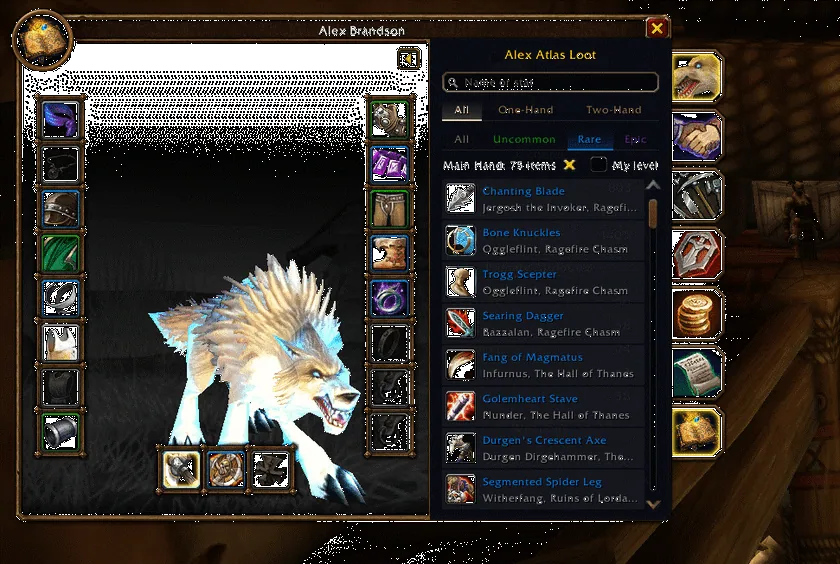
3/5The gear finder in the Character window with the character model and equipment slots on the left and a searchable list of one-hand main hand weapons with the boss and dungeon of each on the right
Captured in WoW ForeverImages: curseforge.com
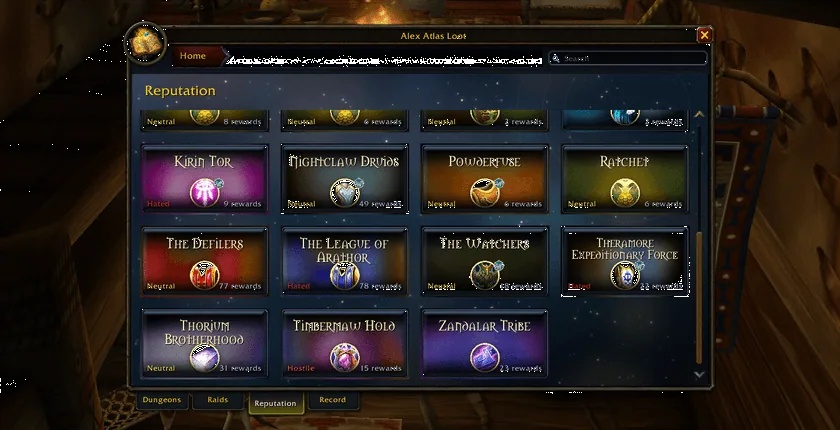
4/5The Reputation tab as a grid of faction cards, each showing the standing and the number of rewards
Captured in WoW ForeverImages: curseforge.com
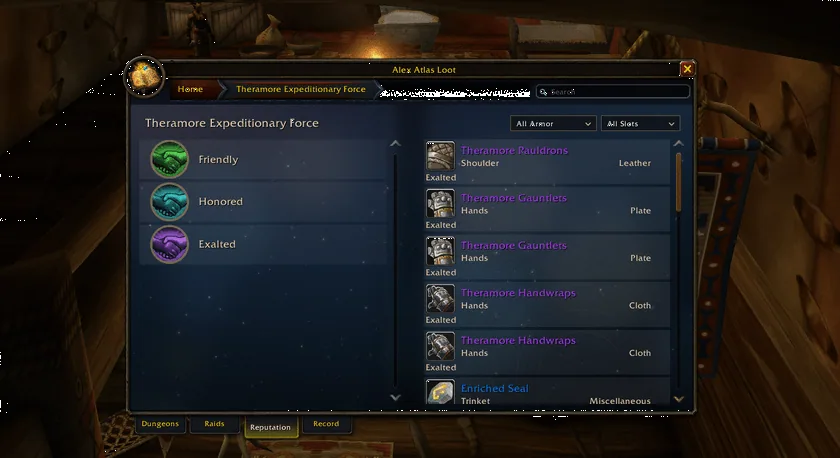
5/5The rewards of one faction sorted by standing, Friendly, Honored and Exalted on the left and the matching items with slot and armor type on the right
Captured in WoW ForeverImages: curseforge.com
What it does
- A loot journal for the dungeons and raids of Forever. Pick a dungeon card, pick a boss and see its drops with item slot and armor type.
- Filters for armor type and slot plus a search box narrow the lists down.
- A Reputation tab lists factions with your standing and the rewards for each standing.
- A gear finder tab in the Character window: click an equipment slot to get every known piece for it, with filters for one-hand and two-hand, rarity and your level. Click an item to jump to the boss that drops it.
- A star on every loot row builds a wishlist per character. Extra pages list dungeon quests with givers and rewards and the recipes found in dungeons by profession.
- The loot tables were rebuilt for Forever by the author and by players who send in their own runs. The addon has a Report page for that.
In WoW Forever
Yes, Alex Atlas Loot has a WoW Forever version (version 1.8.0 of October 19).
Settings
/ag
Type /ag (or /adventureguide) to open the window and /aal for the settings page, which is also under Options, AddOns. The switches there cover the minimap button, the character panel tab, the combat log in dungeons, boss find announcements in party chat, hiding quest items, gems and bags, and an easter egg that spots the author.
Install
- Download the file tagged for Forever or game version 1.60.1.
- Unpack the folder into World of Warcraft\_classic_beta_\Interface\AddOns.
- Restart the game and check on the character screen under AddOns that it is on.
For the same job
- AtlasLootClassic ContinuedIn-game loot tables for every boss, dungeon and raid of the Classic clients, with class filters and a wishlist.
- DungeonJournalIn-game journal with boss drops, dungeon quests and their map locations, opened with /dj.
- AtlasLoot Classic ForeverLoot tables with best-in-slot lists for all classes.
- Forever GuideOne-window reference for dungeon quest chains, boss loot, an item catalog, auction prices and all profession recipes.
- Atlas ForeverMaintained fork of Atlas with maps of instances.
FAQ
Does Alex Atlas Loot work in WoW Forever?
Yes, Alex Atlas Loot has a WoW Forever version (version 1.8.0 of October 19). We check the addon file itself, not only what the download page says.
Where do I download Alex Atlas Loot for WoW Forever?
On CurseForge. Take the file tagged for Forever or game version 1.60.1. Alex Atlas Loot has 54.2K downloads on CurseForge.
How do I open the Alex Atlas Loot settings?
Type /ag in chat. Type /ag (or /adventureguide) to open the window and /aal for the settings page, which is also under Options, AddOns. The switches there cover the minimap button, the character panel tab, the combat log in dungeons, boss find announcements in party chat, hiding quest items, gems and bags, and an easter egg that spots the author.
Short on time? Let a booster play it
Every guide here shows how to do it yourself. If your evenings are short, our boosters take the grind off your hands. Options and current prices are on each service page.


Connected
Linked in other guides
- AtlasLoot Classic ForeverAddon · Related Alex Atlas Loot - Forever
- AtlasLootClassic ContinuedAddon · Related Alex Atlas Loot - Forever
- DungeonJournalAddon · Related Alex Atlas Loot - Forever
- Loot tables and dungeon guidesAddon category · Includes Alex Atlas Loot - Forever
Page history
What changed
Updated
New version with a Forever build: version and release date updated.
New package of version 1.8.0 from October 19: release date updated.
New version with a Forever build: version and release date updated.
First published Every change on the guides