

Quick access
 Talent CalculatorAll 9 classes, share a build by link
 Interactive World MapZones by level, dungeons and routes
 Leveling Guide 1–60Your route from any start to 60
 Dungeon FinderWhich dungeons fit your level
 Rotation TrainerPractice your rotation on a dummy
 Profession LevelingAny profession 1 to 300 with a shopping list

DungeonJournal for WoW Forever
Yes, DungeonJournal has a WoW Forever version (version 1.6.5 of October 19). In-game journal with boss drops, dungeon quests and their map locations, opened with /dj.
- Downloads
- 1.1M
- Version
- 1.6.5
- checked
- Oct 11
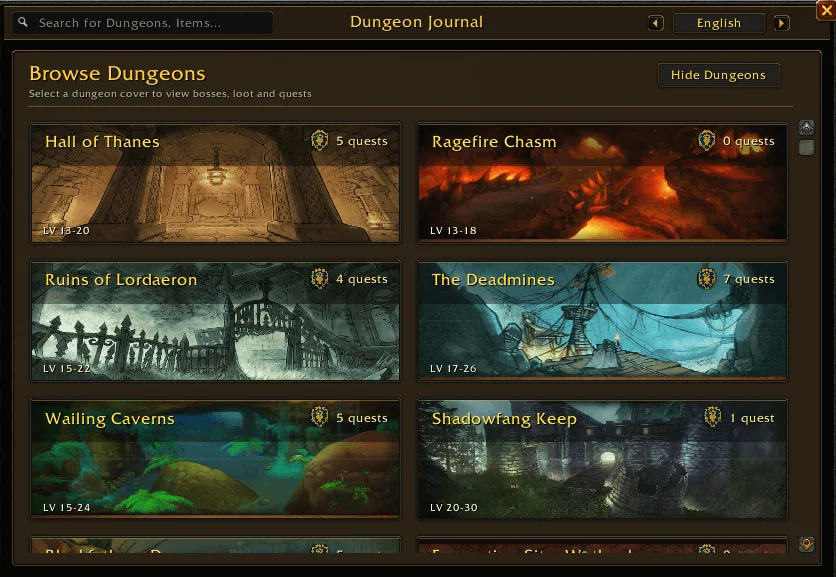
1/4Dungeon Journal home page with cover cards for Hall of Thanes, Ragefire Chasm, Ruins of Lordaeron, The Deadmines, Wailing Caverns and Shadowfang Keep, each with a level range and quest count.
Captured in WoW ForeverImages: curseforge.com
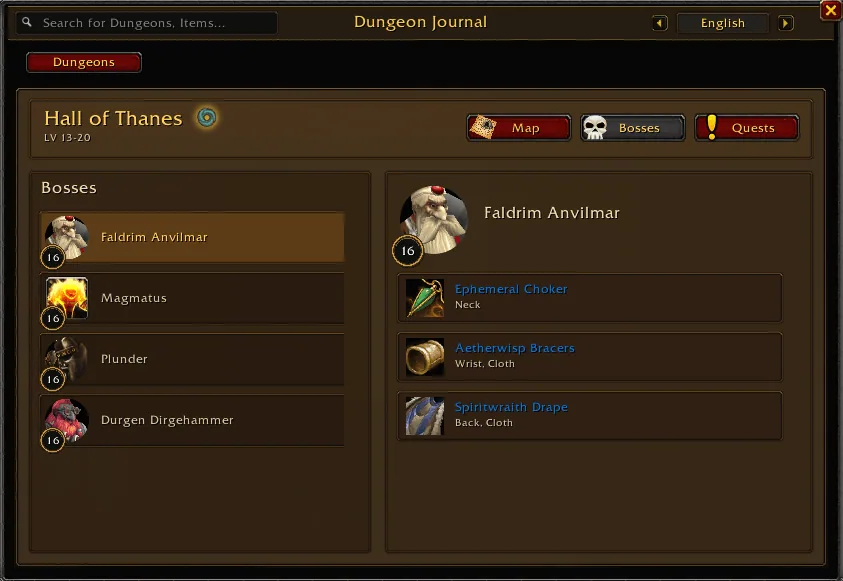
2/4Boss page of Hall of Thanes with the boss list on the left and the loot of Faldrim Anvilmar on the right.
Captured in WoW ForeverImages: curseforge.com
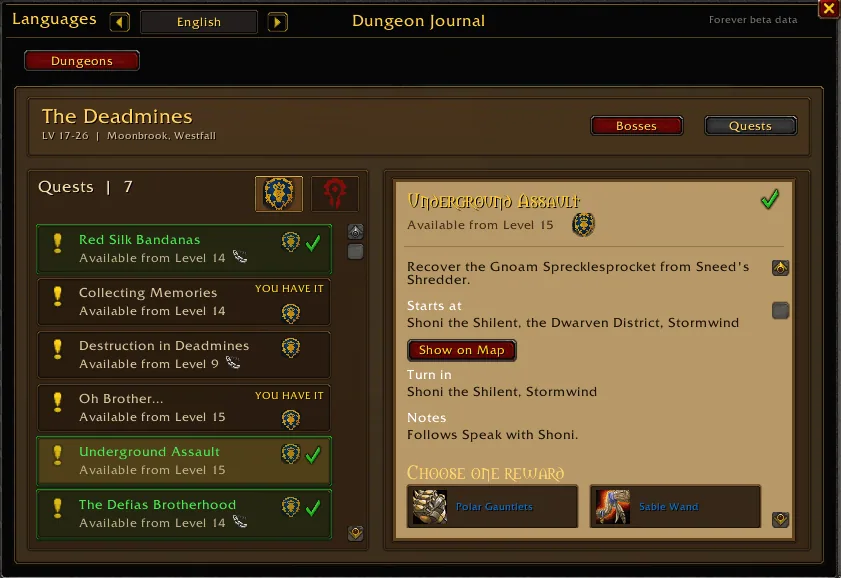
3/4Quest list of The Deadmines with the quest Underground Assault opened, showing where it starts, the turn-in NPC, a Show on Map button and the reward choice.
Captured in WoW ForeverImages: curseforge.com
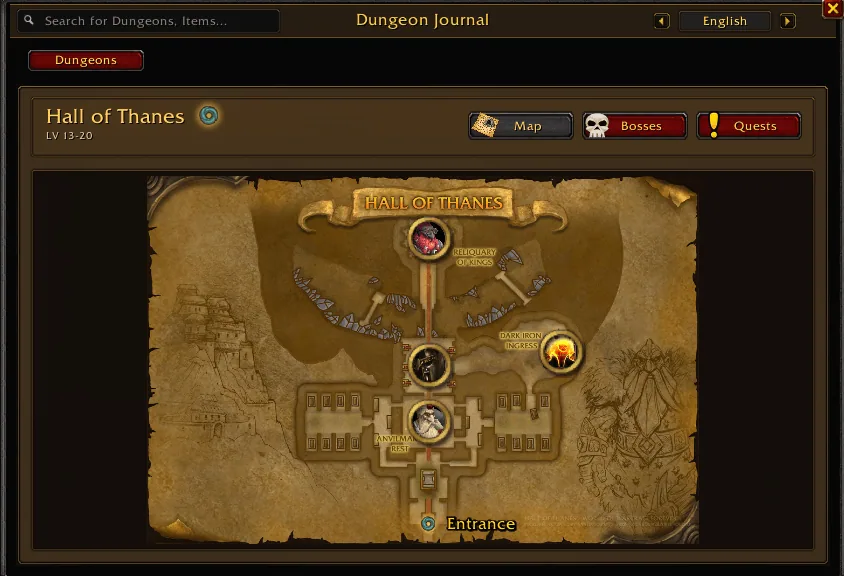
4/4Parchment map of Hall of Thanes with boss pins and the dungeon entrance at the bottom.
Captured in WoW ForeverImages: curseforge.com
What it does
- Dungeon browser with a cover card for every dungeon, its level range and the number of quests for your faction.
- Boss pages with a portrait, the boss level and the loot list with item slot and armor type.
- Dungeon quests with giver, turn-in, level requirement, rewards and a Show on Map button that marks where the quest starts.
- Dungeon maps with boss pins and the entrance, also shown on the world map with the M key.
- Search box for dungeons and items, a Favourites list for loot and quest items, and a green tick for finished quests and owned items.
- Interface and quest texts in English, German, French, Spanish, Italian, Portuguese, Russian, Korean and Chinese.
In WoW Forever
Yes, DungeonJournal has a WoW Forever version (version 1.6.5 of October 19).
Settings
/dj
Type /dj to open the journal, /dj options for the settings panel, or click the minimap button (right-click it for options). /dj minimap brings the button back after you hide it.
Install
- Download the file tagged for Forever or game version 1.60.1.
- Unpack the folder into World of Warcraft\_classic_beta_\Interface\AddOns.
- Restart the game and check on the character screen under AddOns that it is on.
For the same job
- AtlasLootClassic ContinuedIn-game loot tables for every boss, dungeon and raid of the Classic clients, with class filters and a wishlist.
- AtlasLoot Classic ForeverLoot tables with best-in-slot lists for all classes.
- Forever GuideOne-window reference for dungeon quest chains, boss loot, an item catalog, auction prices and all profession recipes.
- Alex Atlas Loot - ForeverLoot journal with boss portraits, filters and instant search that feels like the Retail dungeon journal.
- Atlas ForeverMaintained fork of Atlas with maps of instances.
FAQ
Does DungeonJournal work in WoW Forever?
Yes, DungeonJournal has a WoW Forever version (version 1.6.5 of October 19). We check the addon file itself, not only what the download page says.
Where do I download DungeonJournal for WoW Forever?
On CurseForge. Take the file tagged for Forever or game version 1.60.1. DungeonJournal has 1.1M downloads on CurseForge.
How do I open the DungeonJournal settings?
Type /dj in chat. Type /dj to open the journal, /dj options for the settings panel, or click the minimap button (right-click it for options). /dj minimap brings the button back after you hide it.
Short on time? Let a booster play it
Every guide here shows how to do it yourself. If your evenings are short, our boosters take the grind off your hands. Options and current prices are on each service page.


Connected
Linked in other guides
- Alex Atlas Loot - ForeverAddon · Related DungeonJournal
- Atlas Forever (fork)Addon · Related DungeonJournal
- AtlasLootClassic ContinuedAddon · Related DungeonJournal
- Loot tables and dungeon guidesAddon category · Includes DungeonJournal
- Forever GuideAddon · Related DungeonJournal
- LevelingActivity · Useful addons DungeonJournal
Page history
What changed
Updated
New version with a Forever build: version and release date updated.
New version with a Forever build: version and release date updated.
New page for this addon: what it does, its Forever status, settings, install steps, alternatives and the download from the developer or the project page, with the project's screenshots where it has them, each credited to its source.
First published Every change on the guides