

 All 353 guides and tools, plus dungeons, bosses, beasts, items, addons and places on the World Map.
Quick access
 Talent CalculatorAll 9 classes, share a build by link
 Interactive World MapZones by level, dungeons and routes
 Leveling Guide 1–60Your route from any start to 60
 Dungeon FinderWhich dungeons fit your level
 Rotation TrainerPractice your rotation on a dummy
 Profession LevelingAny profession 1 to 300 with a shopping list

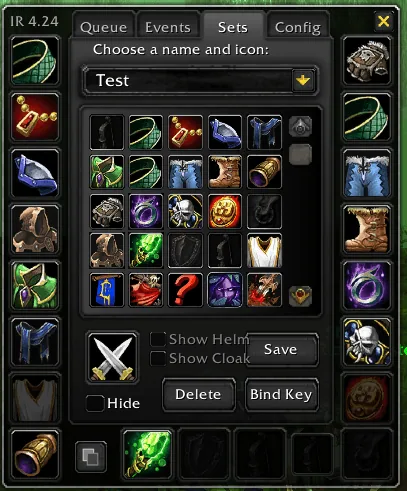
1/5The Sets tab of ItemRack with the icon picker, set name field and Save, Delete and Bind Key buttons next to the character's gear slots
Captured in ClassicImages: curseforge.com
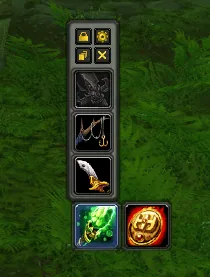
2/5A small ItemRack quick-access bar with lock and settings icons, three slot buttons and two item icons at the bottom
Captured in ClassicImages: curseforge.com
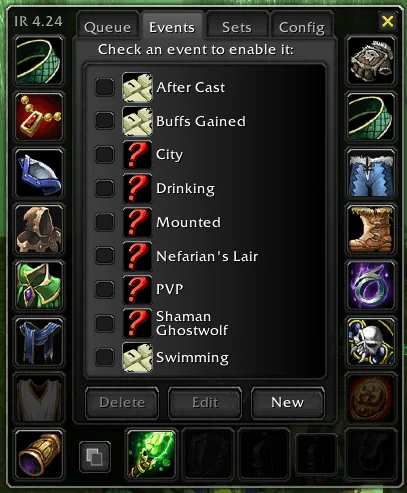
3/5The Events tab listing automatic triggers such as Drinking, Mounted, PVP and Swimming, each with a checkbox
Captured in ClassicImages: curseforge.com
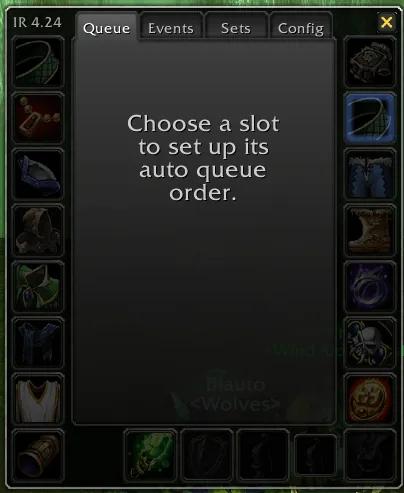
4/5The Queue tab asking you to choose a slot to set up its auto queue order
Captured in ClassicImages: curseforge.com
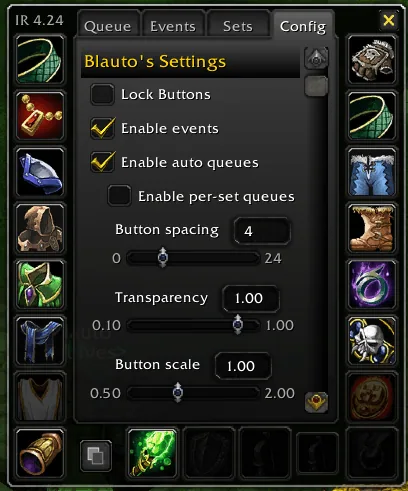
5/5The Config tab with Lock Buttons, Enable events and Enable auto queues options and sliders for button spacing, transparency and scale
Captured in ClassicImages: curseforge.com
What it does
- Saves full or partial gear sets and equips them from a minimap menu, a set button, key binds or macros.
- Alt-click a slot on the character sheet to get a movable quick-access button with a flyout of matching items.
- Switches sets by itself for events such as mounting, drinking, zone changes, buffs, combat and druid forms, once you enable the event.
- Links sets to your primary and secondary specialization.
- Rotates trinkets and other cooldown items with per-slot priority queues (AutoQueue).
- Waits out combat, casting and loading screens before a swap that the game blocks.
In WoW Forever
Yes, ItemRack Universal has a WoW Forever version (version 4.57-beta4 of October 24).
Settings
/itemrack opt
Type /itemrack opt or right-click the minimap button to open the options, which have Queue, Events, Sets and Config tabs.
Install
- Download the file tagged for Forever or game version 1.60.1.
- Unpack the folder into World of Warcraft\_classic_beta_\Interface\AddOns.
- Restart the game and check on the character screen under AddOns that it is on.
For the same job
FAQ
Does ItemRack Universal work in WoW Forever?
Yes, ItemRack Universal has a WoW Forever version (version 4.57-beta4 of October 24). We check the addon file itself, not only what the download page says.
Where do I download ItemRack Universal for WoW Forever?
On GitHub under Releases. Take the file tagged for Forever or game version 1.60.1. ItemRack Universal has 1.3M downloads on CurseForge.
How do I open the ItemRack Universal settings?
Type /itemrack opt in chat. Type /itemrack opt or right-click the minimap button to open the options, which have Queue, Events, Sets and Config tabs.
Short on time? Let a booster play it
Every guide here shows how to do it yourself. If your evenings are short, our boosters take the grind off your hands. Options and current prices are on each service page.


Connected
Linked in other guides
Page history
What changed
Updated
The current Forever version is 4.57-beta4 of October 24.
New version with a Forever build: version and release date updated.
New page for this addon: what it does, its Forever status, settings, install steps, alternatives and the download from the developer or the project page, with the project's screenshots where it has them, each credited to its source.
First published Every change on the guides