

 All 353 guides and tools, plus dungeons, bosses, beasts, items, addons and places on the World Map.
Quick access
 Talent CalculatorAll 9 classes, share a build by link
 Interactive World MapZones by level, dungeons and routes
 Leveling Guide 1–60Your route from any start to 60
 Dungeon FinderWhich dungeons fit your level
 Rotation TrainerPractice your rotation on a dummy
 Profession LevelingAny profession 1 to 300 with a shopping list

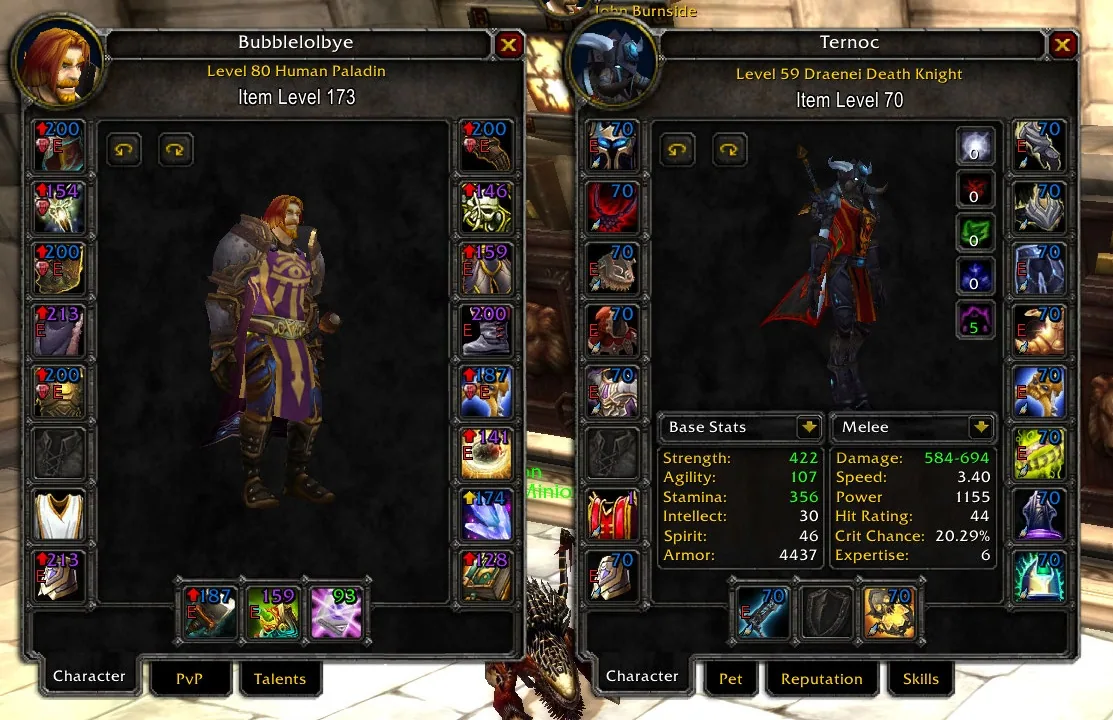
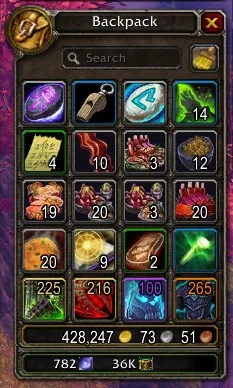
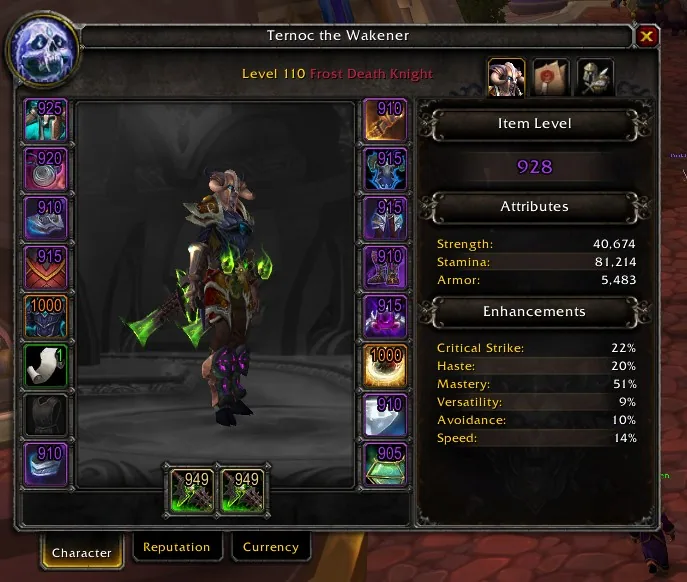
1/6Two inspect windows side by side with an item level number on every gear icon, the left one with red upgrade arrows
Captured in ClassicImages: curseforge.com
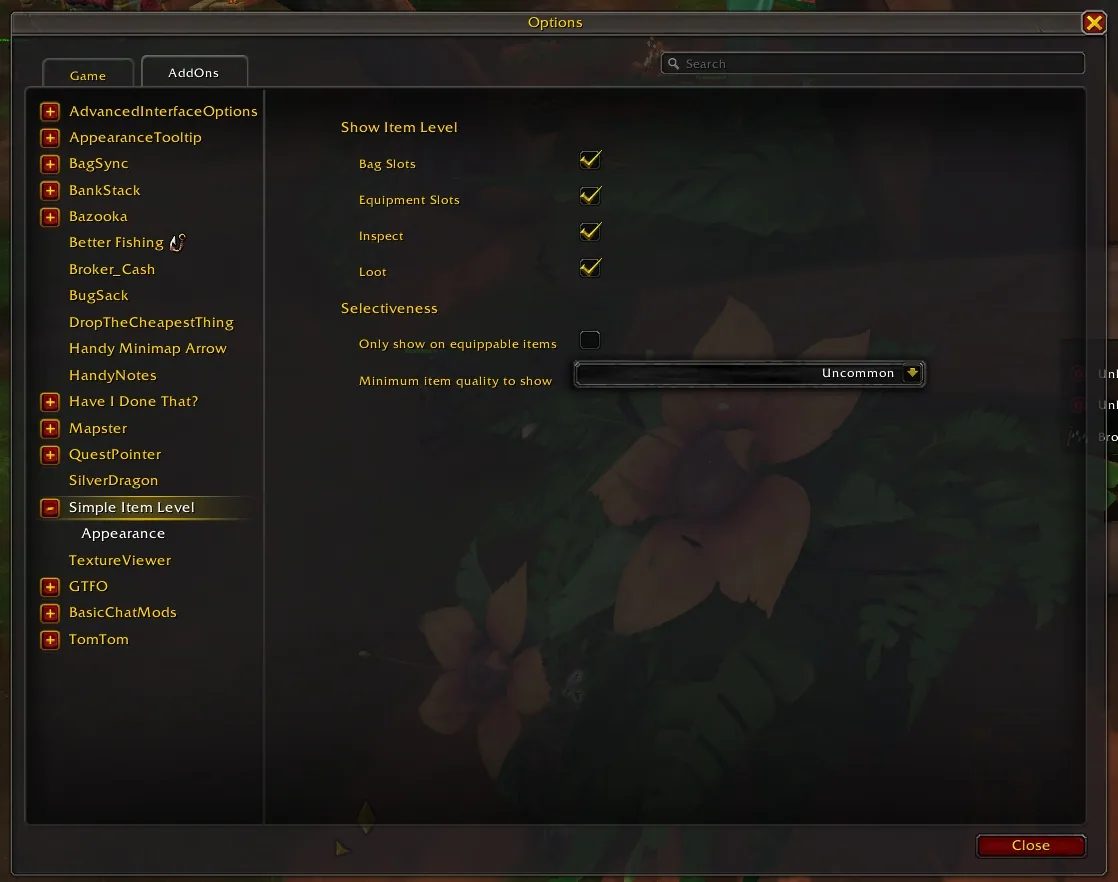
2/6The Simple Item Level options page with checkboxes for bag slots, equipment slots, inspect and loot, plus a minimum item quality dropdown
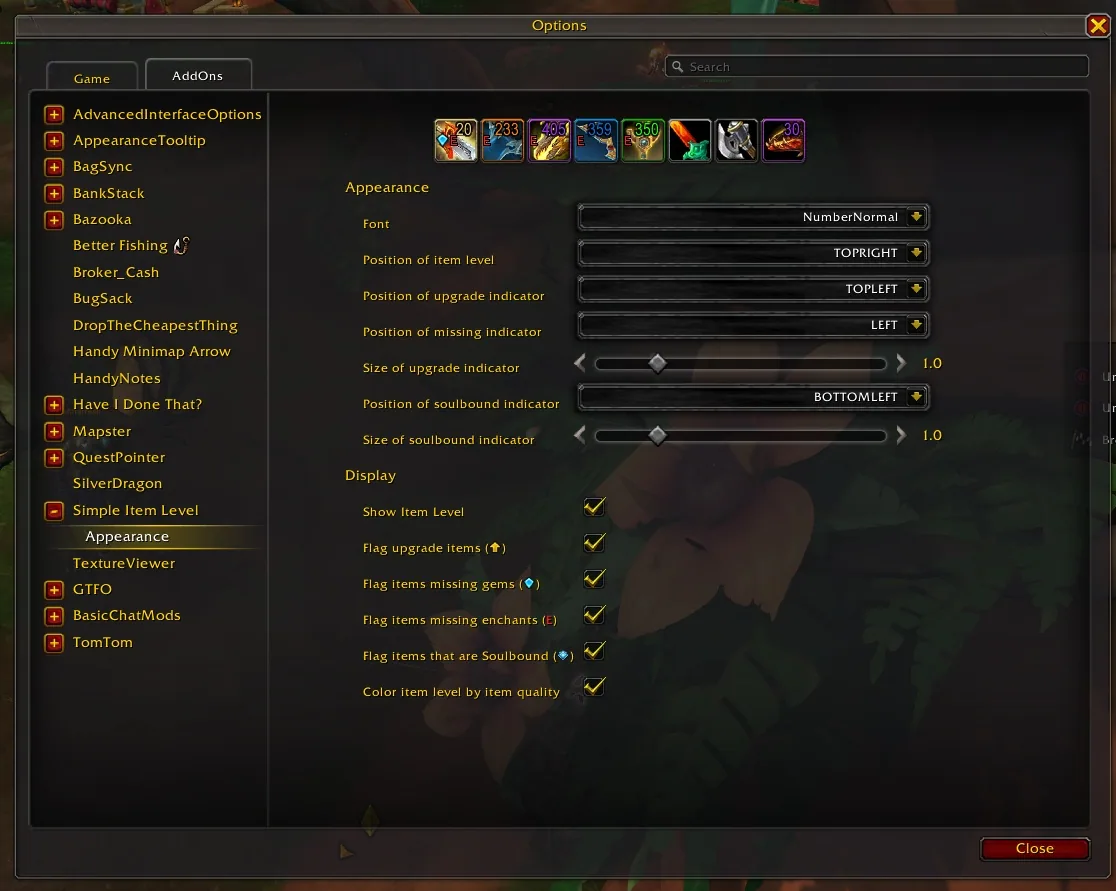
3/6The Appearance page of the Simple Item Level options
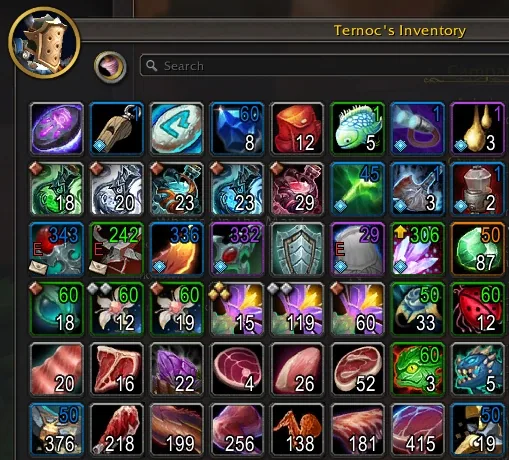
4/6Item levels on the items in an Inventorian bag window
5/6A bag window with item level numbers on the gear icons
6/6The character frame with an item level number on each gear slot and the total item level in the side panel
Captured in RetailImages: curseforge.com
What it does
- Puts the item level as a small number on the item icons of your character panel and the inspect panel.
- Shows item levels in loot windows, in the equipment flyout and on gear in your bags, including Bagnon, Baggins and Inventorian.
- Marks bag items you can use whose item level beats what you wear with an upgrade arrow, which you can switch off.
- Shows a soulbound or bind-on-equip marker on items.
- Flags missing enchants and gems.
- Lets you turn each place on or off and color the number by item quality.
In WoW Forever
Yes, Simple Item Levels has a WoW Forever version (version v74.1 of October 16).
Settings
/simpleilvl
Type /simpleilvl for a summary of the settings. /simpleilvl bags, character or inspect toggles a place, /simpleilvl upgrades toggles the arrow and /simpleilvl color switches the quality coloring. The options are also under AddOns in the game options.
Install
- Download the file tagged for Forever or game version 1.60.1.
- Unpack the folder into World of Warcraft\_classic_beta_\Interface\AddOns.
- Restart the game and check on the character screen under AddOns that it is on.
For the same job
- Sharpie's Gear JudgeGear analysis by class, spec and level, with plugins for zone loot rankings and loadout tests.
- SpecBisTooltipTooltip indicator that shows whether an item is best in slot for a spec.
- ItemRack UniversalQuick equipment set and spec switching, ported by a community author for Forever, TBC, Era and SoD.
FAQ
Does Simple Item Levels work in WoW Forever?
Yes, Simple Item Levels has a WoW Forever version (version v74.1 of October 16). We check the addon file itself, not only what the download page says.
Where do I download Simple Item Levels for WoW Forever?
On GitHub under Releases. Take the file tagged for Forever or game version 1.60.1. Simple Item Levels has 5.3M downloads on CurseForge.
How do I open the Simple Item Levels settings?
Type /simpleilvl in chat. Type /simpleilvl for a summary of the settings. /simpleilvl bags, character or inspect toggles a place, /simpleilvl upgrades toggles the arrow and /simpleilvl color switches the quality coloring. The options are also under AddOns in the game options.
Short on time? Let a booster play it
Every guide here shows how to do it yourself. If your evenings are short, our boosters take the grind off your hands. Options and current prices are on each service page.


Connected
Linked in other guides
Page history
What changed
Updated
New version with a Forever build: version and release date updated.
New page for this addon: what it does, its Forever status, settings, install steps, alternatives and the download from the developer or the project page, with the project's screenshots where it has them, each credited to its source.
First published Every change on the guides