
Quick access


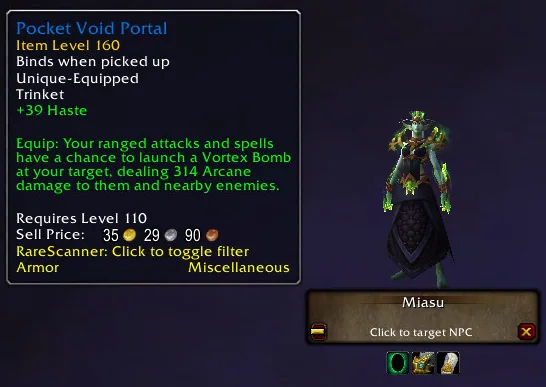
1/5The RareScanner alert button with a miniature of the rare, its name, a click to target prompt and a loot tooltip
Captured in RetailImages: curseforge.com
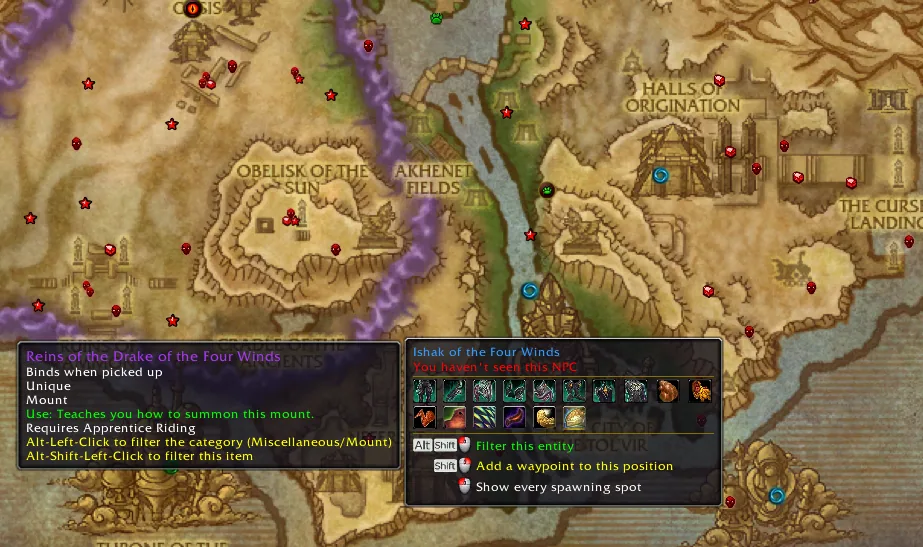
2/5World map covered in RareScanner rare and treasure icons with two tooltips showing a mount drop and the actions on an NPC
Captured in RetailImages: curseforge.com
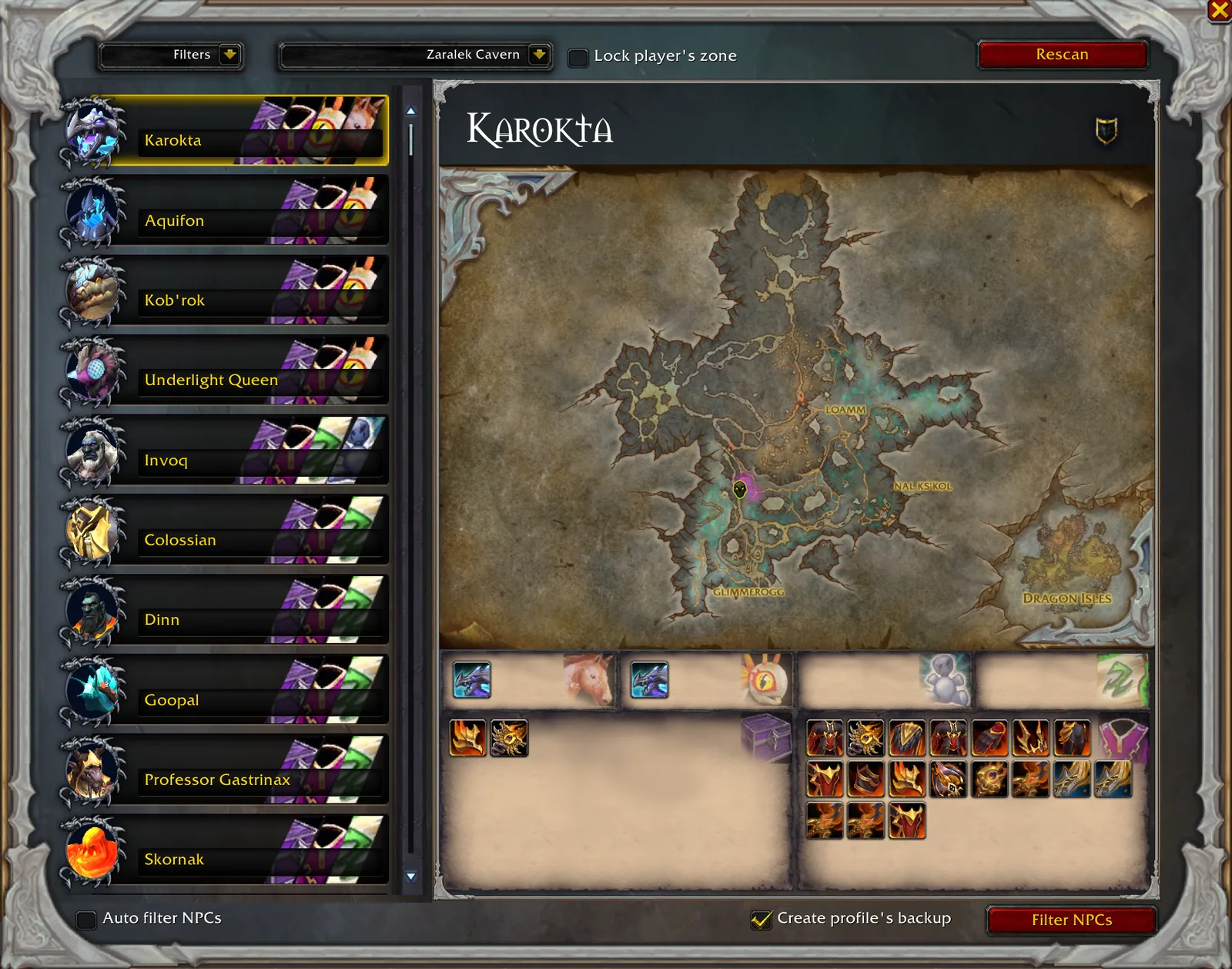
3/5The rare explorer window with a list of NPCs on the left, a zone map in the middle and the loot of the selected NPC
Captured in RetailImages: curseforge.com
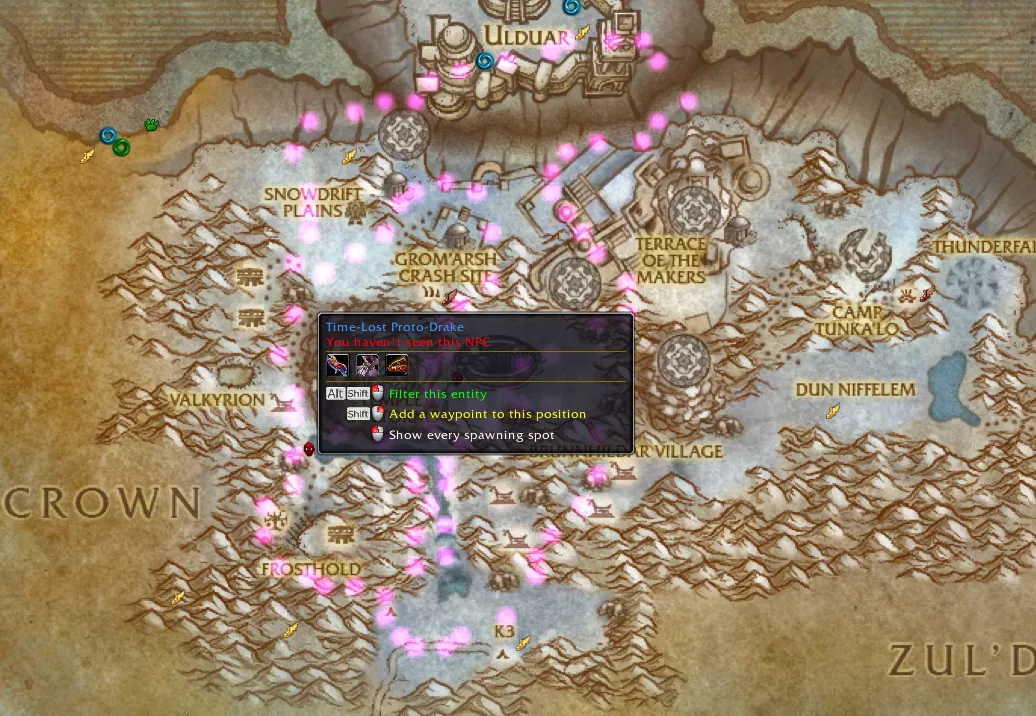
4/5Zone map with dotted spawn areas of a rare NPC and a tooltip offering to filter it or add a waypoint
Captured in RetailImages: curseforge.com
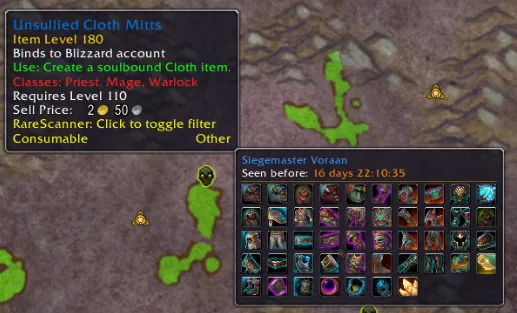
5/5Map tooltip of an NPC with a last seen time and a grid of its possible loot
Captured in RetailImages: curseforge.com
What it does
- Shows a button in the middle of the screen when a rare NPC, a treasure or an event is near, with the name, a miniature and the loot it can drop
- Puts every tracked rare, treasure and event on the world map, with a tooltip for loot and all known spawn spots
- Has a rare explorer that lists the NPCs and treasures of a zone, so you can look for the ones that drop what you are missing
- Lets you filter what it tracks and add your own NPCs, even ones that are not rare
- Offers a macro you can click again and again to detect the rares around you in the Classic clients
- In the Classic clients it finds NPCs through nameplates, because the game has no vignettes there
In WoW Forever
Yes, RareScanner has a WoW Forever version (version 1.60.1.2 of November 5).
Settings
/rs
Right-click the minimap button to open the settings, left-click it for the explorer, and type /rs for the command list.
Install
- Download the file tagged for Forever or game version 1.60.1.
- Unpack the folder into World of Warcraft\_classic_beta_\Interface\AddOns.
- Restart the game and check on the character screen under AddOns that it is on.
For the same job
- SilverDragon - Rare ScannerScans for rare mobs so you can find them and their loot.
- Profession Shopping ListTracks recipes and reagents with cooldowns and shopping lists.
- GatheringShows per-hour collection rates for gathering professions.
- GatherLiteGathering helper that remembers where you found things.
- MolinariOne-click milling, prospecting, disenchanting and lockpicking from the bags.
- Profession MasterFinds guild crafters, cooldowns and specializations with shopping lists.
FAQ
Does RareScanner work in WoW Forever?
Yes, RareScanner has a WoW Forever version (version 1.60.1.2 of November 5). We check the addon file itself, not only what the download page says.
Where do I download RareScanner for WoW Forever?
On CurseForge. Take the file tagged for Forever or game version 1.60.1. RareScanner has 138.6M downloads on CurseForge.
How do I open the RareScanner settings?
Type /rs in chat. Right-click the minimap button to open the settings, left-click it for the explorer, and type /rs for the command list.
Short on time? Let a booster play it
Every guide here shows how to do it yourself. If your evenings are short, our boosters take the grind off your hands. Options and current prices are on each service page.


Connected
Linked in other guides
Professions and gold1
Professions and gold1
More guides3
More guides3
- FarmingActivity · Useful addons RareScanner
- MountsActivity · Useful addons RareScanner
Page history
What changed
Updated
The current Forever version is 1.60.1.2 of November 5.
The current Forever version is 1.60.1.1 of November 5.
The current Forever version is 1.60.1 of October 31.
First published Every change on the guides