
Quick access


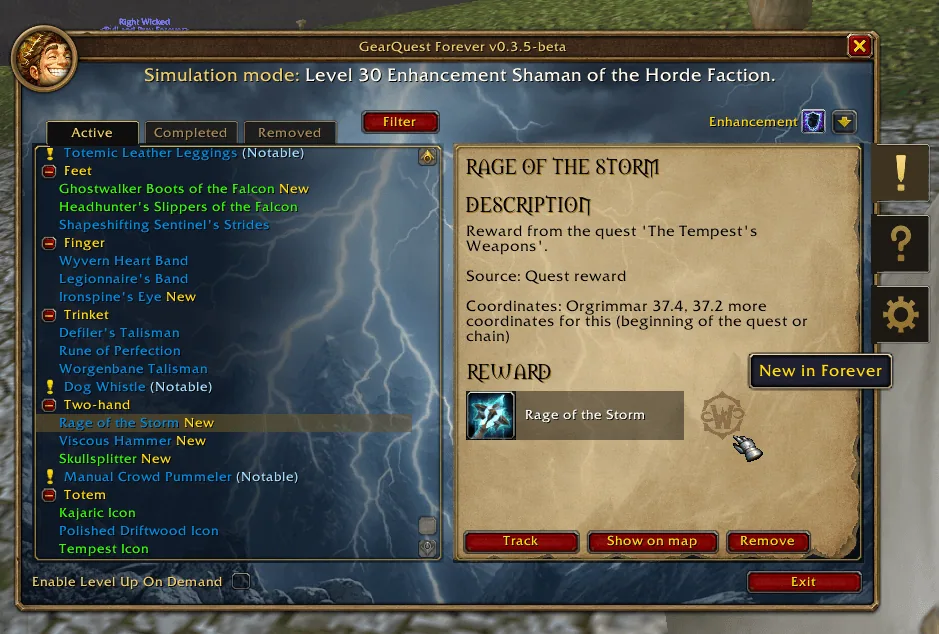
1/6The GearQuest log in simulation mode, listing gear by slot for a level 30 Enhancement Shaman with the quest reward Rage of the Storm selected on the right
Captured in WoW ForeverImages: curseforge.com
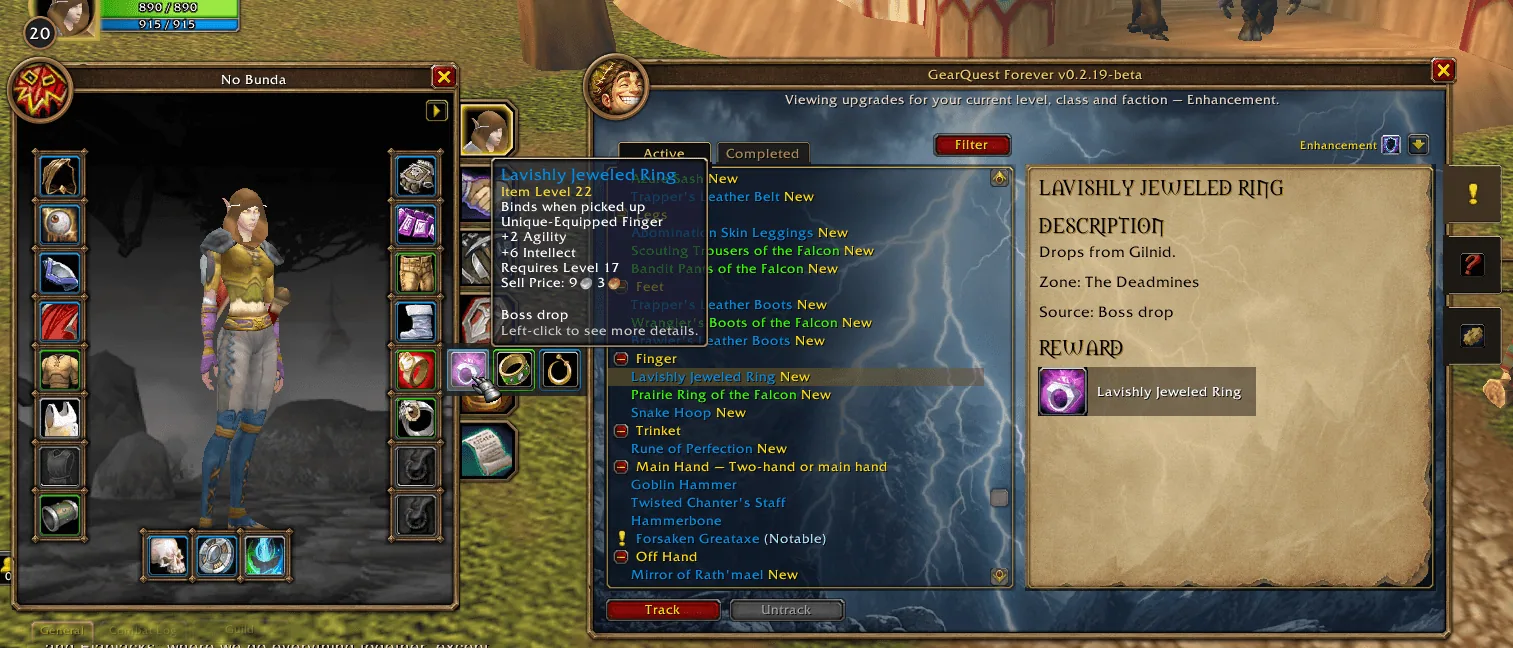
2/6The character panel with a flyout of upgrade picks next to the ring slot, a tooltip showing the source Boss drop and the GearQuest log beside it
Captured in WoW ForeverImages: curseforge.com
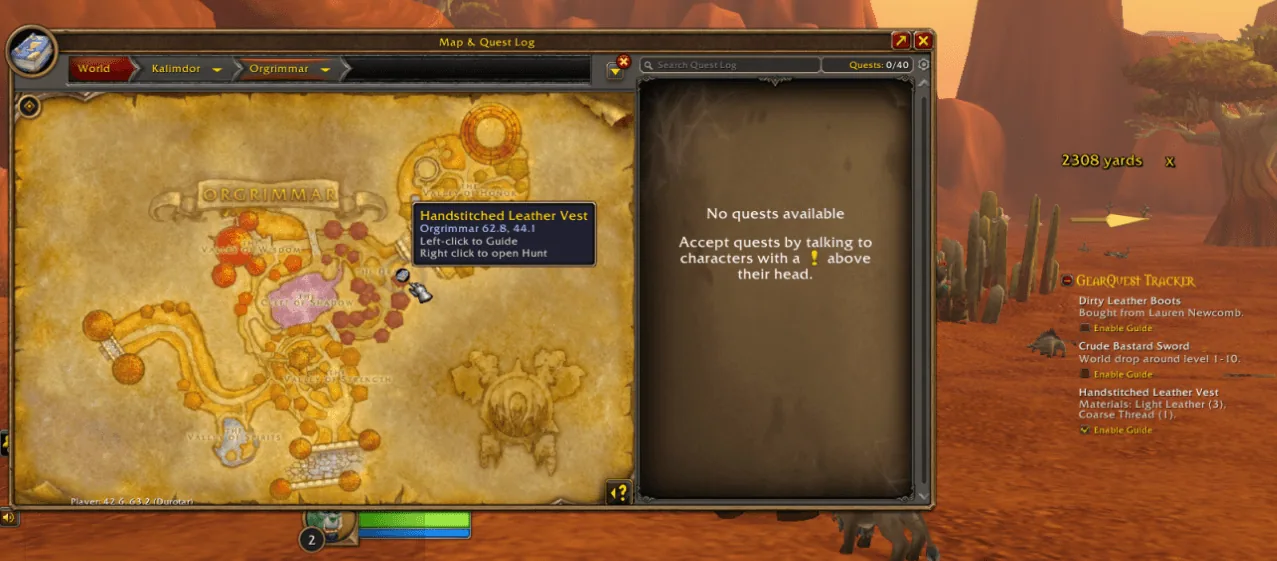
3/6The world map of Orgrimmar with a pin for a leather vest and the GearQuest tracker listing three picks on the right of the screen
Captured in WoW ForeverImages: curseforge.com
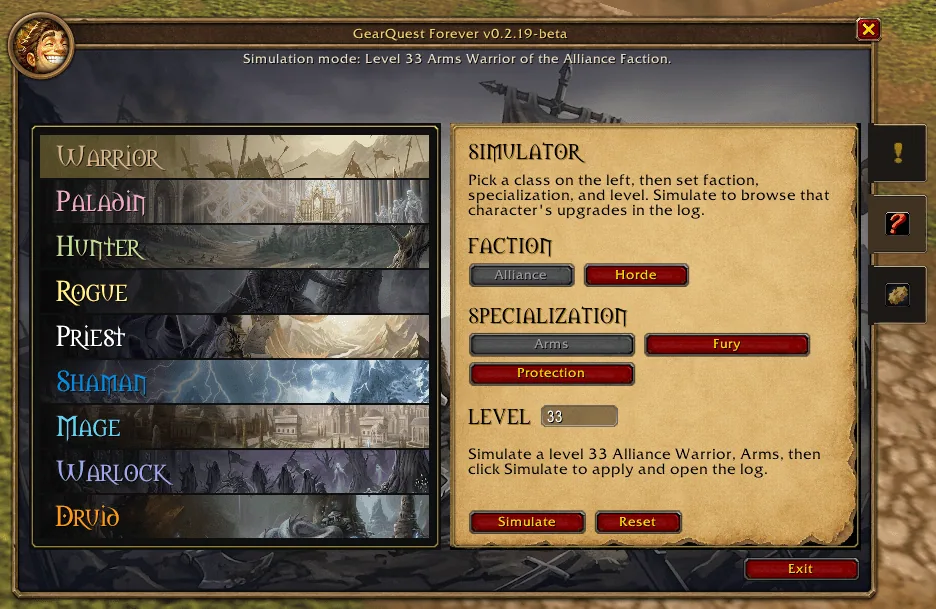
4/6The simulator tab with a class list on the left and faction, specialization and level pickers on the right
Captured in WoW ForeverImages: curseforge.com
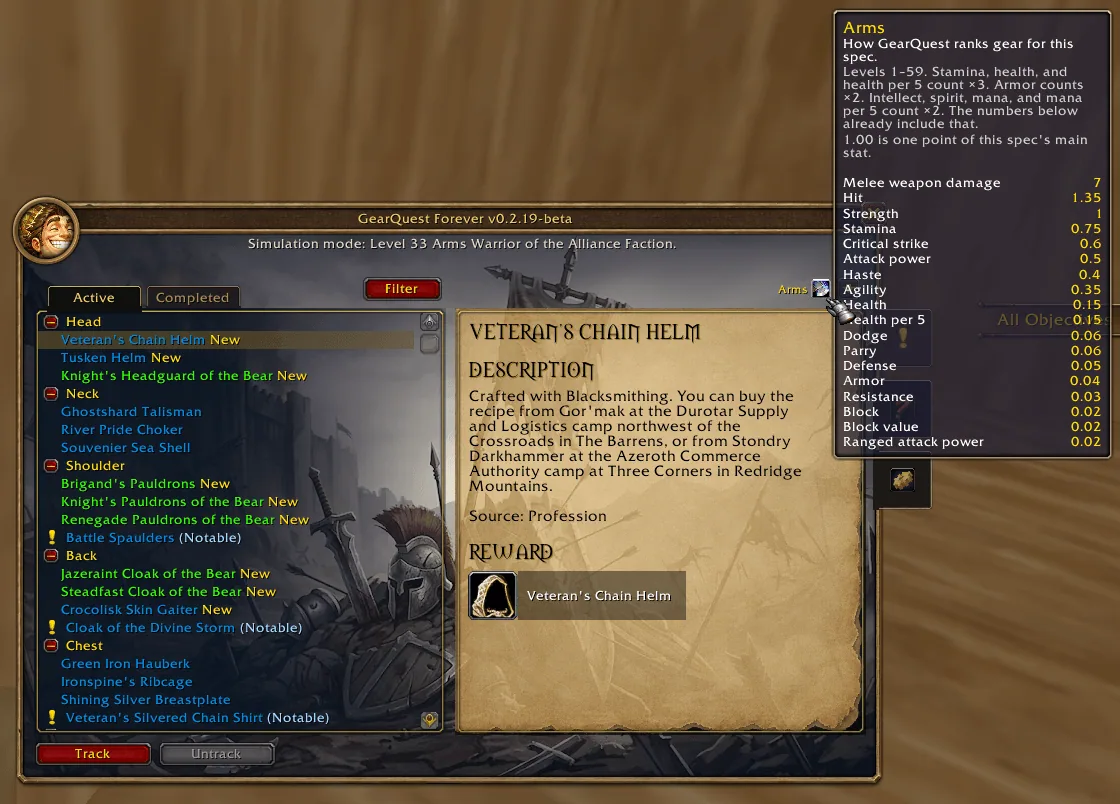
5/6A tooltip over the spec icon listing the stat weights used to rank gear for an Arms Warrior, with the Veteran's Chain Helm selected in the log
Captured in WoW ForeverImages: curseforge.com
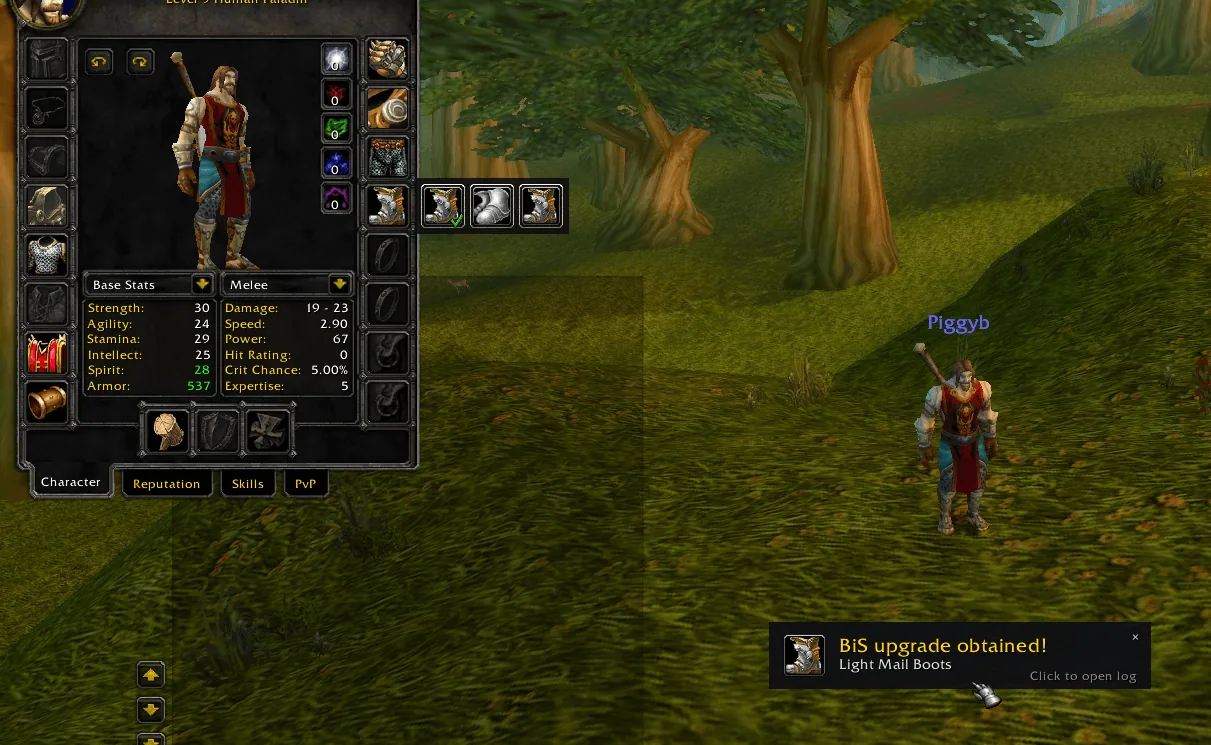
6/6A toast in the lower right reading BiS upgrade obtained for Light Mail Boots, next to the character panel with the boots slot flyout open
Captured in WoW ForeverImages: curseforge.com
What it does
- Shows the three best gear upgrades for every slot, picked for your class, spec, faction and level from 1 to 60.
- Each pick says where it comes from, for example a quest reward, a boss drop, a vendor or a profession recipe.
- Track a pick like a quest. A toast pops up when the item lands in your bags and the pick moves to Completed.
- Right-click a slot on the character panel to see the picks for that slot. Show on map drops pins on the world map and green arrows point to quests, loot and vendors.
- The simulator tab lets you browse the upgrades of another class, spec, faction or level, for example to plan an alt.
- Items are ranked by spec stat weights, not by item level, and items that are new in Forever carry a mark.
In WoW Forever
Yes, GearQuest Forever has a WoW Forever version (version 1.0.8 of November 6).
Settings
/gq
Type /gq (or /gearquest) to open the log. The settings sit behind the gear handle on the right edge of the log, and the minimap button can be hidden there.
Install
- Download the file tagged for Forever or game version 1.60.1.
- Unpack the folder into World of Warcraft\_classic_beta_\Interface\AddOns.
- Restart the game and check on the character screen under AddOns that it is on.
For the same job
- RestedXP GuideSpeedrunner-made leveling guides that route quests, travel and dungeon runs.
- What's Training?Shows the spells your class trainer can teach at your level, with costs, so you do not have to visit the trainer.
- GuidelimeLeveling guide addon with automatic progress tracking and a guide editor, open source.
- TUGs Leveling Guidelime GuideRoute pack for Guidelime covering several Classic versions and professions.
- Zygor GuidesPaid in-game leveling and gold guides with waypoint arrows, sold as a subscription.
- ForeverJourneyXPConfigurable XP bar for leveling with previews of quest and rested XP and session statistics. Settings open with /fjxp.
FAQ
Does GearQuest Forever work in WoW Forever?
Yes, GearQuest Forever has a WoW Forever version (version 1.0.8 of November 6). We check the addon file itself, not only what the download page says.
Where do I download GearQuest Forever for WoW Forever?
On CurseForge. Take the file tagged for Forever or game version 1.60.1. GearQuest Forever has 368.8K downloads on CurseForge.
How do I open the GearQuest Forever settings?
Type /gq in chat. Type /gq (or /gearquest) to open the log. The settings sit behind the gear handle on the right edge of the log, and the minimap button can be hidden there.
Short on time? Let a booster play it
Every guide here shows how to do it yourself. If your evenings are short, our boosters take the grind off your hands. Options and current prices are on each service page.


Connected
Linked in other guides
Leveling Guide 1–601
Leveling Guide 1–601- LevelingActivity · Useful addons GearQuest - Forever
Page history
What changed
Updated
The current Forever version is 1.0.8 of November 6.
The current Forever version is 1.0.6 of October 28.
The current Forever version is 1.0.5 of October 23.
First published Every change on the guides