
Quick access


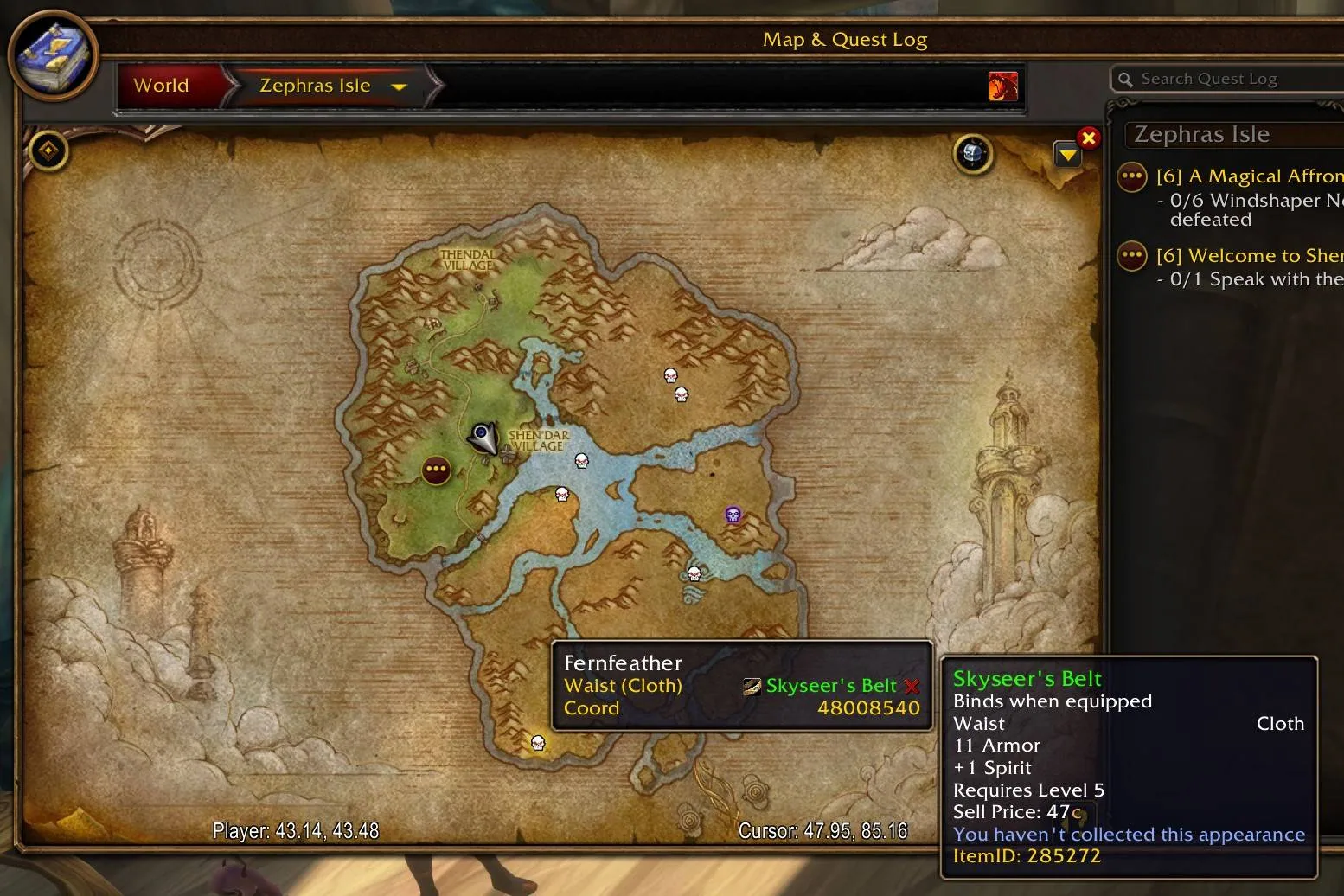
1/1The Zephras Isle world map with skull markers for rares, a tooltip for the rare Fernfeather listing the drop Skyseer's Belt and the item tooltip beside it.
Captured in WoW ForeverImages: curseforge.com
What it does
- Plugin for HandyNotes that pins notable Forever rares on the world map, with the loot they can drop.
- Covers Zephras Isle and Mount Hyjal so far, the files for Riverglades and Shen'dralas exist but hold no points yet.
- Right-click a point to set a waypoint, link its location to chat, see related achievements or hide it.
- Tooltips list the drops and mark appearances you have not collected yet.
- A treasure chest button in the top right of the world map opens the plugin settings in an affected zone, and the HandyNotes settings dialog has the rest.
In WoW Forever
Yes, HandyNotes: WoW Forever has a WoW Forever version (version v3 of October 4).
Settings
/handynotes
Click the treasure chest button at the top right of the world map in a zone the plugin covers, or type /handynotes to open the HandyNotes settings and find the WoW Forever section.
Install
- Download the file tagged for Forever or game version 1.60.1.
- Unpack the folder into World of Warcraft\_classic_beta_\Interface\AddOns.
- Restart the game and check on the character screen under AddOns that it is on.
For the same job
- TomTomWaypoint arrow and coordinates for any map spot, the addon behind most "point me there" features.
- Leatrix MapsMap enhancements from Leatrix that support every WoW version.
- Forever World Map RevealFixes missing Forever beta world map textures on clients that are not English.
- MapsterWorld map enhancement addon by Nevcairiel.
- Waypoint UIIn-world waypoint display that shows relevant information in space.
- OpenMapOne seamless world map with every zone stitched together, so you zoom out of one zone and pan straight into the next. Blizzard's map, the quest log and Questie keep working. Still a beta. Opens with /openmap.
FAQ
Does HandyNotes: WoW Forever work in WoW Forever?
Yes, HandyNotes: WoW Forever has a WoW Forever version (version v3 of October 4). We check the addon file itself, not only what the download page says.
Where do I download HandyNotes: WoW Forever for WoW Forever?
On GitHub under Releases. Take the file tagged for Forever or game version 1.60.1. HandyNotes: WoW Forever has 13.4K downloads on CurseForge.
How do I open the HandyNotes: WoW Forever settings?
Type /handynotes in chat. Click the treasure chest button at the top right of the world map in a zone the plugin covers, or type /handynotes to open the HandyNotes settings and find the WoW Forever section.
Short on time? Let a booster play it
Every guide here shows how to do it yourself. If your evenings are short, our boosters take the grind off your hands. Options and current prices are on each service page.


Connected
Linked in other guides
More guides3
More guides3
- FarmingActivity · Useful addons HandyNotes: WoW Forever

Page history
What changed
Updated
New page for this addon: what it does, its Forever status, settings, install steps, alternatives and the download from the developer or the project page, with the project's screenshots where it has them, each credited to its source.
First published Every change on the guides