
Quick access


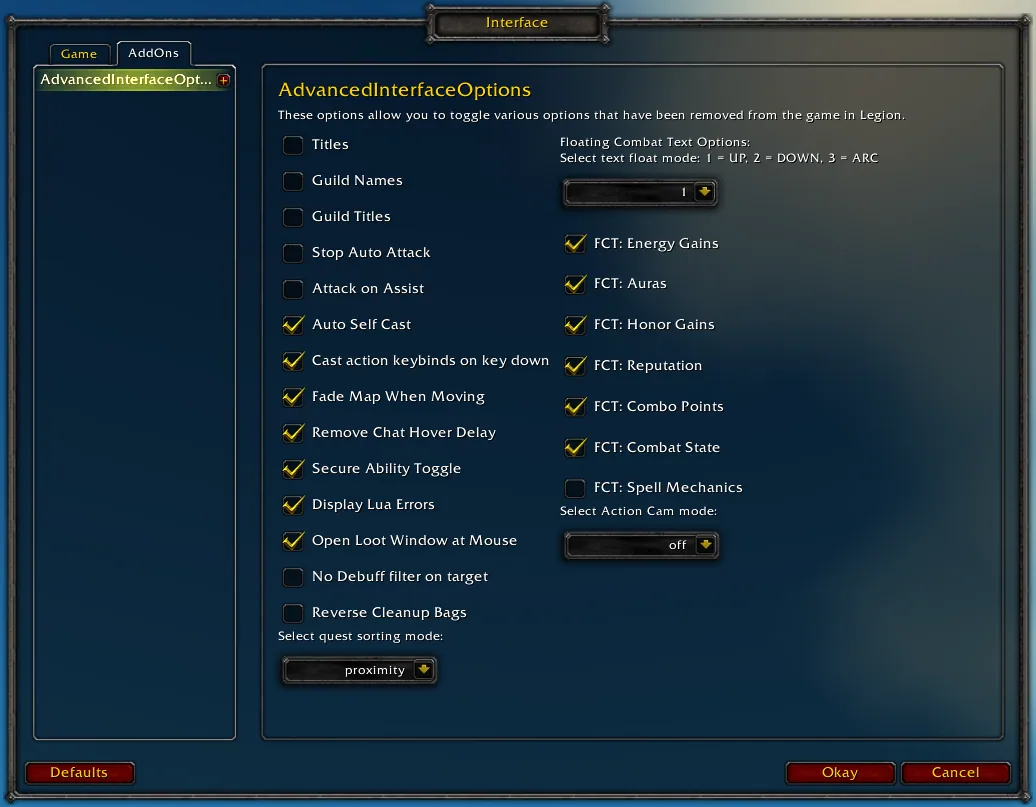
1/3The basic options panel of Advanced Interface Options with checkboxes for titles, guild names, auto attack, attack on assist and combat text.
Captured in RetailImages: curseforge.com
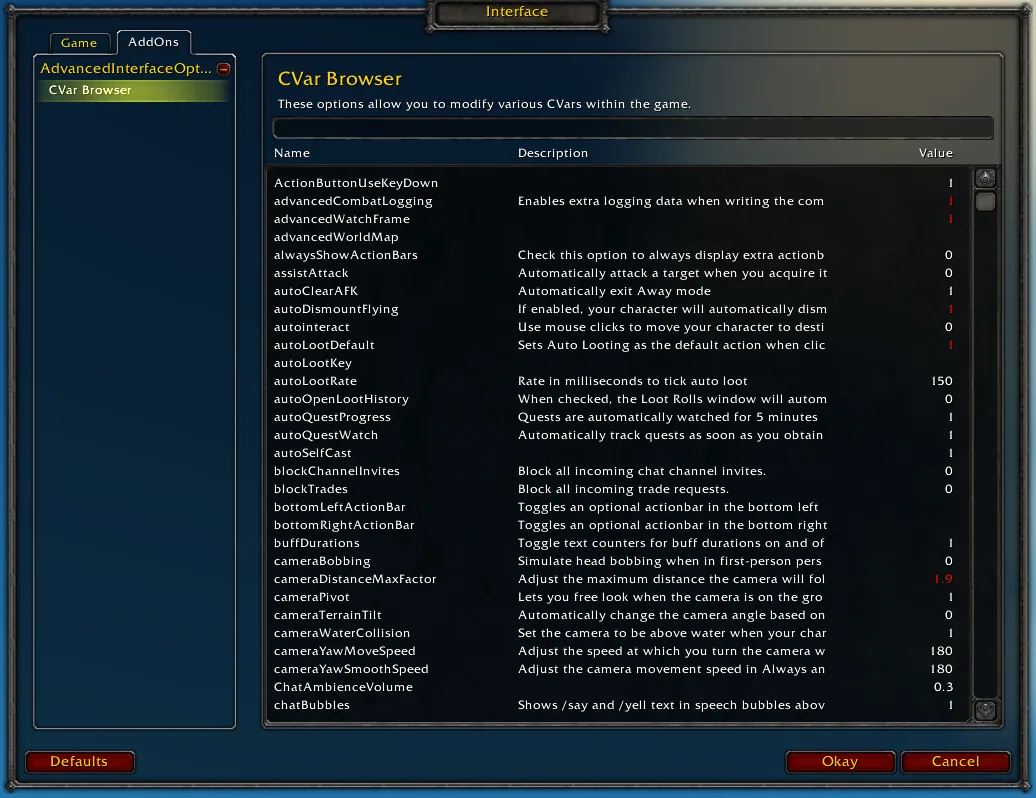
2/3The CVar browser listing console settings with name, description and value.
Captured in RetailImages: curseforge.com
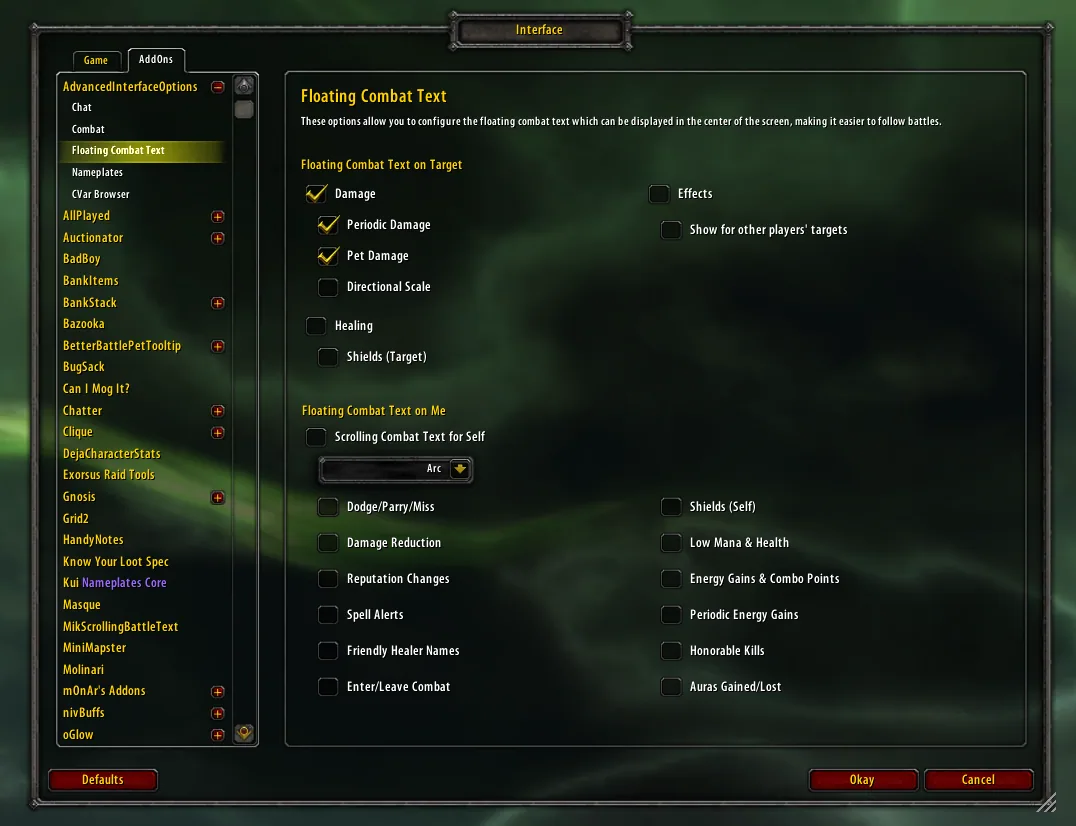
3/3The Floating Combat Text panel with checkboxes for damage, healing, shields and effects on the target and for dodges, honor and auras on yourself.
Captured in RetailImages: curseforge.com
What it does
- Gives back interface switches Blizzard removed: player titles, guild names and titles, stop auto attack, attack on assist, cast action keybinds on key down, fade map when moving, reverse bag cleanup and more.
- Has a built-in CVar browser that lists every console setting with its description and value, so you can change settings the normal menu never showed, for example violence level and nameplate distance.
- Floating combat text options in one panel: float mode (up, down, arc), energy gains, auras, honor, reputation, combo points, entering and leaving combat, healing and absorbs.
- Chat tweaks: remove the chat hover delay and scroll chat with the mouse wheel.
- Extra switches for quest sorting (top or proximity), Action Cam mode, Lua error display and no debuff filter on the target.
In WoW Forever
Yes, Advanced Interface Options has a WoW Forever version.
Settings
/aio
Type /aio for the main menu or /cvar for the CVar browser, or open Interface Options and look for AdvancedInterfaceOptions in the AddOns list.
Install
- Download the file tagged for Forever or game version 1.60.1.
- Unpack the folder into World of Warcraft\_classic_beta_\Interface\AddOns.
- Restart the game and check on the character screen under AddOns that it is on.
For the same job
- Leatrix PlusModular quality-of-life addon with automation, chat, interface and social options.
- BlizzMoveMakes the default frames movable with drag and drop.
- MoveAnyMove any Blizzard UI element or window.
- Enhance QoLBundle of small interface tweaks such as a drink macro and quick LFG signup.
- EllesmereUI: Standalone Forever EssentialsStandalone quality-of-life pack for Forever with flight timers and a threat meter, no full UI needed.
- Forever AIOOptional modules in one addon: gear comparison, dungeon loot, hunter pet info and a planner for your trainer visits. Its author still calls it a beta.
FAQ
Does Advanced Interface Options work in WoW Forever?
Yes, Advanced Interface Options has a WoW Forever version. We check the addon file itself, not only what the download page says.
Where do I download Advanced Interface Options for WoW Forever?
On GitHub under Releases. Take the file tagged for Forever or game version 1.60.1. Advanced Interface Options has 12.3M downloads on CurseForge.
How do I open the Advanced Interface Options settings?
Type /aio in chat. Type /aio for the main menu or /cvar for the CVar browser, or open Interface Options and look for AdvancedInterfaceOptions in the AddOns list.
Short on time? Let a booster play it
Every guide here shows how to do it yourself. If your evenings are short, our boosters take the grind off your hands. Options and current prices are on each service page.


Connected
Linked in other guides
Page history
What changed
Updated
New page for this addon: what it does, its Forever status, settings, install steps, alternatives and the download from the developer or the project page, with the project's screenshots where it has them, each credited to its source.
First published Every change on the guides