
Quick access


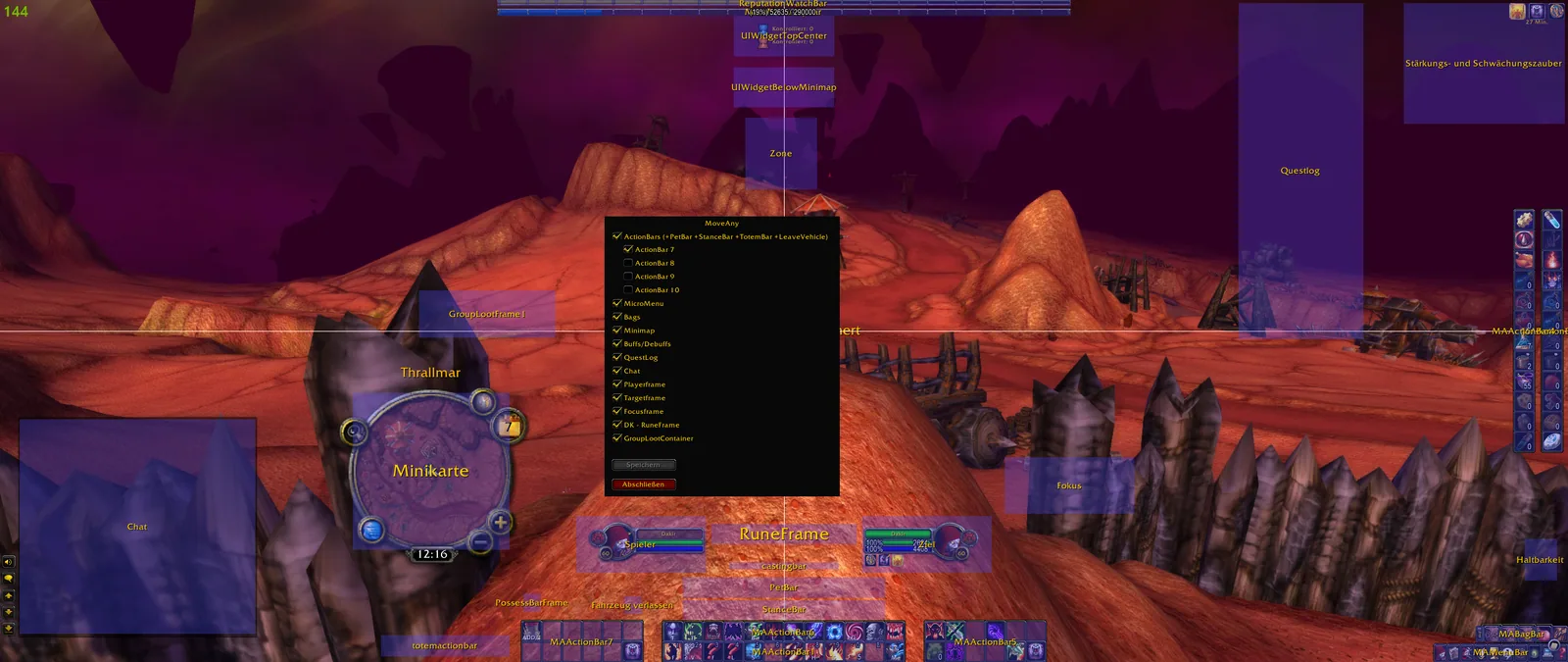
1/2MoveAny's unlock view over the game screen with every movable element shaded and named, such as Minimap, Chat, Player, Target and the action bars, next to the element list.
Captured in ClassicImages: curseforge.com
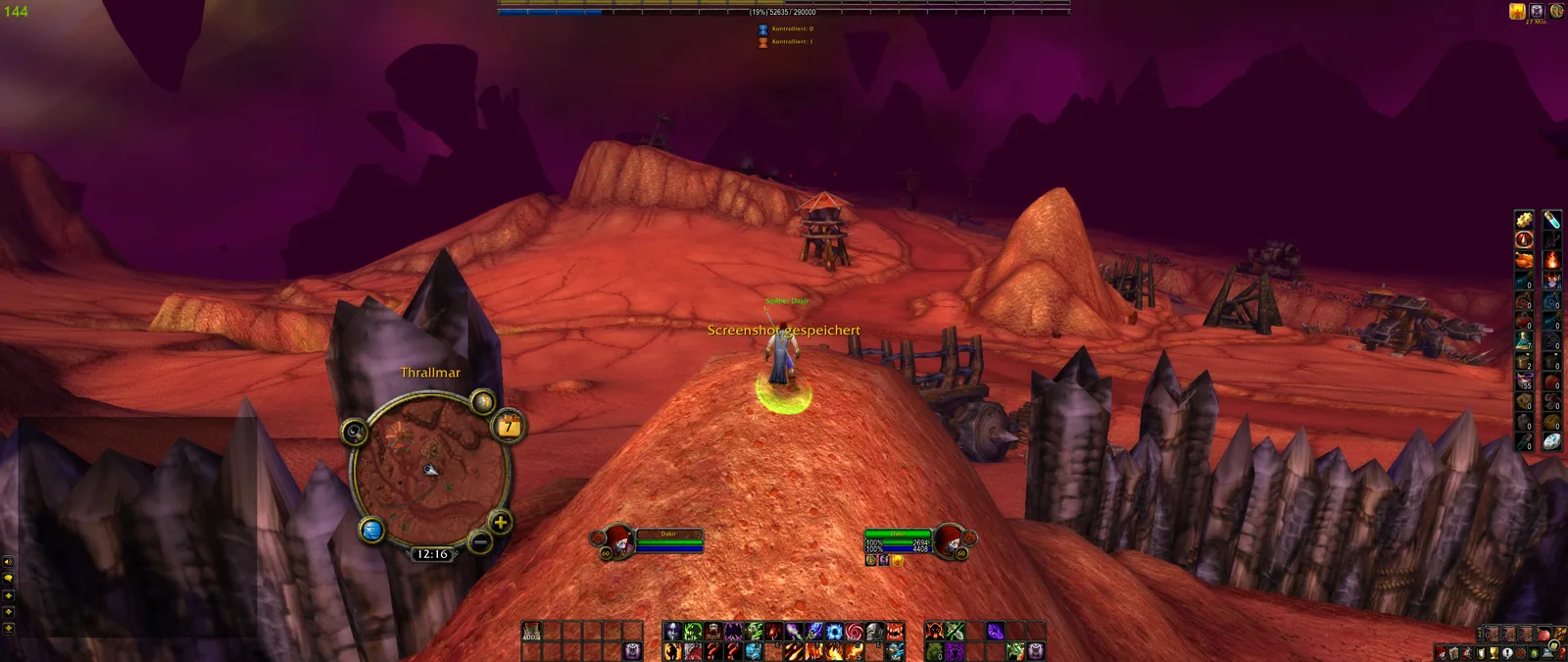
2/2The same game screen with MoveAny closed, showing the normal interface for comparison.
Captured in ClassicImages: curseforge.com
What it does
- Moves and scales a large selection of Blizzard interface elements and windows. Drag the highlighted mover, or nudge the selected element one pixel at a time with the arrow keys.
- Can hide an element, make it click-through, and set its frame strata, frame level and opacity depending on the situation.
- Snaps movers to a grid or to the edges and centers of other elements, so layouts line up.
- Finds frames for you with a built-in picker (click the frame you want) or a search in the sorted element list.
- Has settings for action bars, aura layouts, duration text, stack text and status bars.
- Profiles: several account-wide profiles with one active per character, export and import, and sharing through clickable chat links.
In WoW Forever
Yes, MoveAny has a WoW Forever version (version 1.14.9 of November 6).
Partly built into the game already: Edit Mode.
Settings
/move
Type /move or /moveany, or click the minimap button. Left-click an element's row to see its mover, right-click for its detailed options.
Install
- Download the file tagged for Forever or game version 1.60.1.
- Unpack the folder into World of Warcraft\_classic_beta_\Interface\AddOns.
- Restart the game and check on the character screen under AddOns that it is on.
For the same job
- Leatrix PlusModular quality-of-life addon with automation, chat, interface and social options.
- BlizzMoveMakes the default frames movable with drag and drop.
- AdvancedInterfaceOptionsRestores access to interface options that Blizzard removed.
- Enhance QoLBundle of small interface tweaks such as a drink macro and quick LFG signup.
- EllesmereUI: Standalone Forever EssentialsStandalone quality-of-life pack for Forever with flight timers and a threat meter, no full UI needed.
- Forever AIOOptional modules in one addon: gear comparison, dungeon loot, hunter pet info and a planner for your trainer visits. Its author still calls it a beta.
FAQ
Does MoveAny work in WoW Forever?
Yes, MoveAny has a WoW Forever version (version 1.14.9 of November 6). We check the addon file itself, not only what the download page says.
Where do I download MoveAny for WoW Forever?
On GitHub under Releases. Take the file tagged for Forever or game version 1.60.1. MoveAny has 21.4M downloads on CurseForge.
How do I open the MoveAny settings?
Type /move in chat. Type /move or /moveany, or click the minimap button. Left-click an element's row to see its mover, right-click for its detailed options.
Short on time? Let a booster play it
Every guide here shows how to do it yourself. If your evenings are short, our boosters take the grind off your hands. Options and current prices are on each service page.


Connected
Linked in other guides
Addons1
Addons1
Built in1
Built in1

Page history
What changed
Updated
The current Forever version is 1.14.9 of November 6.
The current Forever version is 1.14.7 of November 4.
The current Forever version is 1.14.1 of November 2.
First published Every change on the guides