

 All 353 guides and tools, plus dungeons, bosses, beasts, items, addons and places on the World Map.
Quick access
 Talent CalculatorAll 9 classes, share a build by link
 Interactive World MapZones by level, dungeons and routes
 Leveling Guide 1–60Your route from any start to 60
 Dungeon FinderWhich dungeons fit your level
 Rotation TrainerPractice your rotation on a dummy
 Profession LevelingAny profession 1 to 300 with a shopping list

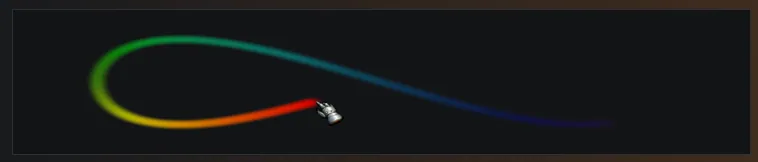

1/6The settings preview showing a rainbow cursor trail looping behind the mouse pointer.
Captured in WoW ForeverImages: github.com
2/6A white cursor ring with a yellow cast ring around it, drawn around the mouse pointer over a green trail. Small image.
Captured in WoW ForeverImages: github.com
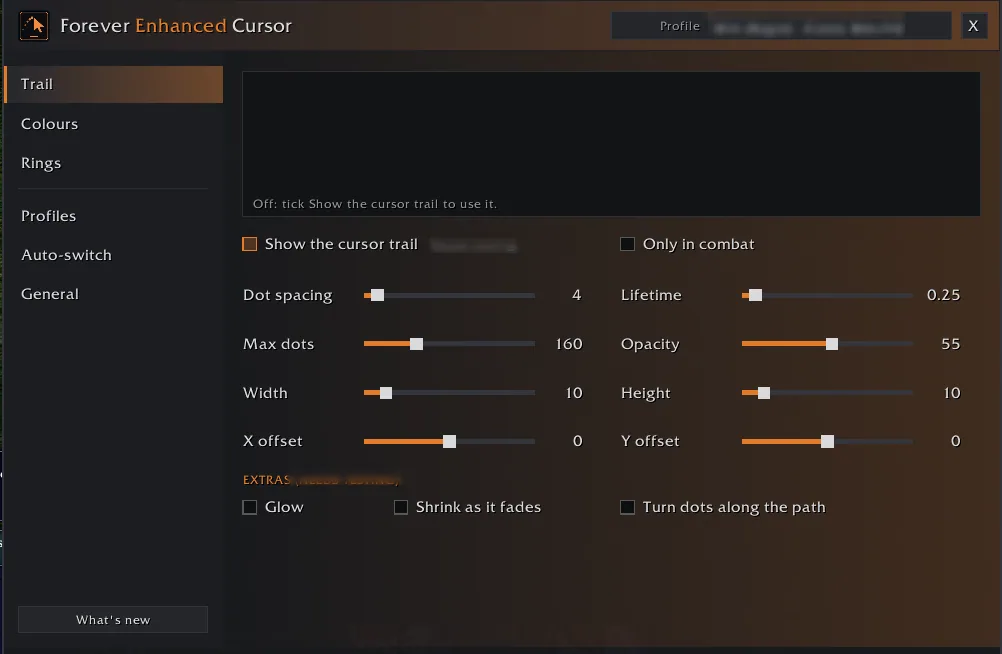
3/6The Trail page of the settings window with sliders for dot spacing, lifetime, max dots, opacity, width, height and offsets.
Captured in WoW ForeverImages: github.com
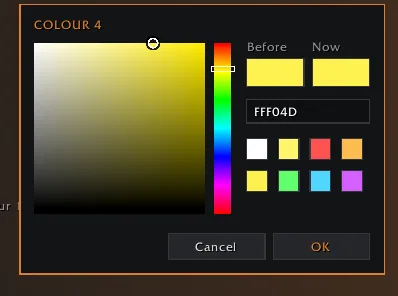
4/6The addon's own color picker with a color field, hue strip, hex box, Before and Now swatches and preset colors.
Captured in WoW ForeverImages: github.com
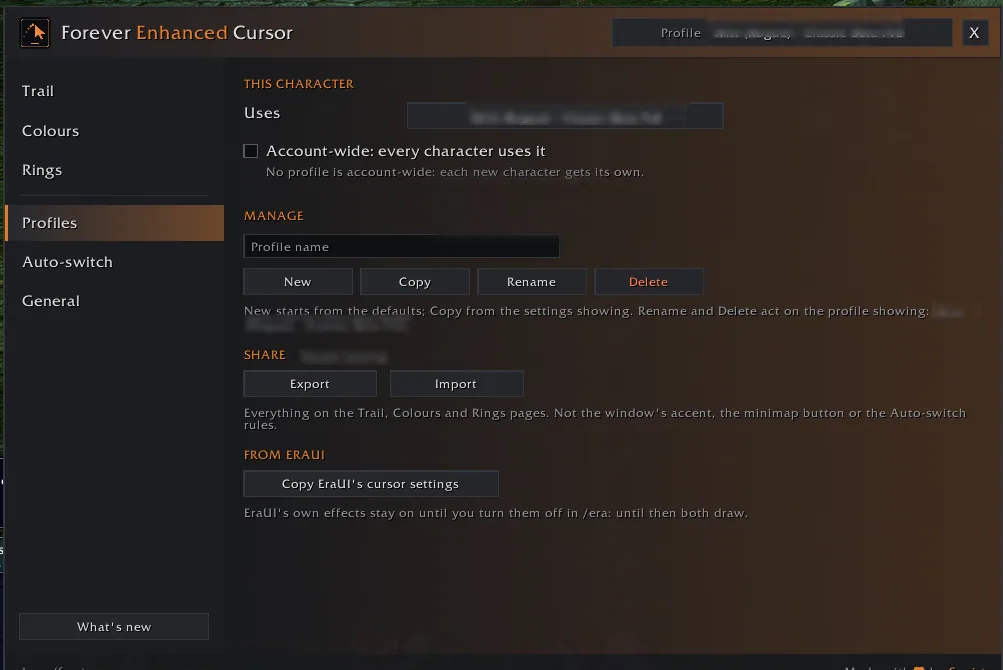
5/6The Profiles page with account-wide switch, New, Copy, Rename and Delete buttons, Export and Import, and the copy button for EraUI cursor settings.
Captured in WoW ForeverImages: github.com
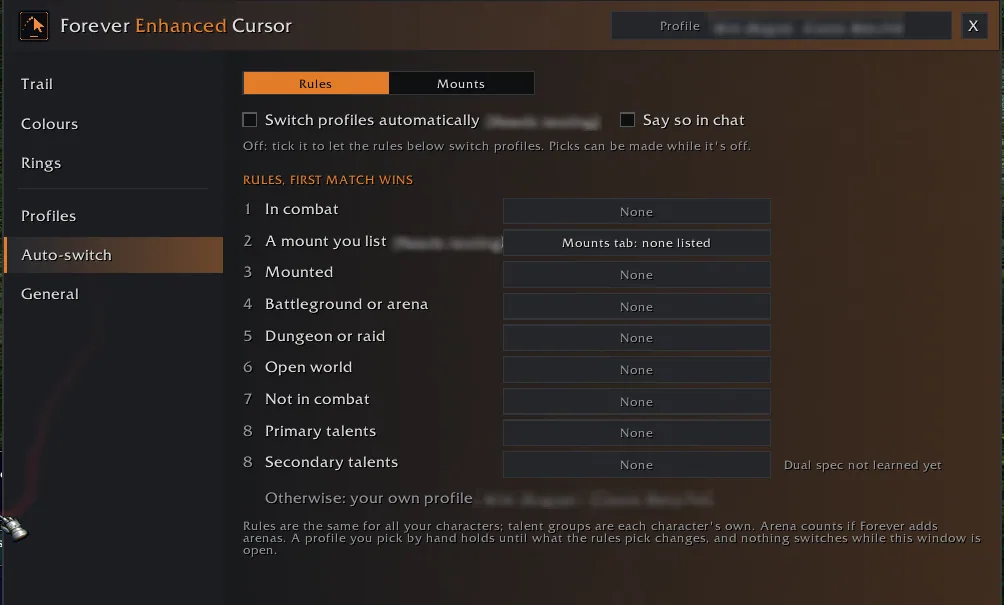
6/6The Auto-switch page with rules for in combat, mounted, battleground or arena, dungeon or raid, open world and talent groups.
Captured in WoW ForeverImages: github.com
What it does
- Cursor trail: soft dots that fade behind the mouse pointer, with settings for spacing, lifetime, size and opacity, and optional glow, shrinking and dots turned along the path.
- Trail colors: your class color, one color, a rainbow or a gradient of up to ten colors, picked in the addon's own color picker or typed as hex.
- Cursor ring around the pointer so you can find it, plus a cast ring that fills while you cast and drains while you channel.
- Cursor marker on the pointer: a bullseye, crosshair, dot, diamond, star or your class icon.
- Highlight while looking: the game hides the cursor while you turn the camera, so a see-through copy of the pointer marks where it comes back.
- Profiles per character or account-wide, shared as text, and switched by rules such as in combat, mounted, battleground or arena, dungeon or raid, or talent group. Every effect starts off.
In WoW Forever
Yes, Forever Enhanced Cursor has a WoW Forever version (version 1.0.1 of October 10).
Settings
/fec
Type /fec (or /fecursor) to open the settings, or click the minimap button. They are also under Options > AddOns.
Install
- Download the file tagged for Forever or game version 1.60.1.
- Unpack the folder into World of Warcraft\_classic_beta_\Interface\AddOns.
- Restart the game and check on the character screen under AddOns that it is on.
For the same job
- Leatrix PlusModular quality-of-life addon with automation, chat, interface and social options.
- BlizzMoveMakes the default frames movable with drag and drop.
- MoveAnyMove any Blizzard UI element or window.
- AdvancedInterfaceOptionsRestores access to interface options that Blizzard removed.
- Enhance QoLBundle of small interface tweaks such as a drink macro and quick LFG signup.
- EllesmereUI: Standalone Forever EssentialsStandalone quality-of-life pack for Forever with flight timers and a threat meter, no full UI needed.
FAQ
Does Forever Enhanced Cursor work in WoW Forever?
Yes, Forever Enhanced Cursor has a WoW Forever version (version 1.0.1 of October 10). We check the addon file itself, not only what the download page says.
Where do I download Forever Enhanced Cursor for WoW Forever?
On CurseForge. Take the file tagged for Forever or game version 1.60.1. Forever Enhanced Cursor has 44 downloads on CurseForge.
How do I open the Forever Enhanced Cursor settings?
Type /fec in chat. Type /fec (or /fecursor) to open the settings, or click the minimap button. They are also under Options > AddOns.
Short on time? Let a booster play it
Every guide here shows how to do it yourself. If your evenings are short, our boosters take the grind off your hands. Options and current prices are on each service page.


Connected
Linked in other guides
Page history
What changed
Updated
New page for this addon: what it does, its Forever status, settings, install steps, alternatives and the download from the developer or the project page, with the project's screenshots where it has them, each credited to its source.
First published Every change on the guides