
Quick access


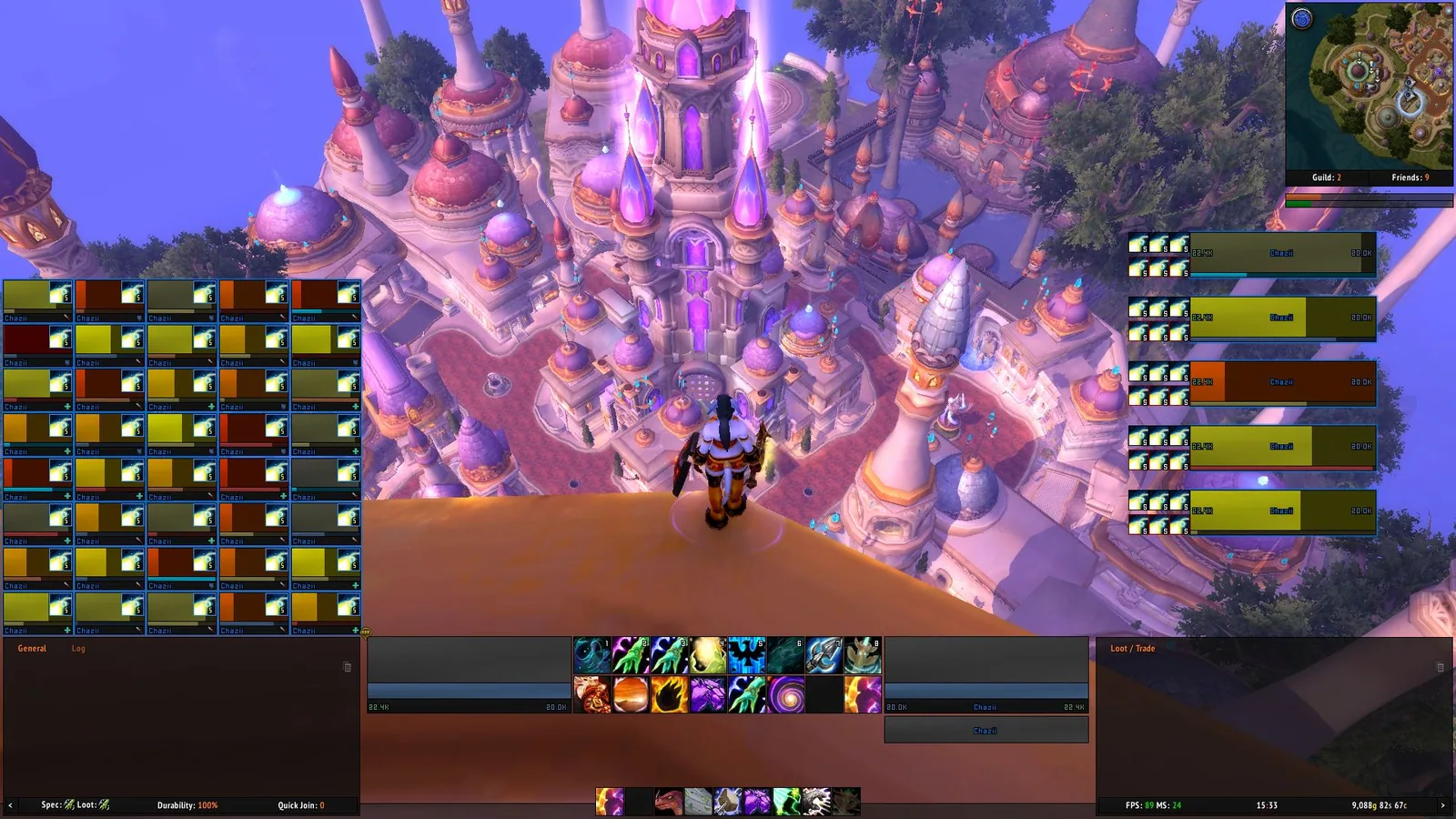
1/2A full ElvUI layout in a Retail client with a raid grid on the left, five unit frames on the right, action bars and chat panels along the bottom and the minimap top right
Captured in RetailImages: tukui.org
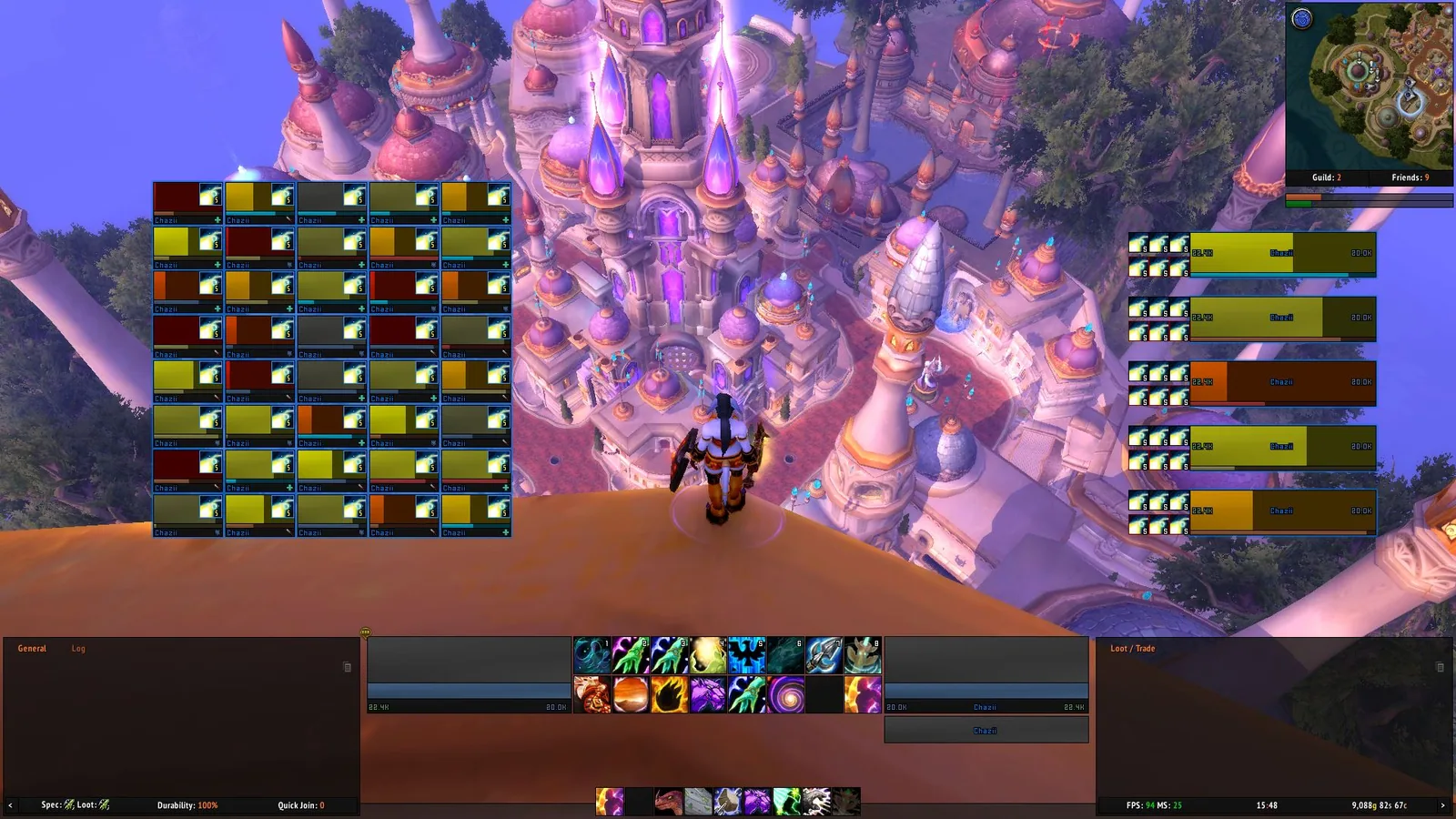
2/2The ElvUI healer layout with the raid grid moved toward the center of the screen, action bars and two chat panels at the bottom
Captured in RetailImages: tukui.org
What it does
- Replaces the whole default interface, with its own unit frames, action bars, bags, chat, minimap, nameplates and tooltips.
- Gives bags an inventory and bank window with automatic junk selling and sorting.
- Adds data texts for FPS, latency, durability, specialization and many more, plus experience, reputation and threat bars.
- Makes chat links clickable, can alert you to keywords and lets you set the chat colors.
- Has filters, aura highlights and a move mode (/emove) to reposition elements.
- Skins the Blizzard windows in one dark style and lets you share profiles with other players.
In WoW Forever
ElvUI is being ported to WoW Forever, there is no release yet.
Settings
/ec
Type /ec or /elvui to open the settings. /emove switches on move mode, /kb is the key binding mode and /ehelp lists all commands.
Install
- Download the file tagged for Forever or game version 1.60.1.
- Unpack the folder into World of Warcraft\_classic_beta_\Interface\AddOns.
- Restart the game and check on the character screen under AddOns that it is on.
For the same job
- EllesmereUIUI suite with an unlock-mode editor, action bars, unit and raid frames, nameplates, a cooldown manager skin, chat, bags and a base layout made for Forever.
- ForeverUIRole-adaptive interface for Forever with healer, tank and DPS frames, click casting, action bars, nameplates, bags, chat and a quest helper module.
- SpartanUILong-running UI suite combining artwork with unit frames, bars and minimap options.
- LuckyoneUIElvUI-based interface that also runs standalone, with a bundled damage meter.
- OakUI: The Ellesmere UI EditionOne-click profile installer with layouts for EllesmereUI.
- MelloUIAll-in-one Forever interface with an old-school RPG reskin, voiced quest givers, a route arrow and an updated map.
FAQ
Does ElvUI work in WoW Forever?
ElvUI is being ported to WoW Forever, there is no release yet. We check the addon file itself, not only what the download page says.
Where do I download ElvUI for WoW Forever?
On the developer's site. Take the file tagged for Forever or game version 1.60.1.
How do I open the ElvUI settings?
Type /ec in chat. Type /ec or /elvui to open the settings. /emove switches on move mode, /kb is the key binding mode and /ehelp lists all commands.
Short on time? Let a booster play it
Every guide here shows how to do it yourself. If your evenings are short, our boosters take the grind off your hands. Options and current prices are on each service page.


Connected
Linked in other guides
More guides4
More guides4

Page history
What changed
Updated
New page for this addon: what it does, its Forever status, settings, install steps, alternatives and the download from the developer or the project page, with the project's screenshots where it has them, each credited to its source.
First published Every change on the guides