
Quick access


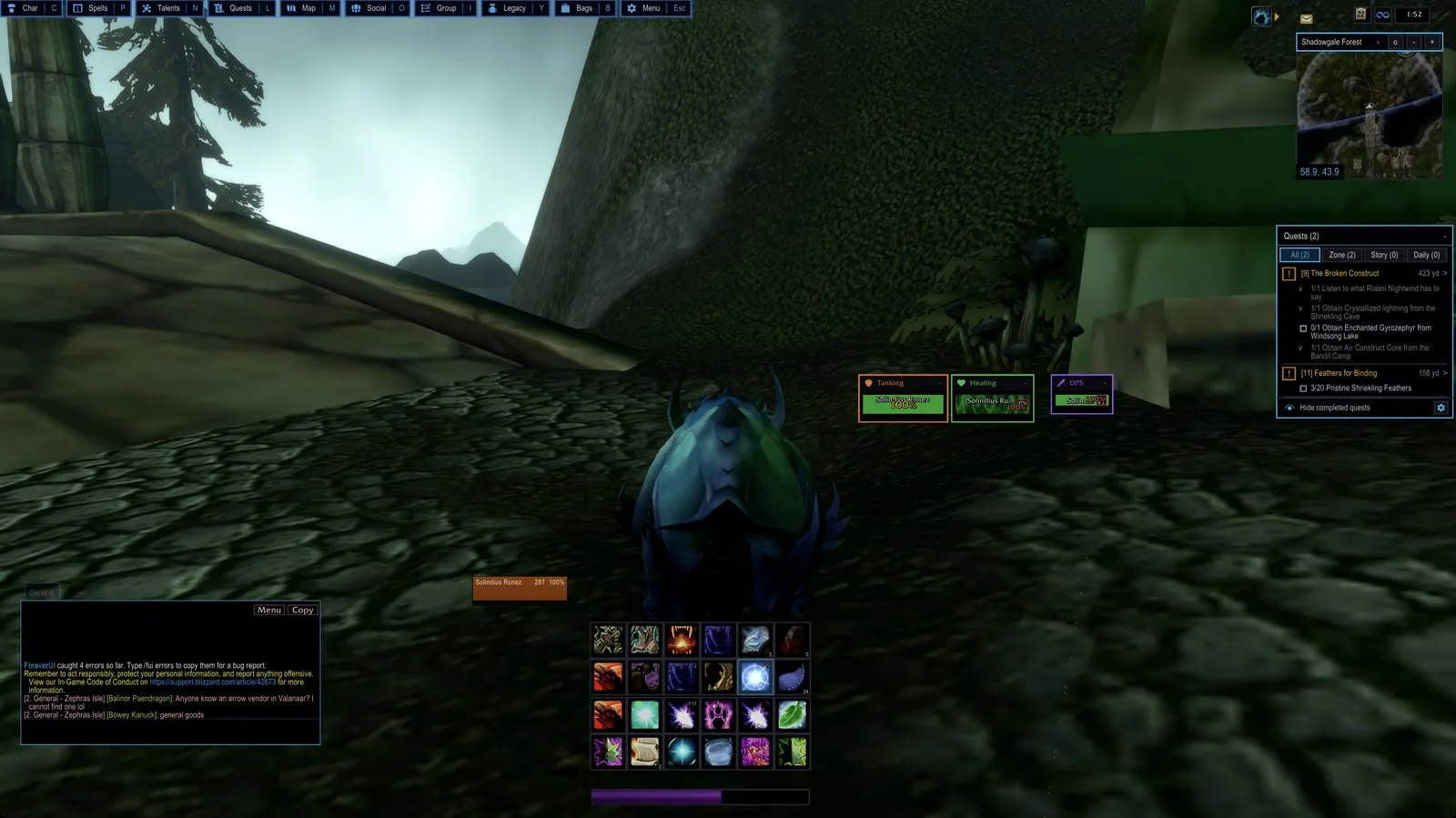
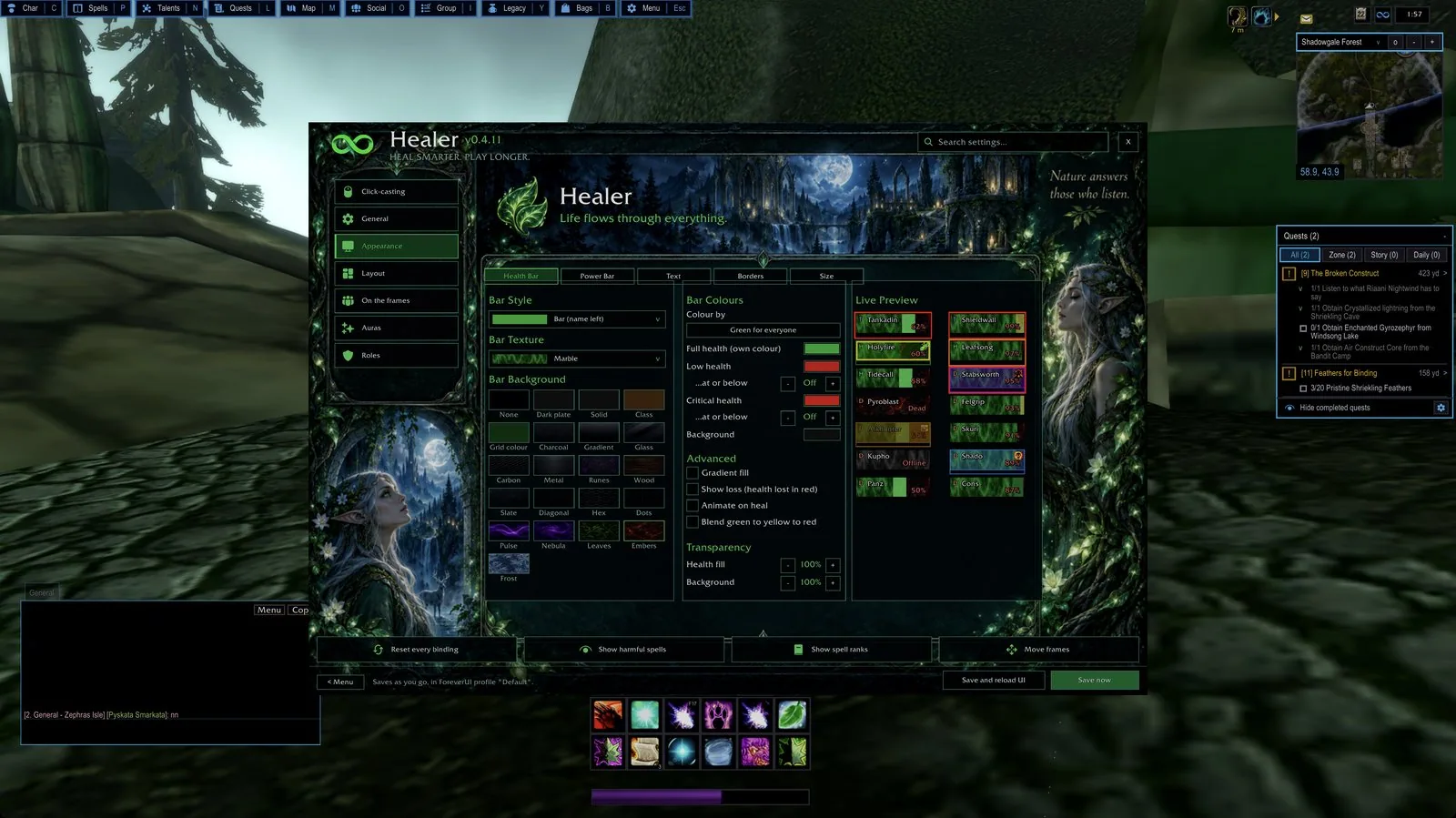
1/6ForeverUI in the game world with action bars, role grids, minimap and quest tracker
Captured in WoW ForeverImages: ispress.de
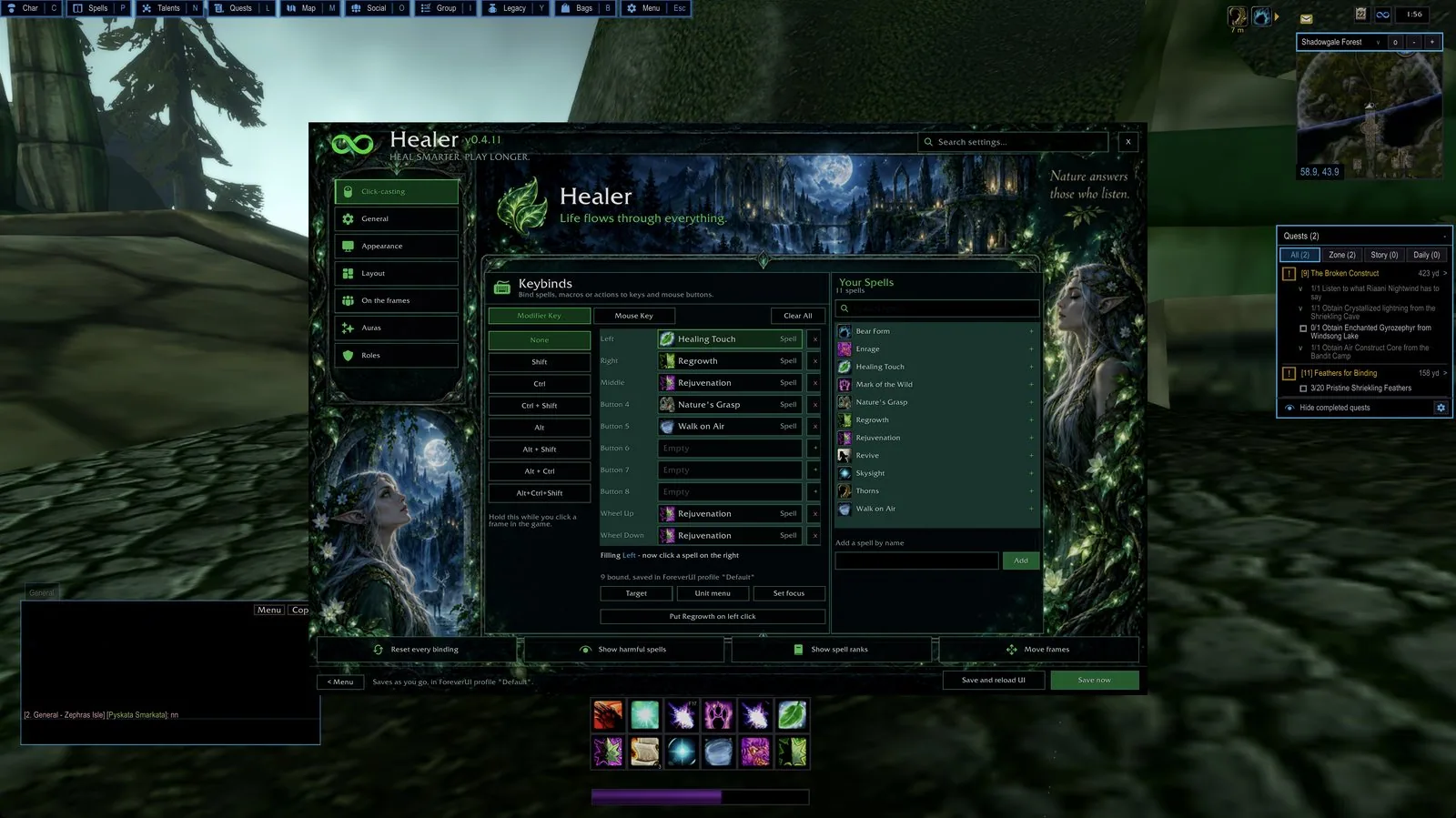
2/6The Healer window with click-cast bindings and the spell list
Captured in WoW ForeverImages: ispress.de
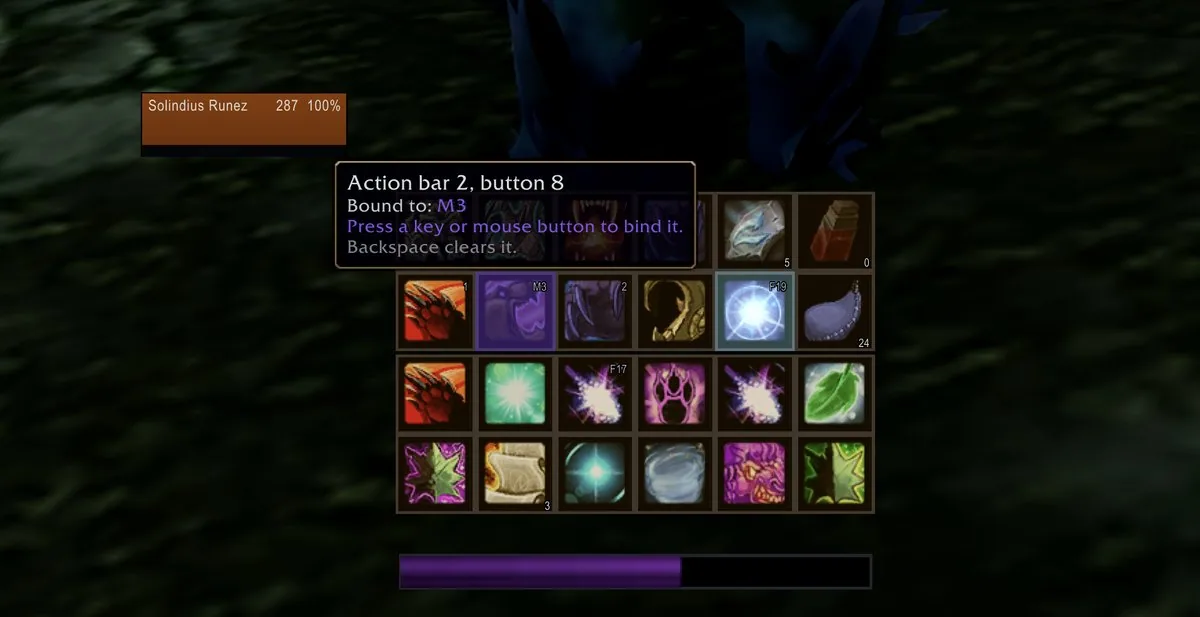
3/6Keybind mode with the tooltip of a button showing its current binding
Captured in WoW ForeverImages: ispress.de
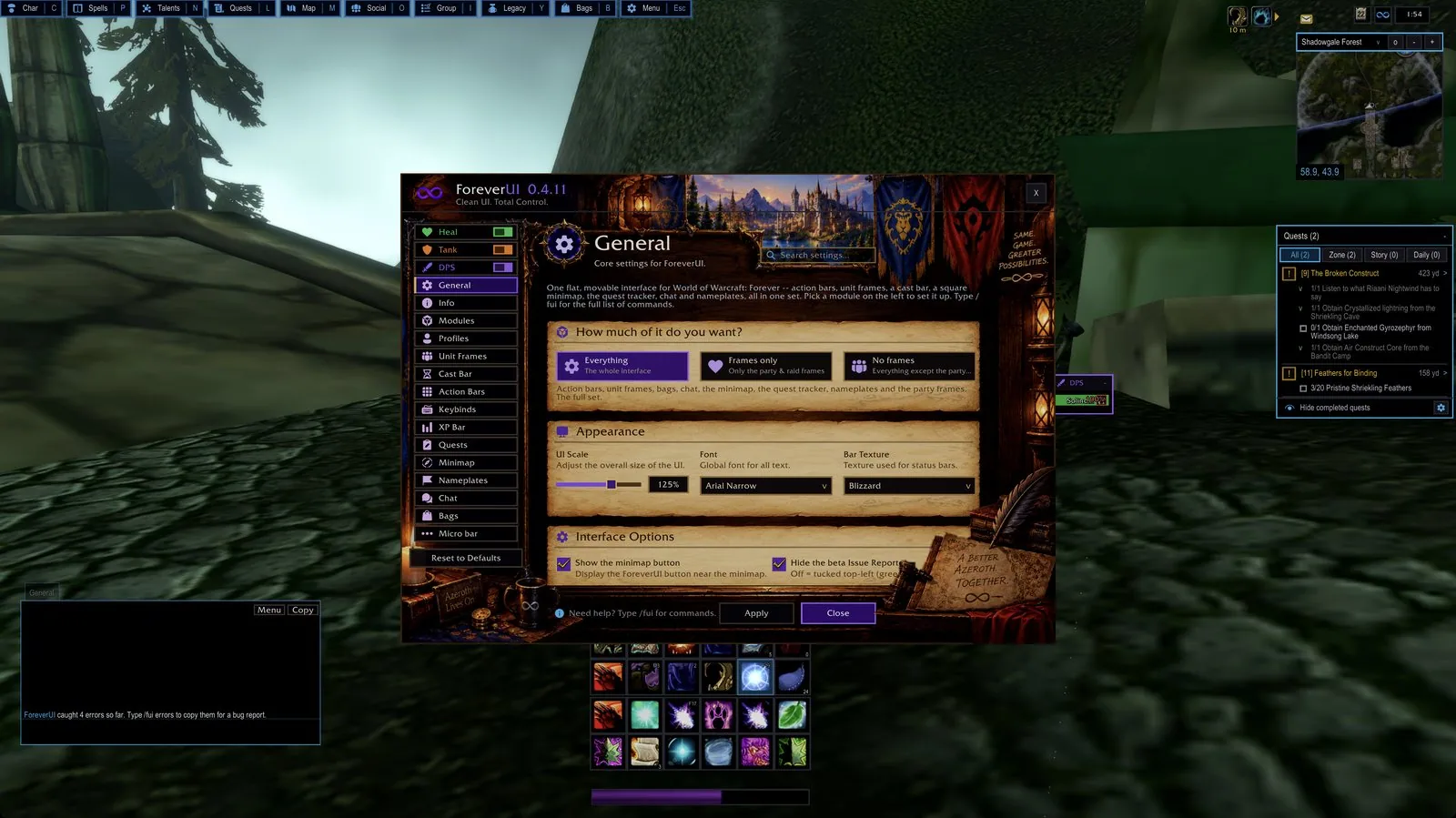
4/6The ForeverUI settings window
Captured in WoW ForeverImages: ispress.de
5/6Health bar appearance settings with a live preview
Captured in WoW ForeverImages: ispress.de
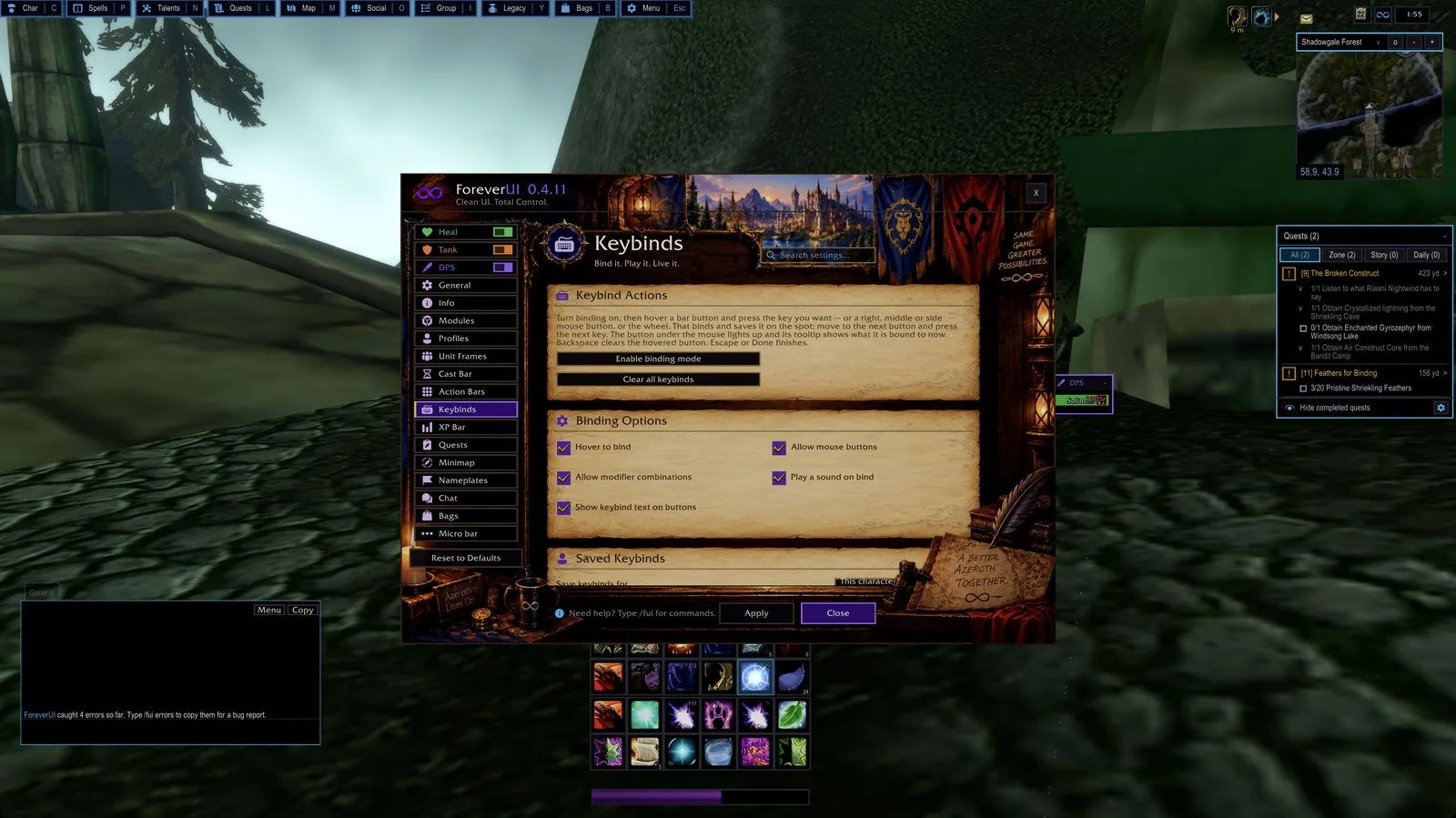
6/6The Keybinds page of the settings
Captured in WoW ForeverImages: ispress.de
What it does
- Party and raid frames with their own grid for healer, tank and DPS, click casting on mouse buttons, keys and the wheel, and a threat screen for tanks.
- The player frames also show the debuffs you applied, such as Weakened Soul after your Power Word: Shield, in combat too. It is on by default and has its own switch under Indicators.
- A damage meter that reads the game's own numbers, so it keeps working in combat. It has twelve meters, up to five windows and a death log.
- All eight action bars with hover-and-press key binding, plus unit frames, cast bars, nameplates, one-window bags with search, chat and minimap in one flat style.
- ForeverAuras gives you your own cooldown, buff and debuff icons with a countdown, a glow and a sound, so you do not need WeakAuras.
- QuestForever marks quest starts, hand-ins and objectives on the world map and minimap, and loot advice tells you what a new item is good for. QuestForever is off until you turn it on.
- Every module is a switch. Turn one off and the game's own version comes back, and /fui move lets you drag every frame.
In WoW Forever
Yes, ForeverUI has a WoW Forever version (version 1.0.1 of November 5).
Settings
/fui
Type /fui to open the options window, and /fui move to drag any frame where you want it.
Install
- Download the file tagged for Forever or game version 1.60.1.
- Unpack the folder into World of Warcraft\_classic_beta_\Interface\AddOns.
- Restart the game and check on the character screen under AddOns that it is on.
For the same job
- EllesmereUIUI suite with an unlock-mode editor, action bars, unit and raid frames, nameplates, a cooldown manager skin, chat, bags and a base layout made for Forever.
- ElvUIFull interface replacement with unit frames, bars, bags, chat and nameplates, downloaded from Tukui instead of the usual addon apps.
- SpartanUILong-running UI suite combining artwork with unit frames, bars and minimap options.
- LuckyoneUIElvUI-based interface that also runs standalone, with a bundled damage meter.
- OakUI: The Ellesmere UI EditionOne-click profile installer with layouts for EllesmereUI.
- MelloUIAll-in-one Forever interface with an old-school RPG reskin, voiced quest givers, a route arrow and an updated map.
FAQ
Does ForeverUI work in WoW Forever?
Yes, ForeverUI has a WoW Forever version (version 1.0.1 of November 5). We check the addon file itself, not only what the download page says.
Where do I download ForeverUI for WoW Forever?
On the developer's site. Take the file tagged for Forever or game version 1.60.1. ForeverUI has 16K downloads on CurseForge.
How do I open the ForeverUI settings?
Type /fui in chat. Type /fui to open the options window, and /fui move to drag any frame where you want it.
Short on time? Let a booster play it
Every guide here shows how to do it yourself. If your evenings are short, our boosters take the grind off your hands. Options and current prices are on each service page.


Connected
Linked in other guides
More guides5
More guides5


Page history
What changed
Updated
The current Forever version is 1.0.1 of November 5.
The current Forever version is 1.0.0 of November 4.
New version with a Forever build: version and release date updated.
First published Every change on the guides