
Quick access


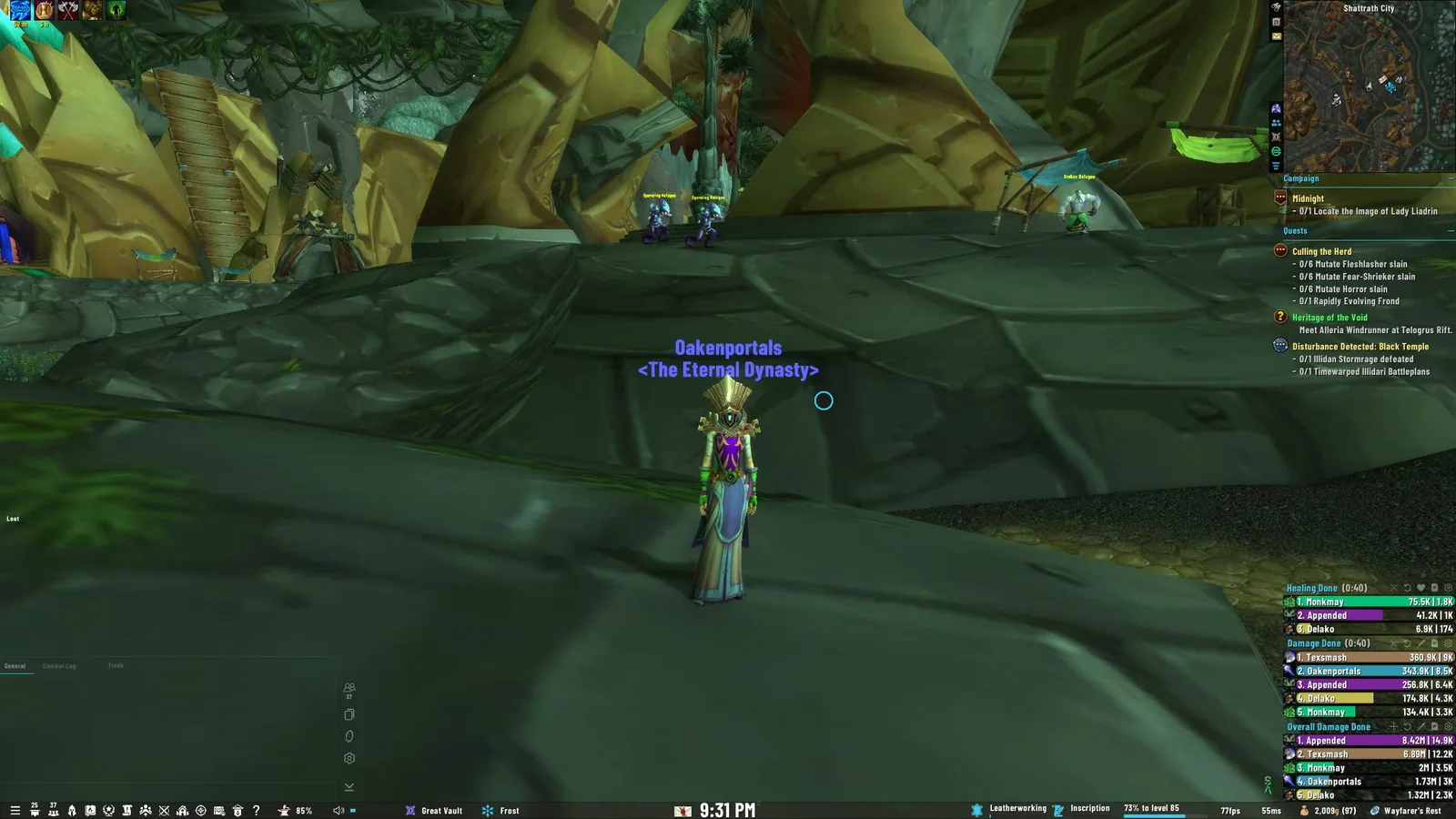
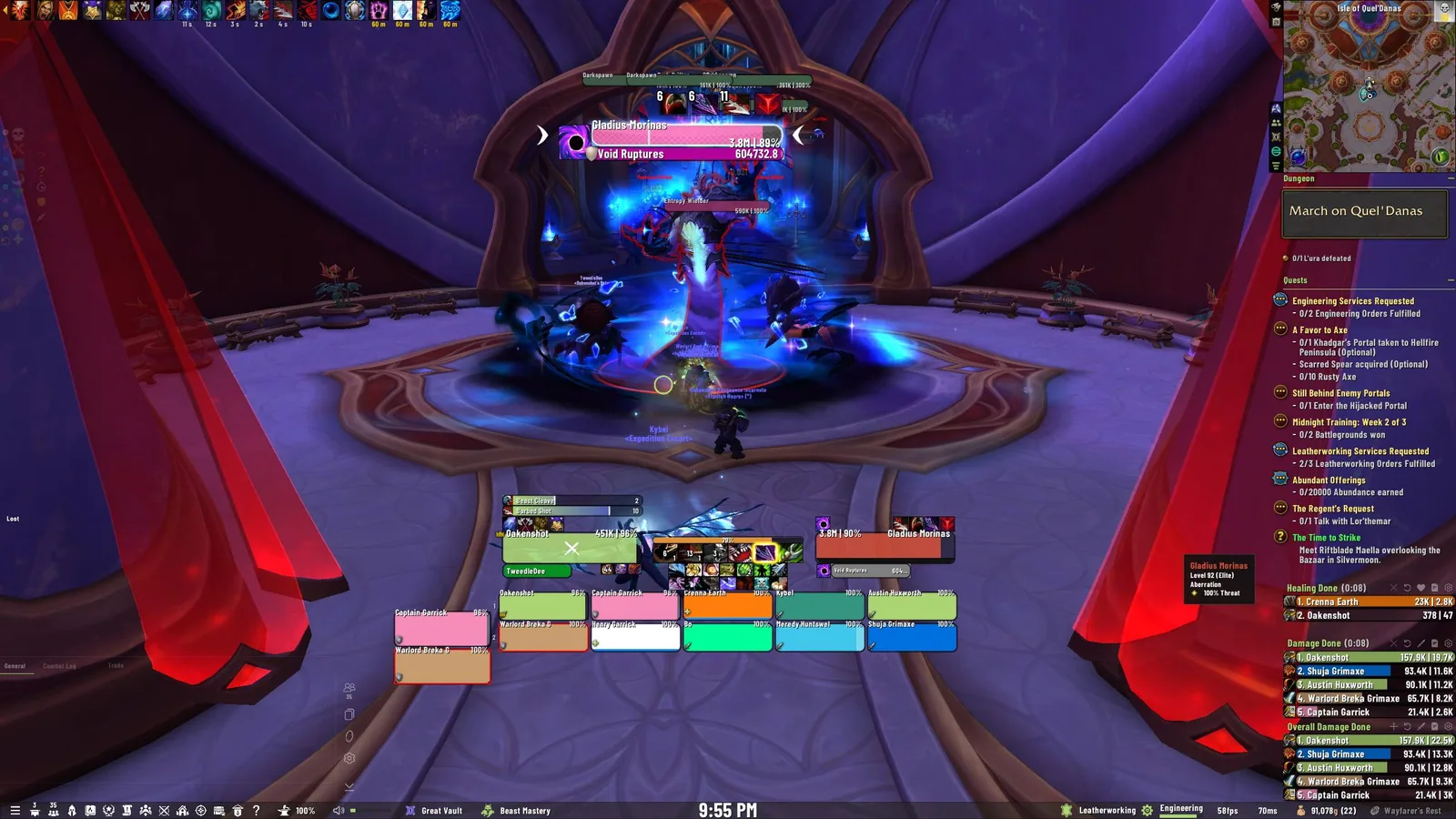

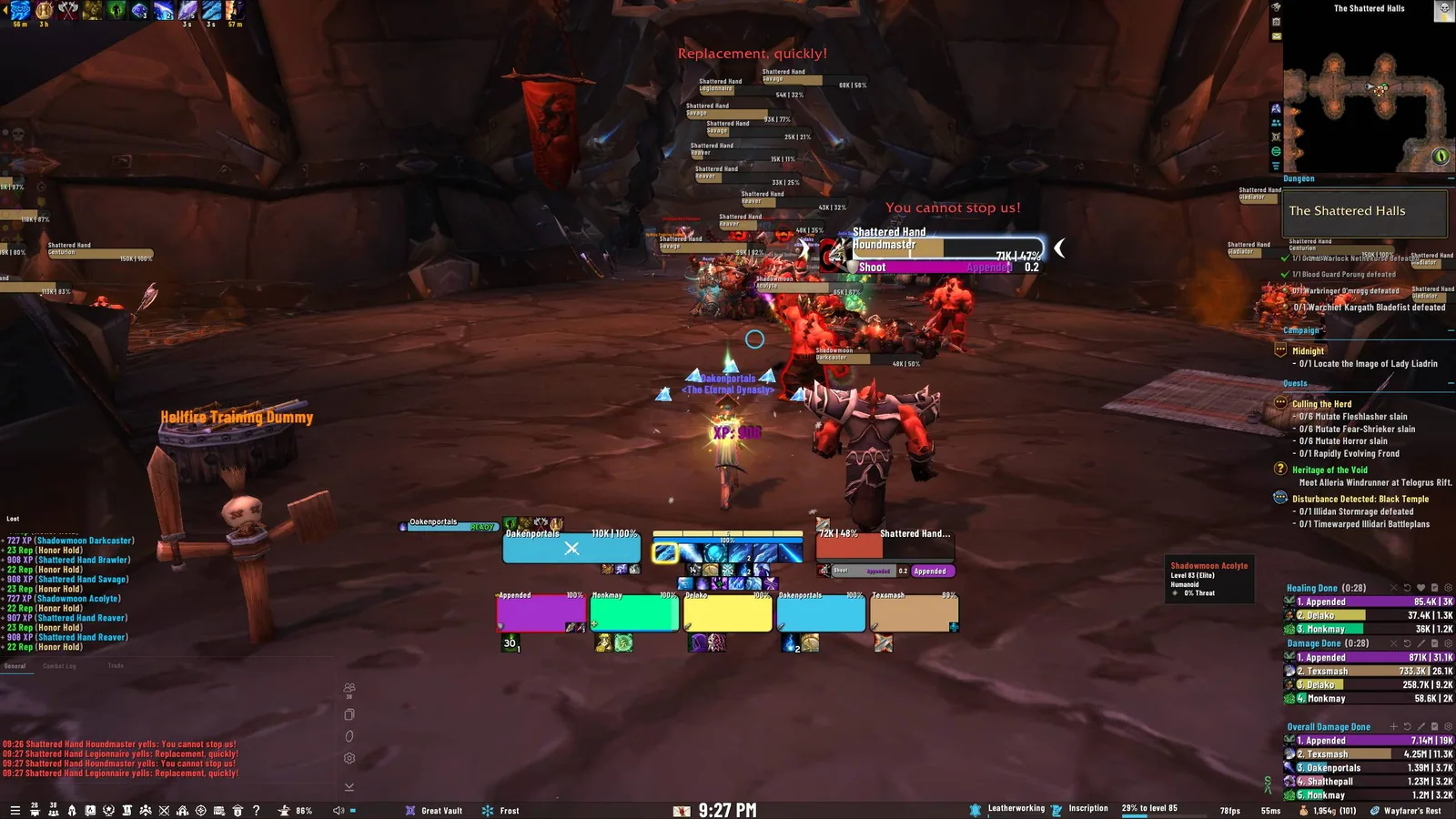
1/4In-game screenshot of the OakUI layout on top of EllesmereUI
Captured in RetailImages: curseforge.com
2/4A second in-game screenshot of the OakUI layout
Captured in RetailImages: curseforge.com
3/4A third in-game screenshot of the OakUI layout
Captured in RetailImages: curseforge.com
4/4A fourth in-game screenshot of the OakUI layout
Captured in RetailImages: curseforge.com
What it does
- A one-click installer that sets up OakUI profiles for EllesmereUI. EllesmereUI is required, OakUI is not a UI on its own.
- Quick Install or Guided Install, with a Healer or Tank/DPS layout, your own profile name and layouts for 1080p, 1440p, 4K and ultrawide screens.
- On Forever it imports the OakUI look into EllesmereUI and sets the OakUI Edit Mode layout. It keeps your own EllesmereUI Cooldown Manager, AuraBuff Reminders and Quickdraw setup.
- A tweaks tab to hide the player and pet frames without a target, hide action bars until mouseover, fade chat, hide red error messages and turn on rounded borders.
- A chat tool that arranges the General, Loot and Trade windows, filters spam and prints clear loot lines, plus a font picker that works without a relog.
In WoW Forever
Yes, OakUI: The Ellesmere UI Edition has a WoW Forever version (version 2.7.10 of October 30).
Settings
/oakui
Type /oakui or /oak to open the installer, and /oaklayout to import the Edit Mode layout on its own.
Install
- Download the file tagged for Forever or game version 1.60.1.
- Unpack the folder into World of Warcraft\_classic_beta_\Interface\AddOns.
- Restart the game and check on the character screen under AddOns that it is on.
For the same job
- EllesmereUIUI suite with an unlock-mode editor, action bars, unit and raid frames, nameplates, a cooldown manager skin, chat, bags and a base layout made for Forever.
- ElvUIFull interface replacement with unit frames, bars, bags, chat and nameplates, downloaded from Tukui instead of the usual addon apps.
- ForeverUIRole-adaptive interface for Forever with healer, tank and DPS frames, click casting, action bars, nameplates, bags, chat and a quest helper module.
- SpartanUILong-running UI suite combining artwork with unit frames, bars and minimap options.
- LuckyoneUIElvUI-based interface that also runs standalone, with a bundled damage meter.
- MelloUIAll-in-one Forever interface with an old-school RPG reskin, voiced quest givers, a route arrow and an updated map.
FAQ
Does OakUI: The Ellesmere UI Edition work in WoW Forever?
Yes, OakUI: The Ellesmere UI Edition has a WoW Forever version (version 2.7.10 of October 30). We check the addon file itself, not only what the download page says.
Where do I download OakUI: The Ellesmere UI Edition for WoW Forever?
On CurseForge. Take the file tagged for Forever or game version 1.60.1. OakUI: The Ellesmere UI Edition has 84.3K downloads on CurseForge.
How do I open the OakUI: The Ellesmere UI Edition settings?
Type /oakui in chat. Type /oakui or /oak to open the installer, and /oaklayout to import the Edit Mode layout on its own.
Short on time? Let a booster play it
Every guide here shows how to do it yourself. If your evenings are short, our boosters take the grind off your hands. Options and current prices are on each service page.


Connected
Linked in other guides
EllesmereUI1
EllesmereUI1
Interface1
Interface1
Page history
What changed
Updated
The current Forever version is 2.7.10 of October 30.
The current Forever version is 2.7.9 of October 24.
New version with a Forever build: version and release date updated.
First published Every change on the guides